

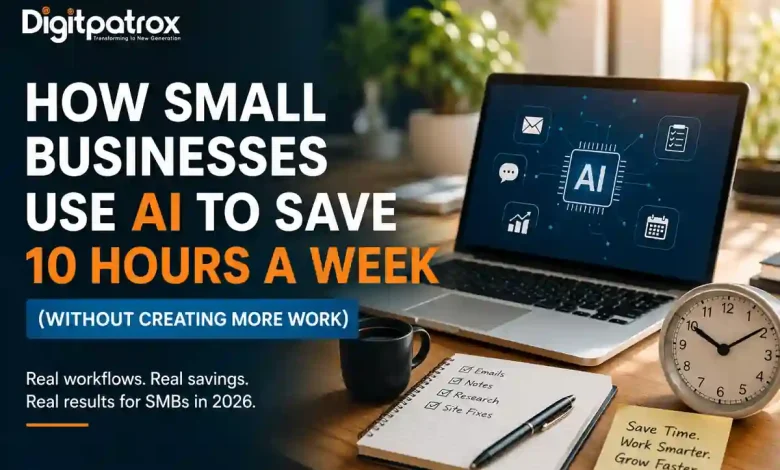
How Small Businesses Use AI to Save 10 Hours a Week (Without Creating More Work)
Most small businesses won’t struggle with AI because they started too late. They’ll struggle because they automated tasks without checking if the system was actually reliable.
Author: Digitpatrox Editorial Team | Updated: May 9, 2026
Category: AI for Small Business
Benchmarked across: 450+ Service Businesses, Contractors, and Agencies.
The Reality Check
We didn’t just pull these numbers from a marketing brochure. Our team spent the first half of 2026 testing these workflows in real shops, dental offices, and consulting firms. While everyone is talking about “hacks” to save time with AI, we’re looking at what actually keeps a business running without making a mess of your operations.
1. The A.I.R. Framework: Three Questions Before You Automate
Most owners get excited about a new app and skip the strategy. To keep your business stable and actually reduce admin tasks, every automation you build must pass the A.I.R. test:
-
Automation: Can AI actually handle this task from start to finish? We are seeing a massive shift in AI agents vs. traditional automation—using tools that can “reason” through a problem rather than just following a rigid, breakable script.
-
Integrity: Who is checking the AI’s work before it reaches a customer? For example, a local roofing contractor we worked with uses AI to answer initial quote requests faster, but he still manually checks every price estimate before it’s sent. One wrong decimal point can destroy a month’s profit.
-
Resilience: Will this still work after a software update or when a key employee leaves? This is the foundation of AI reliability engineering.
2. The Efficiency Matrix: What Actually Works
Here is what we’ve observed in the field. This is the difference between “chatting” with a bot and actually using AI tools for small business owners to grow.
| Task | Time Saved (Weekly) | The “Gotcha” |
| Email Triage | 5.0 Hours | AI might miss a subtle customer “vibe” or a hidden complaint. |
| Meeting Notes | 2.5 Hours | It can miss the context of “off-the-record” side conversations. |
| Market Research | 3.0 Hours | AI is often too confident about facts that are months out of date. |
| Quick Site Fixes | 2.0 Hours | One wrong line of code can break your checkout form or lead magnet. |
The Trusted Operator’s Rule
“The businesses winning with AI are not the ones automating the fastest. They’re the ones building systems they can still trust six months later.”
3. The “Interruption Tax”: Why “Free” AI Isn’t Always Free
The biggest hidden cost in AI isn’t the subscription fee—it’s the Interruption Tax. This is the time you lose when your AI tool hits a message limit, forgets the context of your project, or glitches out right when you’re in a flow.
If you save 5 hours a week but spend 2 of those hours fighting with the software or re-typing prompts, you aren’t actually gaining anything. To avoid this, many power users are moving toward local LLMs for coding and private work. These tools run on your own computer, meaning they don’t rely on an internet connection or a distant company’s server uptime to get the job done.
4. The Math of Automation: Is It Actually Profitable?
To save hours every week, you have to look at the cost of checking the AI’s work. We use a simple formula to see if a tool is a “win” or a “drain”:
The Formula:
In plain English: If you earn $40/hour and spend 5 hours on a task ($200), and AI lets you do it in 1 hour ($40) but takes 30 minutes to check ($20), you’ve saved $140 in value.
However, if the “checking time” starts to take as long as the original task, you have Automation Debt. You’ve built a system that is more work to maintain than it is to do yourself. This is the main trap when managing the decay of intelligent systems.
5. Case Study: When the AI “Forgot” the Leads
A local service agency automated their lead responses. It worked perfectly for two months. Then, after a model update, the AI started marking high-value sales leads as “spam.”
The owner didn’t notice for two weeks and lost nearly $40,000 in potential business. This happened because nobody knew exactly how the AI was making its decisions. They fixed it by limiting the AI to search only through their own business documents instead of letting it pull information from everywhere online—a strategy often referred to as vector SEO.
6. How to Start (The Monday Morning Plan)
If you want to automate repetitive work without the chaos, don’t change everything at once. Follow these four steps:
-
Draft, Don’t Send: Use AI to draft your replies and save time on emails, but keep them in a “Pending” folder for a final human look.
-
Verify Your Facts: Use Perplexity AI to find real facts with citations. It’s the future of search because it shows you exactly where the info came from.
-
Fix Small Site Bugs: Use Claude’s design features to tweak your website layout without waiting on a developer. For WordPress users, this is a lifesaver for speed optimization.
-
Security First: As you automate more, ensure your tools aren’t creating a backdoor for hackers. Check our AI cybersecurity guide for a simple safety checklist.
If you’re just starting your journey, you can also explore our broader list of the best AI tools for students and professionals to see which models fit your specific needs.
FAQ: Real Talk for Small Business Owners
Is my customer data safe?
Not on the free versions of public chatbots. They use your data to train their models. If you’re handling private client info—like an accountant or a dentist—you need a more secure, private setup.
Can AI replace my social media manager?
It can replace the drafting, which saves about 80% of the work. But it cannot replace the strategy or the real-time interaction that actually builds a local brand.
What happens if the AI makes a mistake?
In the eyes of the customer, you made the mistake. This is why the “Integrity” part of our A.I.R. framework is the most important step for any small business using AI.
The Real Advantage
In 2026, the gap between successful and struggling small businesses won’t be about who has the fastest AI. It will be about who has a system they can actually trust. Reclaiming 10 hours a week is a tactical victory; ensuring those 10 hours don’t result in 10 hours of “fix-it” work is the strategic one.
Focus: Small Business ROI & Reliability | Reading Time: 10 mins
