Best AI Tools for Students (2026) Top 10 Free and Tested Apps
Discover powerful AI tools that help students study smarter, write better, and save time with real tested apps
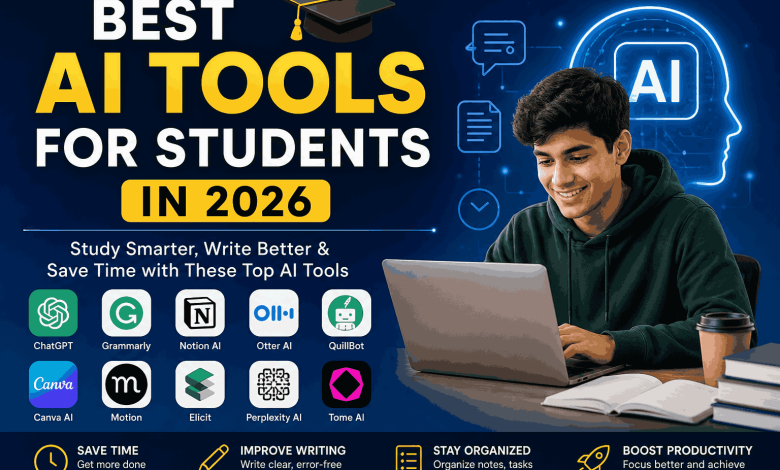
The academic landscape has undergone a seismic shift. In 2026, Artificial Intelligence (AI) has transitioned from a novel convenience to the primary engine of academic excellence. For the modern student, the challenge is no longer finding information—it is the synthesis and validation of that information in an era of data density.
This is not just a list of apps. This is the Ultimate Guide to Academic Cognitive Augmentation. Whether you are an undergraduate tackling core curriculum or a PhD candidate managing a complex literature review, this guide provides the research-backed frameworks you need to outperform the average student by a factor of 10x.
Part 1: The “Big Three” Ecosystem (The Essential Foundation)
To build an effective academic workflow, you must first master the core ecosystem. These three tools handle 90% of a student’s cognitive load.
1. ChatGPT-4o & Beyond: Your Socratic Tutor
In 2026, ChatGPT is no longer a “chatbot”; it is a reasoning engine. The secret to using it for high-level academics is Prompt Engineering for Education.
- The Feynman Technique Prompt: “Explain the Second Law of Thermodynamics to me as if I am a freshman, then quiz me on the core components to ensure I have mental models, not just definitions.”
- Advanced Use: Upload your syllabus and ask it to create a 15-week study schedule based on the weighted percentage of assignments.
👉 Deep Dive: Mastering this tool is so vital that we created a Step-by-Step Masterclass on ChatGPT for Students.
2. Notion AI: The Centralized Knowledge Graph
Note-taking is dead; Knowledge Management is the future. Notion AI allows you to turn a messy folder of lecture notes into a searchable, interconnected database.
- Semantic Search: Ask Notion, “What are the recurring themes across my Sociology and History notes?” and it will synthesize the connection.
- Auto-Summarization: Instantly convert a 5,000-word transcript into a bulleted “Action Item” list.
3. Grammarly Business & Academic: The Voice Refiner
Beyond fixing commas, Grammarly now analyzes Academic Integrity. It ensures your tone is sufficiently objective and checks your work against billions of web pages to prevent accidental plagiarism.
Explore our curated list of Advanced AI Writing Tools to further sharpen your prose.
Part 2: The Researcher’s Toolkit (High-Level Synthesis)
For serious research, standard LLMs aren’t enough because they can “hallucinate.” You need tools connected to Live Academic Repositories.
| Tool Name | Best Research Use Case | Key Advantage |
|---|---|---|
| Elicit | Literature Reviews | Analyzes 200M+ academic papers. |
| Perplexity AI | Fact-Checking | Provides real-time, clickable citations. |
| Consensus | Scientific Validation | Aggregates scientific consensus on a topic. |
Deep Dive: Using Elicit for Thesis Prep
Elicit is the gold standard for 2026. Instead of searching by keywords (which misses synonyms), you search by Research Question.
Example: “What is the impact of micro-plastics on cognitive development in urban populations?”
Elicit will extract data from the top 10 relevant papers and present them in a table for instant comparison.
Part 3: Operational Productivity (Managing the Workload)
The smartest students aren’t the ones who work the hardest; they are the ones who optimize their Executive Function.
4. Motion: The Algorithmic Planner
Student burnout often stems from “Decision Fatigue”—not knowing what to work on next. Motion’s AI takes your deadlines and your energy levels into account to build a dynamic calendar. If you have a 3-hour gap between lectures, Motion automatically slots in your highest-priority task.
5. Otter AI: Eliminating Passive Listening
Passive listening in lectures is a waste of time. Otter AI transcribes the lecture in real-time.
The 2026 Workflow: While the professor speaks, use Otter to highlight key quotes. After class, export the text to ChatGPT to generate a custom 5-question quiz based only on that lecture.
Part 4: Visual & Narrative Intelligence
Modern education requires you to be a “Media Producer” as much as a writer. Your presentations must be as professional as your research.
- Canva AI (Magic Design): Upload your raw research notes, and Canva will generate a cohesive, visually branded slide deck in under 60 seconds.
- Tome AI: Best for “Storytelling” assignments. It uses AI to generate generative images and layouts that make your project look like it was designed by a professional agency.
Part 5: The Ethical Framework (How to Avoid the “AI Trap”)
As we move deeper into 2026, universities have deployed highly sophisticated AI Classifiers. To remain ethically sound and academically safe:
- The 70/30 Rule: Use AI for 70% of the heavy lifting (research, outlining, summarizing) but ensure 30%—the final synthesis and unique perspective—is 100% human-generated.
- Verify Everything: Always click the citations provided by Perplexity or Elicit. AI can occasionally misattribute a quote to the wrong author.
- Disclose: When in doubt, include an “AI Methodology” section in your appendix, explaining how you used these tools to assist your research.
Frequently Asked Questions: The Student’s AI Survival Guide
A: Not if used correctly. Using AI to generate an entire essay is plagiarism. Using AI to find sources, create an outline, or explain a difficult concept is Academic Augmentation. Always check your university’s specific AI policy.
A: Most offer a “Freemium” model. For students on a budget, ChatGPT (Free version), Perplexity, and the basic tier of Notion provide enough power to dominate most undergraduate courses.
Final Verdict: The Future is Augmented
The gap between the “A” student and the “C” student in 2026 is no longer just effort—it is tool proficiency. By mastering the tools in this guide, you aren’t just saving time; you are upgrading your brain’s ability to process the world.
Next Steps: Start by automating your schedule with these Productivity Hacks, and then master the art of the prompt with our ChatGPT Ultimate Guide.
