

I tried the TCL NXTPAPER 11 Plus and this budget tablet is easily my iPad killer — here’s why
It’s not every day I’m walking through a mall and end up stopping in my tracks to play with a tablet, but that’s exactly what happened last summer in Taiwan.
After a week of checking out the latest gadgets at Computex, I headed to Taipei’s legendary electronics market, Guang Hua Digital Plaza for some last-minute sightseeing. While I usually prefer smaller tablets like the iPad mini or the Lenovo Legion Tab 3, the TCL NXTPAPER 14 immediately stood out. Maybe it was the massive 14.3-inch screen or the chance to finally see and feel TCL’s innovative NXTPAPER tech in person, but I was hooked.
Late last year, TCL sent over that same tablet along with its smaller, more powerful NXTPAPER 11 Plus and even a smartphone with the same paper-like display for me to test out at home. While its larger sibling hooked me initially, the NXTPAPER 11 Plus quickly became my go-to device. Its 11.5-inch screen makes it easy to slip into a bag and it’s also the perfect size for reading.
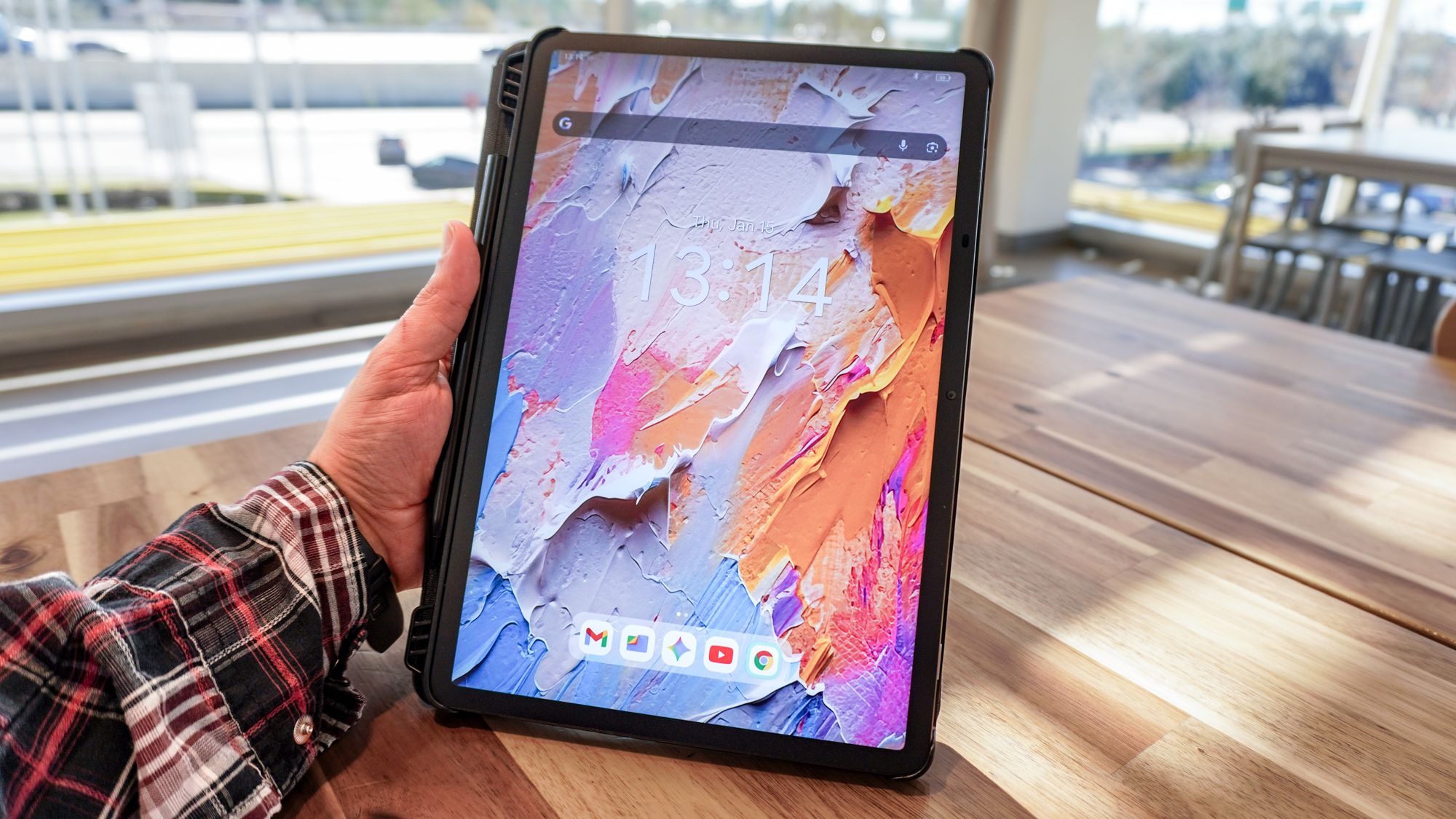
Unlike with other tablets I’ve tried in the past, I didn’t feel compelled to put a screen protector on this one and I’m glad I didn’t, as doing so would ruin my favorite thing about it: the paper-like feel of its matte display. I also didn’t have to worry about finding a case for the NXTPAPER 11 Plus since TCL includes one in the box along with a fully equipped stylus.
Here’s what it’s been like using TCL’s NXTPAPER tech for the past two months and why the NXTPAPER 11 Plus is easily one of the best tablets on a budget, especially if you’ve flirted with the idea of picking up a reMarkable Paper Pro over a standard Android tablet.
Surprisingly equipped right out of the box
At a time when you’re lucky to get a USB-C cable in the box, I was instantly impressed by everything TCL manages to cram into the box with both the NXTPAPER 14 and the NXTPAPER 14 Plus.
I really like the included folio case for a couple of reasons. For starters, it’s magnetic and instantly turns off your tablet’s screen when closed. However, there are also plastic feet on the bottom side that, in addition to turning the case into a very sturdy stand, provide you with a place to store the included stylus.

I’m no digital artist by any means but I’m quite partial to having a stylus for each of my tablets. I find using a stylus makes it a lot easier to scroll through the news each morning without accidentally opening stories I wasn’t planning on reading. The same goes for poking around a device’s settings menu and quickly making changes like not having new apps added to my home screen for instance.
I also really like how this is an active stylus that’s pre-paired with the NXTPAPER 11 Plus. After powering it on, I was able to start using it right away and surprisingly, I haven’t even had to charge it yet, though it does get up to 100 hours of use on a single charge. There are also two up and down keys on the stylus that you can program to do things like instantly take you back to the home screen or open TCL’s Sidebar.
Speaking of which, the Sidebar is a collection of customizable shortcuts that you can access by swiping with your finger (or the stylus) to go back and holding it there for an extra second or so. You can add actions like taking a screenshot as well as shortcuts to your favorite apps. I found this feature to be both pretty clever and well implemented.
The included case and stylus are useful extras but it’s the display itself and TCL’s proprietary screen technology that kept me going back to the NXTPAPER 11 Plus again and again.
An almost instant transformation

The NXTPAPER 11 Plus has your standard USB-C port on the side as well as a power button and volume rocker up top. However, across from those two buttons is the device’s namesake NXTPAPER Key. This is where the device’s magic happens and on this newer tablet, it’s also equipped with a backlight that you can turn on or off. When enabled, the light “breathes,” perhaps to help you remember that a total display transformation is just a button press away.
The NXTPAPER Key is also customizable and you can choose what a single press, double press and long press does. By default, a single press lets you switch between its three different modes: Regular Mode, Color Paper Mode and Ink Paper Mode. The animation that accompanies this switch is pretty neat too, especially when going from the black and white Ink Paper Mode back to the full color Regular Mode and vice versa.

My favorite part of using either of the non-standard NXTPAPER modes though is that your entire device along with all of the apps you use are instantly transformed. Whether I was scrolling through Google News or browsing Reddit, everything – including pictures – was either in black and white Ink Paper or Color Paper.
There are plenty of health benefits like reduced eye strain and less blue light when using a tablet equipped with TCL’s NXTPAPER, but I found the matte display — technically nano-matrix lithography etching — was the most useful for me day to day as someone that can’t stand the glare of a glossy display, especially when taking pictures.
Glare-free versatility

Although most of my time testing the NXTPAPER 11 Plus was spent in the comfort of my own home, I decided to bring the tablet with me to a doctor’s appointment followed by a trip to IKEA to see how it handled the real world.
Right from the get-go, I was impressed by how usable it remained even in direct sunlight. Most tablets struggle in this situation, but thanks to that matte display, I wasn’t squinting just to make out what was on the screen.
Even outside on a table, the NXTPAPER 11 Plus was just as functional in the great outdoors as it was at home. This is the kind of device you can comfortably use while sitting in the grass — say, on a college campus — and since the case has a built-in stand, you really don’t need to pack anything else.

Once my appointment was over, I headed to IKEA and, after polishing off some Swedish meatballs, I spent a few minutes using the tablet in the food court. At first glance, you might think I was just reading an ebook on a normal tablet. However, I actually had Ink Paper Mode enabled, which really made the text pop. Since the display isn’t working as hard to render a full spectrum of colors in this mode, switching to black and white is a clever way to stretch its already impressive 8,000 mAh battery even further during long days out.
Then, when it was time to check out IKEA’s new smart home accessories — namely its Matter-equipped buttons — I just closed the folio case and slid the tablet back into my backpack, knowing it would be perfectly safe without an extra sleeve.
Although the NXTPAPER 14 wowed me initially, I’ve found that 11.5 inches is the perfect middle ground for both portability and screen real estate. It’s a large enough screen to multitask with two apps side-by-side, yet in portrait mode, it’s ideal for reading both books and news articles.
Since this tablet is only $370 full price and is often found for under $300 on sale, it’s the kind of device you can take everywhere without constant worry. If I were using an iPad Pro or a premium Samsung tablet, I might be tempted to leave it at home to keep it safe. With the NXTPAPER 11 Plus, however, I wouldn’t think twice before throwing it in my bag for a weekend trip or a long flight.
Consider me in-matte-uated

I have to admit, what initially enticed me about TCL’s NXTPAPER was how photogenic this display tech is. As part of my job, I often have to snap pics of a particular app or service running on a smartphone or tablet. While direct sunlight pretty much always looks great in photos, glare absolutely doesn’t. Back at that mall in Taipei, I wondered what it would be like having a device I could easily photograph even in less than ideal conditions and those few quick pics I took in IKEA prove that TCL’s NXTPAPER is perfect for this.
Glare-free photos did draw me in at first, but I wasn’t expecting to love the way a matte touchscreen felt on my fingertips. That little bit of resistance you get from a non-glossy screen really makes simple actions like swiping or scrolling feel a whole lot more premium. Add to this how I can instantly switch between full color or black and white system-wide while still running what is essentially stock Android, and I couldn’t be happier with both of the tablets and the smartphone TCL sent over.
After getting a taste of the all-matte life with these devices, I found myself wondering if TCL would ever bring its NXTPAPER tech to one of the best monitors or even one of the company’s TVs. Swiping my finger up and down or even using the included stylus felt entirely different than it normally does. Not because TCL is also partial to matte screens, but because a display like that is required for the company’s NXTPAPER to work its magic.
I don’t plan on putting down the NXTPAPER 11 Plus anytime soon, but the jury is still out on whether or not I’d be willing to switch to one of TCL’s smartphones to have this same premium-feeling sensation whenever I take my phone out of my pocket. I guess only time will tell.

Follow Digitpatrox on Google News and add us as a preferred source to get our up-to-date news, analysis, and reviews in your feeds.
More from Digitpatrox
Source link
