

I tested DJI’s new Osmo Pocket 4 — this is the only tool I’ll recommend to content creators from now on

If you’re in any doubt as to the DJI Osmo Pocket 4’s significance to today’s content creator market, let me clear things up with an anecdote of sorts. I go to a lot of press events for cameras, and by far the most common camera I see being used by my fellow mediafolk is the DJI Osmo Pocket 3.
YouTubers, vloggers, social media creators, journalists — all rely on the Pocket 3. Why? Because it’s absolutely fantastic. It wraps up everything you need for video content creation into a slick, high-performing package. So… why did DJI need to make the Osmo Pocket 4? It didn’t, to be honest. But it went ahead and did so anyway.
I’ll get this out of the way early. The Osmo Pocket 4 (OP4) is very much an evolution, not a revolution, to the chagrin of many interested parties, I’m sure. Before its launch, there were spy shots showing multiple lenses — people believed them precisely because the Osmo Pocket 3 (OP3) was so good at its job, the thought being that any new model would have to be radical to justify its own existence.
Alas, it isn’t radical, but there are a number of key upgrades under the hood. An improved 1-inch sensor and image processing, 4K/240fps slow motion, and film simulation profiles for in-camera grades, to name a few. So is this the new best camera for vloggers? Find out in my full DJI Osmo Pocket 4 review.
DJI Osmo Pocket 4 review: Specs
|
Starting price |
£429 / U.S. launch pending |
|
Max resolution (standard) |
4K/60fps |
|
Max resolution (slow mo) |
4K/240fps |
|
Sensor size |
1 inch |
|
Rear screen |
2-inch touchscreen |
|
Internal memory |
107GB |
|
MicroSD slot |
Yes |
|
Connectivity |
Bluetooth, Wi-Fi, USB-C |
|
Water resistance |
None |
|
Battery |
1,545 mAh |
|
Size |
5.6 x 1.7 x 1.3 inches |
|
Weight |
6.7 ounces |
DJI Osmo Pocket 4 review: Price & availability
Unfortunately, it doesn’t look like the Osmo Pocket 4 will be coming to the U.S. just yet. DJI has had a rocky time with the U.S. government in recent years, facing a ban on its drones, and having been slapped with hefty tariffs on its other imports.
For many camera products, like the DJI Osmo Action 6 ($369) and DJI Osmo 360 ($549), this has meant no “official” support — so no first-party availability through DJI’s website and no aftercare plans. But you can still buy those products (at a mark up) from third party suppliers like Amazon. Alas, the Pocket 4 doesn’t fit that trend, and DJI has confirmed it won’t be coming to the U.S. at all… yet!
From DJI: “We do not have U.S. pricing. The Osmo Pocket 4 will not be available in the U.S. market as the application for authorization is still pending.” If you’re American, you’ll need to buy the +2-year-old DJI Osmo Pocket 3 instead for now, which remains steeply priced in the U.S. at $499 thanks to those tariffs.
The Osmo Pocket 4 is available everywhere else though, and in the U.K. it starts at £429 from Amazon. That’s actually a drop in launch price from the Pocket 3, which launched at £489, although you can pick up a Pocket 3 at the time of writing for £385.
DJI Osmo Pocket 4 review: Design & controls

The DJI Osmo Pocket 4 looks identical to its predecessor, with similar general proportions. And if it weren’t for some slightly different ridge patterning on either model, you’d struggle to tell the two apart. That’s no bad thing, though — it means the Pocket 4 is just as lightweight, pocketable and easy to use as its older sibling. Of course, build quality is typical DJI: second to none.
The controls are again very similar, with a gimbal joystick and record button at the front, plus a swivelling display that reveals two more buttons when in its horizontal position. These buttons are new — one is a dedicated quick zoom button and the other is a custom button for mapping your three most commonly-used functions via single, double and triple presses.
Image 1 of 4


The custom button is super handy in theory, although the assignable options are quite limited. I regularly need to switch between gimbal modes, which is a bit fiddly in real time — being able to assign this to the custom button would’ve been ideal, but no such luck (not even via the C1/C2 custom modes, as these don’t save gimbal modes).
Most settings control is done via the touchscreen though, and it’s gorgeous. It’s bright, detailed and spacious enough for in-depth control of DJI’s intuitive and feature-packed menu system. I’m very familiar with DJI’s menu and find it easy to use in the heat of the moment, but if you aren’t, the learning curve isn’t too steep.
Image 1 of 2


On the back of the gimbal is an electronic connector, allowing you to hook up an accessory — namely the clip-on vlogging fill light (available with the £549 Creator Combo).
The Pocket 4 is not an action camera, so it isn’t waterproof. But that’s to be expected.
Connectivity

The Osmo Pocket 4 boasts the same wealth of connectivity options as its predecessor. It has a USB-C slot which enables the addition of an additional battery pack (very useful, pictured above). You can hook up wirelessly to your smartphone, and to Bluetooth accessories — and of course, connecting to DJI microphones via OsmoAudio (Bluetooth) is a mere screen-tap away.
Making a return is the electronic accessory connector on the back of the gimbal, too, for hooking up a vlogging light. In short, there’s everything you need for high-tier content creation on the go.

There’s 107GB internal storage, up from nothing at all in the Pocket 3. This is the most generous internal storage DJI has yet fitted to one of its handheld cameras, and is more than double the 50GB found in its flagship action camera, the Osmo Action 6. DJI is championing internal storage these days, and I love it. It’s so reassuring to know you have extra space if your card fills or, worst case scenario, corrupts — you can still get the footage you need.
Naturally, there’s a MicroSD slot for expanding storage if needed, but with 107GB of storage on offer, I haven’t needed to yet. And besides, with internal storage, transfer speeds are faster (up to 800Mb/s).
DJI Osmo Pocket 4 review: Stabilization

The DJI Osmo Pocket 4 uses the same 3-axis gimbal design as its predecessor, although there have been some internal tweaks to the algorithms, vastly improving stabilization, according to DJI. Honestly, the Pocket 3’s stabilization was excellent to begin with, so I’ve struggled to tell the difference. But hey, they’re both absolutely fantastic.

As you can see in the footage throughout this review, it’s super easy to shoot long, smooth pans and tilts. The stabilization also works wonders to iron out the bumpiness of walking. If you’re going to be vlogging on the move, especially when walking, there’s no better and more compact way to get ultra-smooth, professional footage than the Pocket 4.

There are three different gimbal modes to allow you to customize the behavior of the stabilization. I mainly stick to the default ‘Follow’ and ‘Tilt Locked’ (horizon locked) as these are great for everyday use, mostly minimizing drift but allowing some natural movement. There’s also an ‘FPV-‘ mode, though, where the gimbal always matches the direction the screen is facing, until you use the joystick. It’s kinda like a manual mode, and I found it very useful for restricting the gimbal movement when I didn’t want drift or tracking.
DJI Osmo Pocket 4 review: Autofocus
The DJI Osmo Pocket 4 brings back a couple of handy autofocus modes from the Pocket 3. There’s Spotlight Follow, which prioritizes registered subjects in frame. You add subjects and the camera tracks them over other stuff the Dynamic Active Tracking (i.e. automatic subject detection) detects.

Spotlight Follow sticks to the first-detected subject in any scene until that subject leaves the frame. It’s ideal for solo vlogging, although if you have multiple people in frame at different distances from the lens, you might end up with one out of focus as the camera prioritizes the first subject in frame.
There’s also a Dynamic Framing frame which allows you to set the focus area from 9 central points. It’s a helpful bit of manual control for when you need to lock focus.

Honestly, though, I just left the camera out of these modes most of the time and in its basic autofocus and Dynamic Active Tracking (automatic subject detection and tracking) mode, which works really well. It prioritizes faces, which is what you’d want, but can recognize wider shots, prioritizing deeper focal range — switch to closer subjects if faces come into frame. It’s perfect for vlogging, though, and I never recorded a clip where my face was out of focus when talking to camera.
DJI Osmo Pocket 4 review: Video quality

The OP4’s 4K footage looks beautiful and sharp, with bold, vibrant colors… although it’s not like the older OP3’s video looked bad. The lens gives a nice, wide field of view that doesn’t suffer from too much ugly barrel distortion, making it perfect for vlogging. There are two zoom levels, 2x and 4x, which are “lossless,” according to DJI — although I’m not really sure what that means, as you can see the resolution taking a big hit at the increased zoom levels in the vlogging clip below.
In normal video mode, the Pocket 4 shoots 4K at up to 60fps in 16×9 landscape orientation, and 3K at up to 60fps in 9×16 vertical orientation — the same as the Pocket 3. However, slow motion has received a big boost, with the OP3 able to shoot up to 4K/240fps (versus 4K/120fps), for twice as slow footage. Check out the vlogging video in this section to see an example.
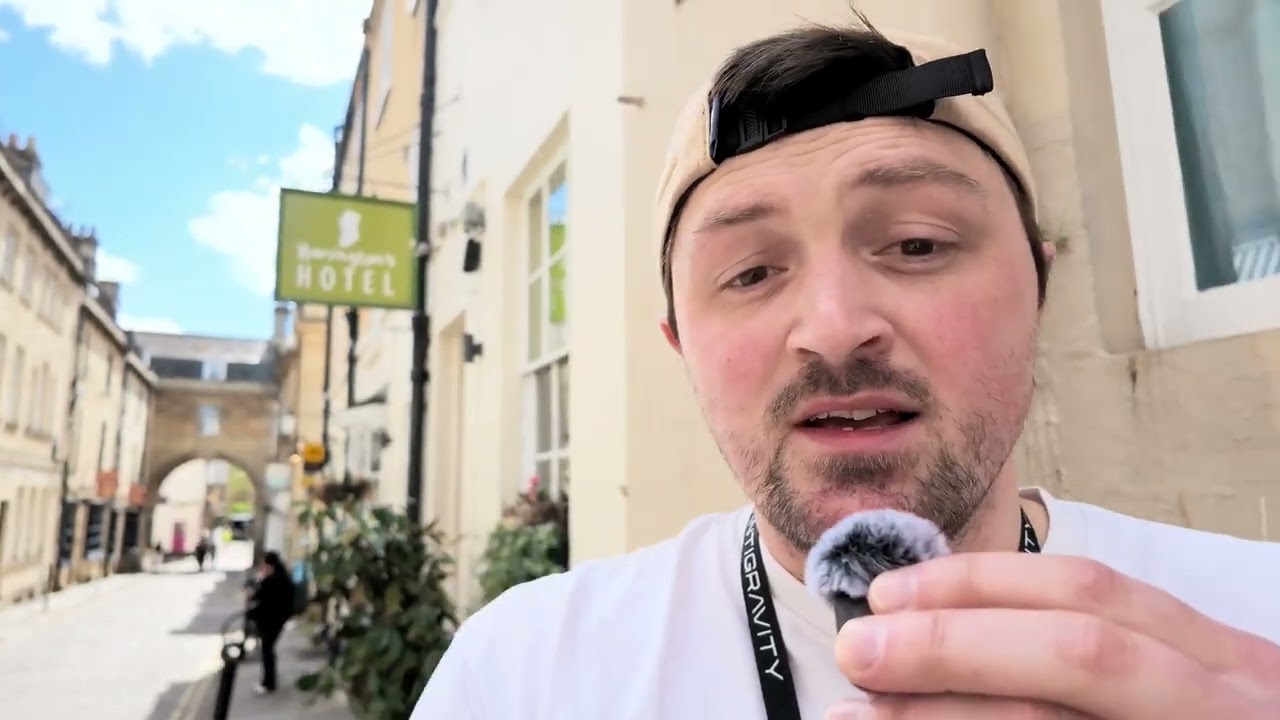
Perhaps the main change to the core imaging gear is a revamped 1-inch sensor, which delivers super clean images with lots of detail, vibrant color, and increased dynamic range (up to 14 stops from 12 on the OP3). I was impressed with the dynamic range: standing in a shaded area on a bright day, the camera rendered both detailed shadows and bright highlights in the same frame.
There’s 10-bit color for over a billion individual tones, delivering more natural colors and smoother color transitions. 10-bit also provides more editing flexibility thanks to the greater amount of tonal data recorded.
DJI has done away with D-Log M, its historic “log” profile, which technically wasn’t a log profile but just a desaturated color profile. Now there’s D-Log Pro, which is legitimately a logarithmic gamma correction curve, and delivers wider dynamic range capture (the trade-off being it needs grading in post). DJI has also binned HLG HDR, which makes sense — this is primarily used by the broadcast media industry, so it always felt a bit redundant on vlogging cameras, like the Osmo Pocket line.
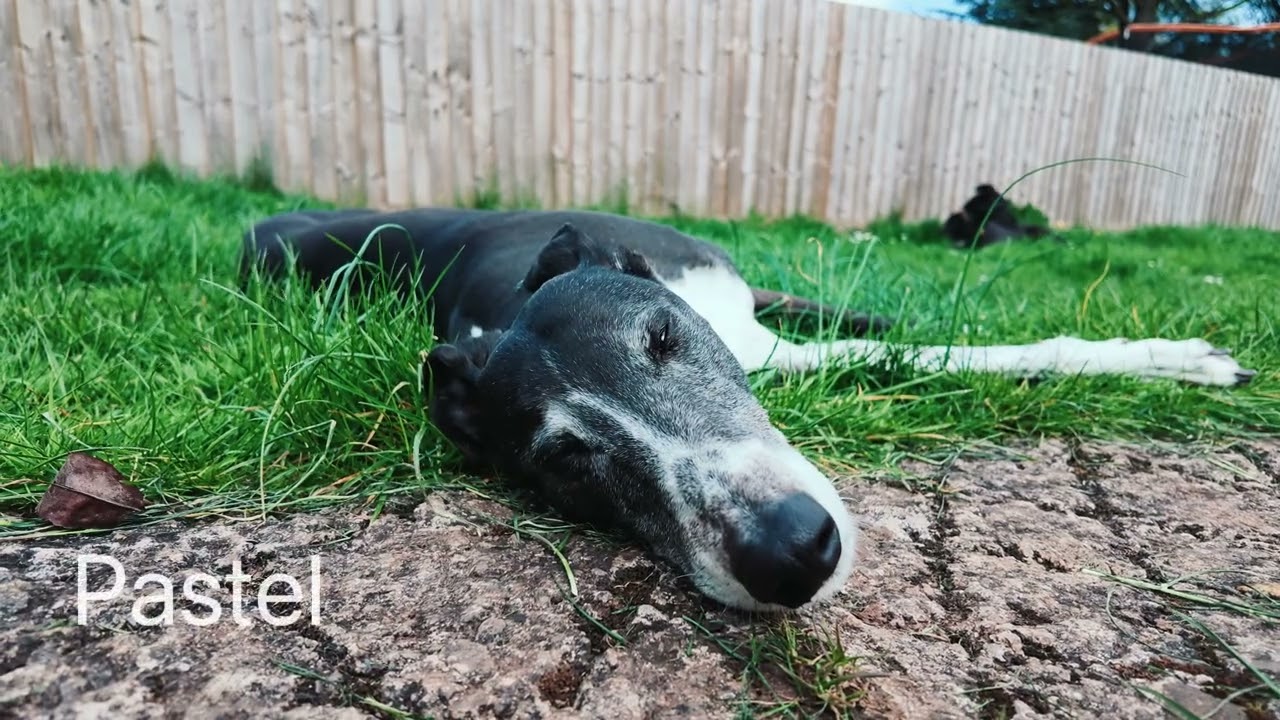
If you want to apply some in-camera grades, the Pocket 4 has color filters, akin to the color filters on DJI’s action cameras. These are nothing special — no Fuji-level film-sim color science — but nice to have for some quick creative looks. I love DJI’s default color profile, which produces vibrant blues and greens on sunny days, so I mostly left the camera in that aside from testing.
There are also some new beauty filters, to smooth out skin tones and generally pep up appearance on vlogging. I’m not personally a fan of this type of thing, but if you are, they’re there for you to use.
Low light
The new 1-inch sensor, with its increased dynamic range, delivers cleaner shadows than the OP3, making the OP4 a better tool for low light footage. In moderately low light, the Low Light mode (capped at 4K/30fps) does a great job at brightening footage, and noise was barely perceptible (see the walking clip in the Stabilization section, which was shot in the Low Light mode).
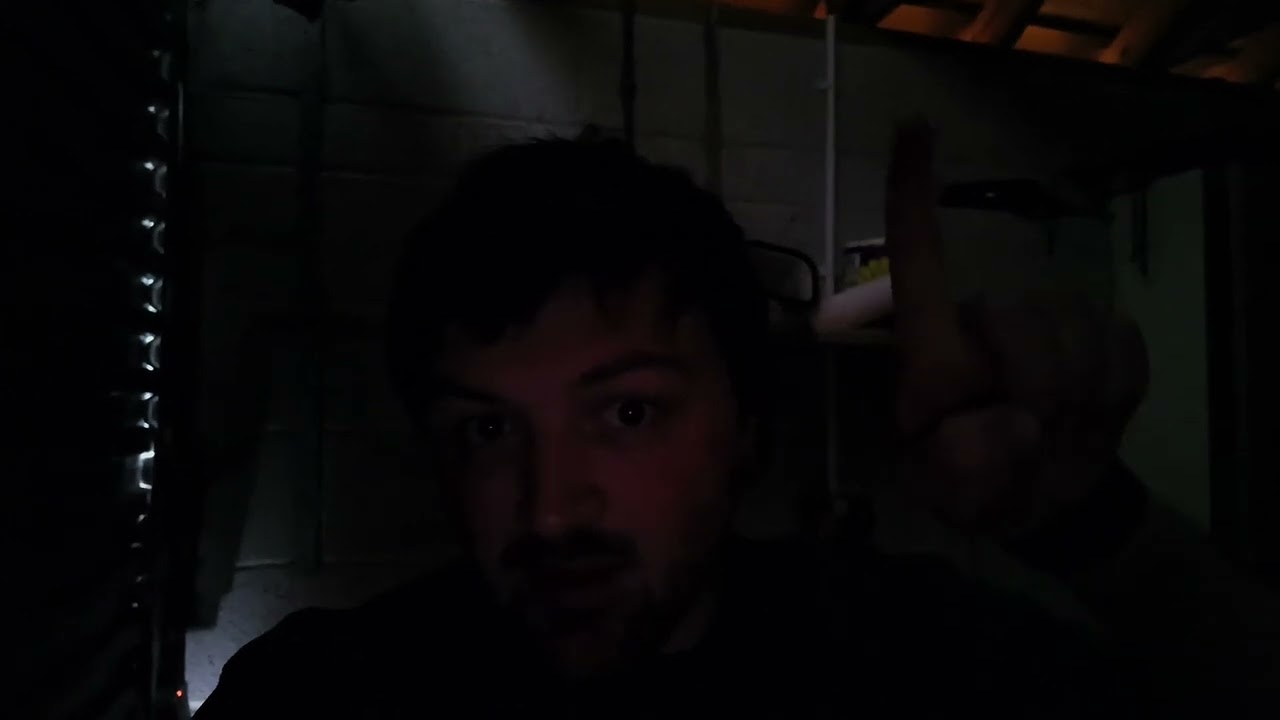
In very dark conditions, as in the video above, the Pocket 4’s image sharpness takes a noticeable hit, with a watercolor effect on the background from the smoothing of in-camera noise reduction. However, this is a very challenging scenario, and I think the footage and smoothing looks pretty good, all things considered.
My Pocket 4’s auto exposure had a little bit of trouble in certain low light conditions, flickering constantly as it tried to balance exposure. This happened mostly in medium-dark situations, where there was a little bit of light entering the frame. It was solved by locking the exposure. I’ve reached out to DJI to establish why this might be, and if there’s a fix in the works.
DJI Osmo Pocket 4 review: Audio quality

I’ll be honest here and say that if you’re not looking to use the DJI Osmo Pocket 4 with a DJI microphone, you won’t be using it properly. This camera is designed to be used with the DJI Mic 2, Mic 3 or Mic Mini, and doing so will give you excellent, YouTube-quality audio, with clean vocals and strong ambient noise reduction — as you can hear in the walking vlog above.
Using OsmoAudio — i.e. pairing the camera via Bluetooth with one of DJI’s Mics — gives you access to four audio channel recording, spatial audio and audio zoom, where the audio direction matches the zoom area.
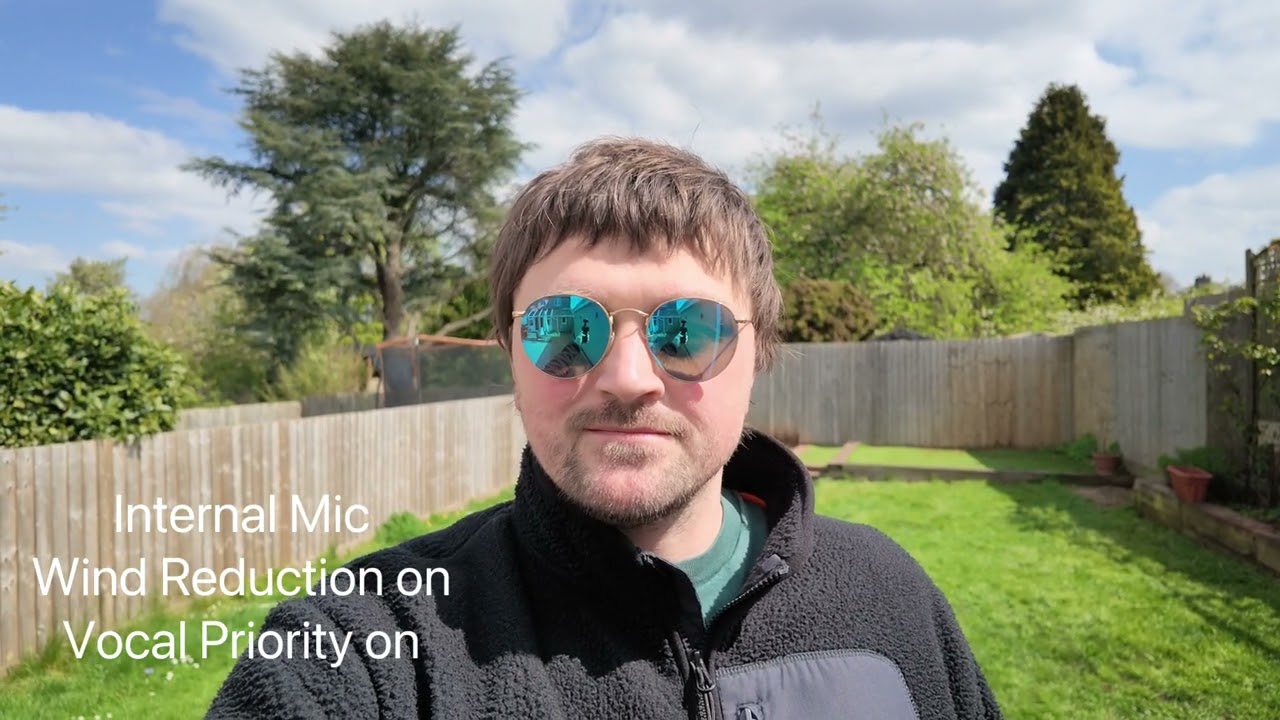
That said, if you can’t stretch to a standalone mic just yet, or one of the creator combos that bundles a mic, the OP4 will still do the trick. Like the OP3, there are 3 internal microphones, plus wind reduction and voice priority modes. You can hear in the clip above how the internal mics sound in quiet and noisy conditions, with both those settings on. The result? Fine, and passable, but nothing like the quality you’ll get when hooking up a DJI mic.
DJI Osmo Pocket 4 review: App

I’m a big fan of the DJI Mimo app, which has come a long way in the last few years. It’s now slick, feature-packed and fairly reliable (I still experience the odd issue connecting devices over Wi-Fi on my iPhone 17 Pro Max). The Mimo app is your central point of control for the Pocket 4, and used for registering your device, updating it, live camera control and editing.
I really like the editing functionality in particular. I roughly spliced together the vlogging video above in around an hour between meetings. I was able to cut and arrange clips, apply effects, animations and music, and generally put out a decent looking short video in very little time. Sure, it’s a bit clunkier to use than desktop editing software, but for creators editing on the go, it’s very good.
DJI Osmo Pocket 4 review: Battery life & overheating

DJI rates the OP4 for 240 minutes, up from 166 minutes on the OP3. The caveat there, though, is that those figures are at 1080p. At 4K/60fps, which is where we test all our cameras (if they shoot at 60fps), you can expect less. Realistically, that’s where most people will want to shoot.
In real world testing at a mixture of 4K/60fps, 4K/30fps and 4K/240fps, I shot for around 80 minutes, recording around 40 short clips. The battery only dropped to around 50%, suggesting 160 minutes of runtime.
In my lab testing at 4K/60fps, the camera lasted for around 140 minutes, which is very impressive. What’s even more impressive is the thermal performance — the lab test is conducted indoors away from the cooling effects of wind and cold ambient temperatures. The OP4 got a little warm, but not hot, and didn’t overheat at all, recording in 4K/60fps continuously until the battery died.
DJI Osmo Pocket 4 review: Verdict

If you’re a vlogger, influencer or other content creator, especially one who records out and about regularly, there really is no better all-in-one package than the DJI Osmo Pocket 4. If you want beautiful, professional-looking video, with solid audio and a wealth of connectivity options, it’s the camera for you.
Sure, it’s a refinement of the Pocket 3 rather than a wholesale revamp, but as I mentioned in my intro, the Pocket 3 was already the content creator’s default tool for a reason: it was fantastically good at its job, so there wasn’t much that needed changing.
The Pocket 4 upgrades all the right things. Changes to the sensor, stabilization and battery life, plus the shedding of some unnecessary features to make way for more genuinely useful ones. DJI has knocked it out of the park… again.
Source link
