
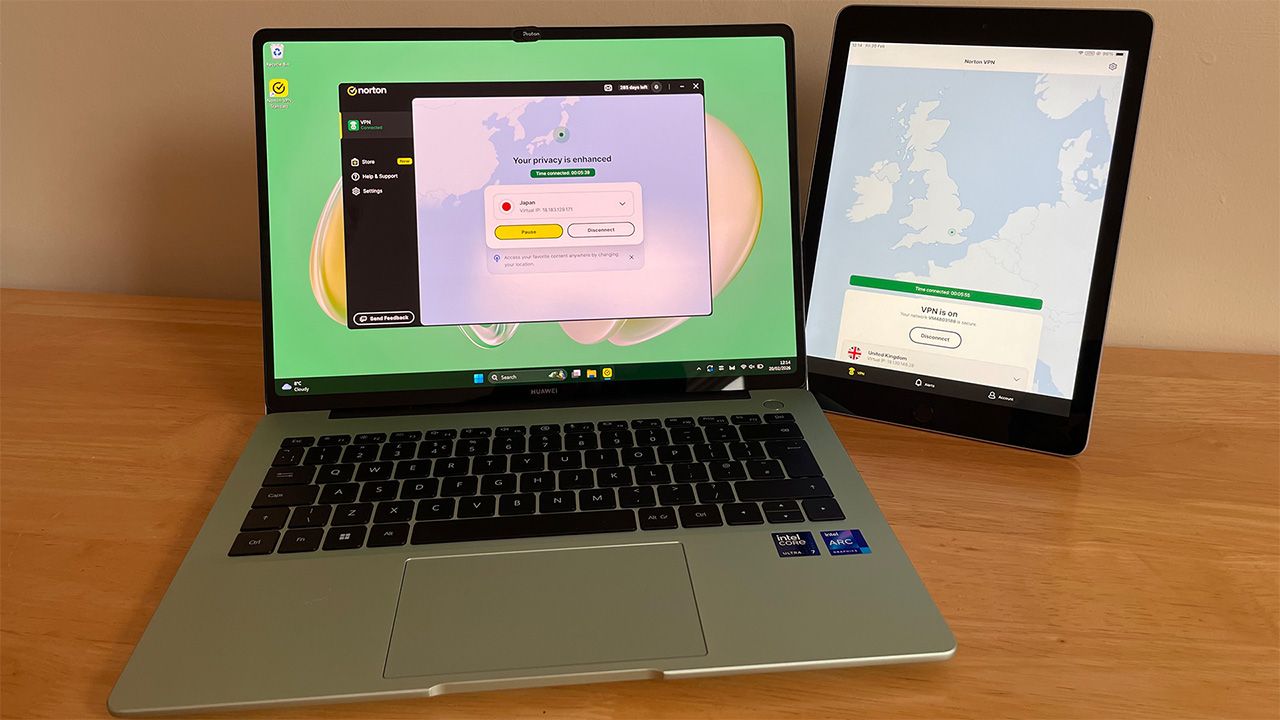
Norton VPN has had a 2025 to remember. A complete revamp of its VPN and a succession of feature updates saw it finish the year as a serious challenger to the best VPNs.
2026 has, so far, been a little quieter for Norton VPN, and I thought it was the perfect time to road-test its latest improvements.
Windows app is simple but powerful, with some minor issues
Let’s start with Windows. Downloading the app was straightforward and achievable via Norton VPN’s website. I had to first sign into my account and then download the relevant app from my dashboard.
If you don’t have an active Norton VPN subscription, three tiers of plan are available and Norton has recently launched two-year plans for the first time ever, exclusively for Digitpatrox readers:
I’m using Norton VPN Standard and already have an account, so I just had to enter my email and password. But if you’re already logged in on another device, you can sign in via email, text, link, or QR code.
Unlike most leading VPNs, Norton VPN limits its device by registration rather than connections. You can protect up to 10 devices with Norton VPN Standard and Plus. But if you go to add an 11th device, you’ll have to remove an existing one. With other VPNs you can usually install the apps on as many devices as you like, with a limit on how many are connected at one time.
After downloading the app, I was greeted with the dashboard for Norton Antivirus, which opened its window in front of the VPN window. The app was titled “Norton VPN Standard” and I couldn’t see a clear way of re-accessing the dashboard I saw. Norton VPN Standard doesn’t advertise it comes with any antivirus or scam protection features – this is reserved for Norton VPN Plus and Ultimate.
I uninstalled Norton VPN and re-installed it to see if the same thing happened again – it did.
The next issue I encountered concerned the VPN connection. I couldn’t connect because Norton VPN detected another active VPN. I checked and re-checked and I definitely wasn’t connected to another VPN. However I have seven installed on this particular laptop and this can cause problems for some VPN connections – even when no other VPN is connected – so Norton VPN isn’t alone here. I’ve had the same problem with Surfshark and PrivadoVPN.
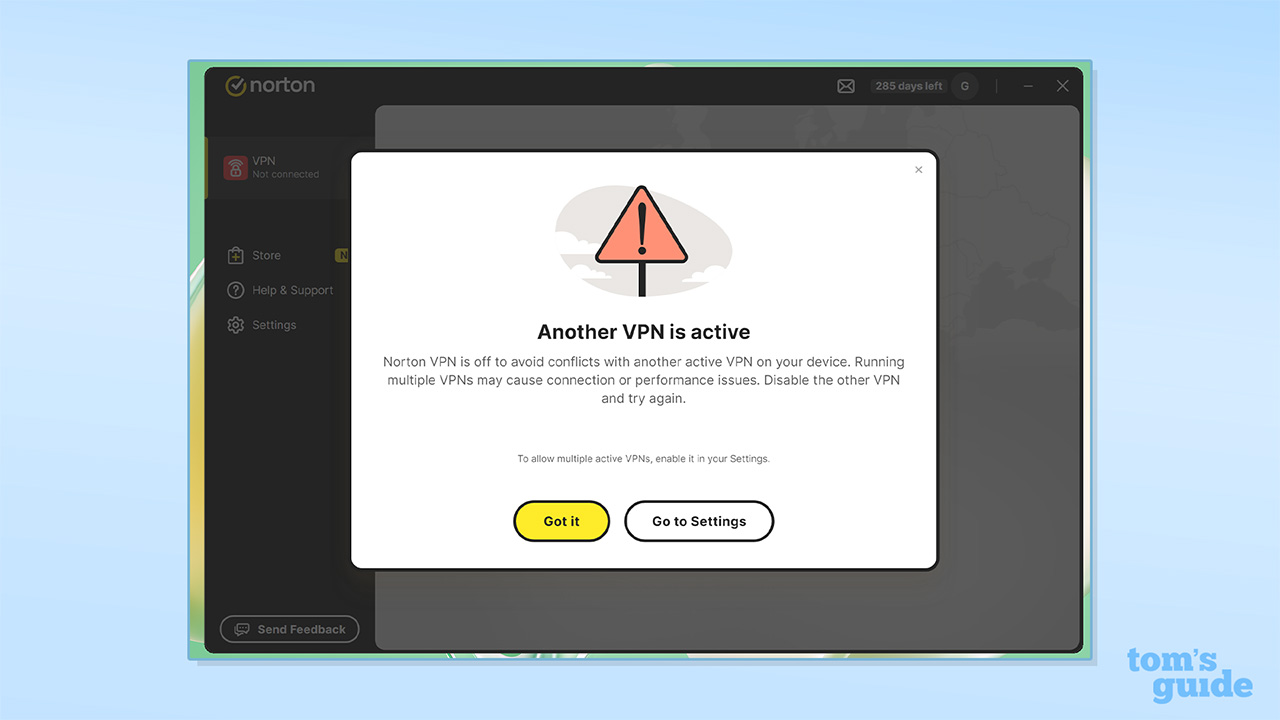
I was worried I’d need to uninstall all my other VPNs, but thankfully I didn’t thanks to a nifty and unique Norton VPN feature. In its settings, there’s an Enable multiple active VPNs tab. Switching this on allows Norton VPN to connect even when other VPNs are active, but it warns your connection stability and performance may be impacted. Because I didn’t actually have any other VPNs connected, I saw no performance issues.
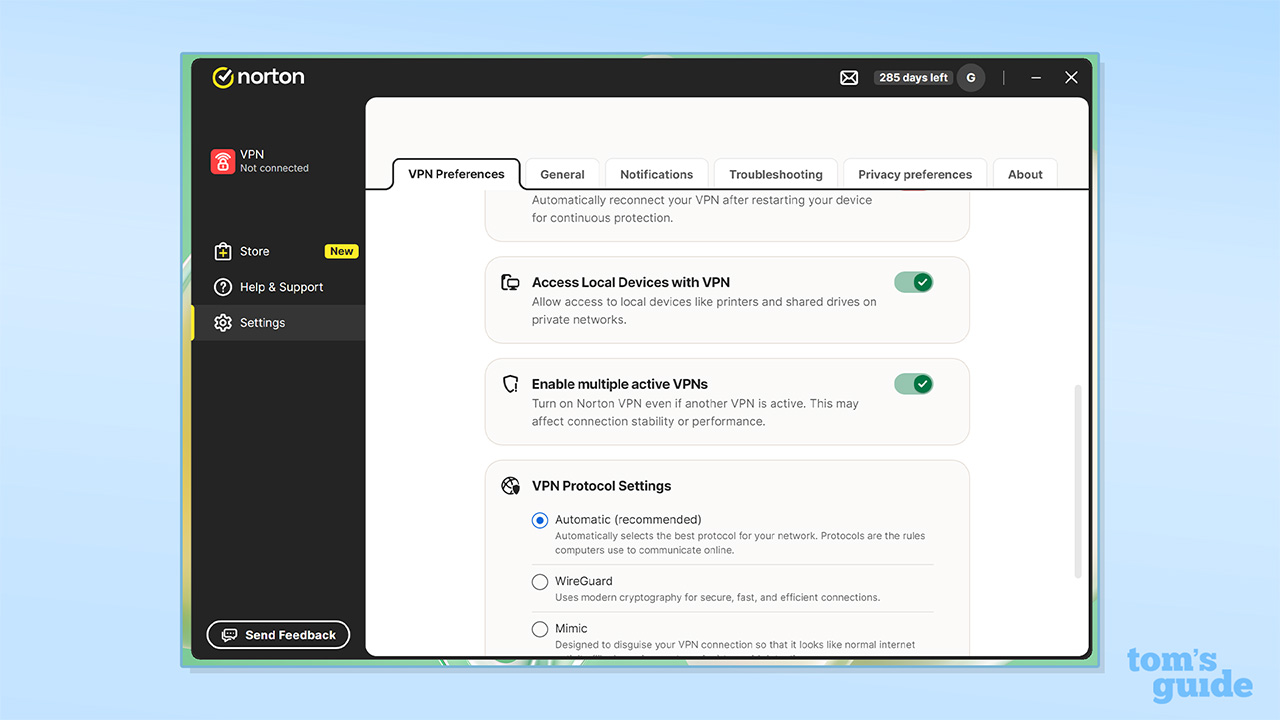
I’ll admit, it’s not ideal. But for me, toggling this feature on wasn’t a problem and I was glad of its existence. Most people will likely only have the one VPN, so shouldn’t encounter any problems.
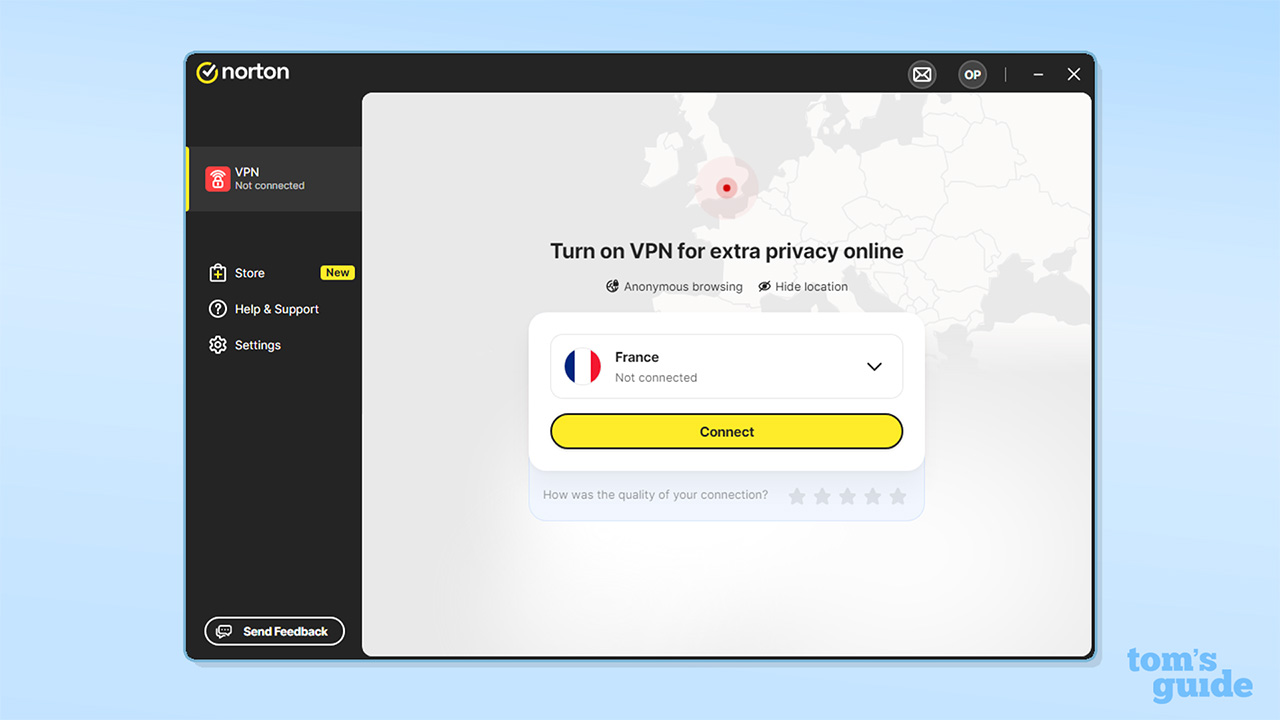
Right. That’s the two issues I had on Windows out the way. Everything from here on in was plain sailing.
Norton is quick. Our testing saw its max speed reach 1,752 Mbps and although my Wi-Fi isn’t that fast, I saw consistent speeds of 300-400 Mbps. I had no problem using Norton VPN whilst working, browsing, watching YouTube, and streaming.
Even though I didn’t need to “unblock” BBC iPlayer, I still watched it with Norton VPN connected. Again, no problems here. I connected to a Japanese server to access Japanese Disney+ and unblocked its library first time. It took slightly longer to load compared to no VPN. But I’m putting that down to the fact my data has to physically travel further and by no means was this an inconvenient delay.
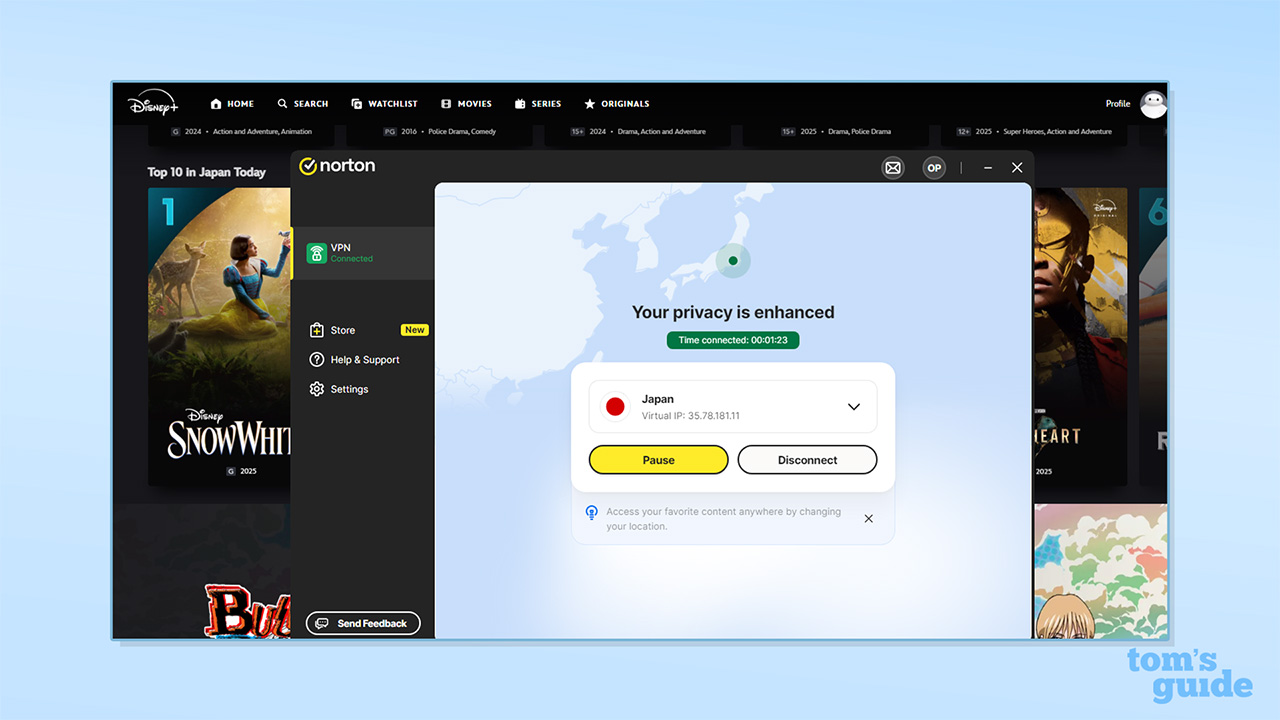
I didn’t stream using Norton VPN’s Double VPN or IP Rotation features. But when using them for browsing I saw a slight slow down in speed – but nothing that caused me any kind of issue. Again, this is to be expected when routing traffic through two servers and rotating your IP address.
However, both of these features are designed for tasks that require extra privacy and an additional layer of security. Daily browsing and streaming don’t fall under this category, so the average user won’t be using them much.
A small but specific gripe with iOS
Norton VPN’s iPad and iPhone apps are exactly the same. There’s not a lot to them but the UI is clean, nicely designed, and easy to use. My connection speeds and browsing experience were just as good on iOS as it was on Windows, and I had no trouble installing the apps on my devices.
The iOS app is powerful but does have some limitations. There’s no OpenVPN or split tunneling. Both exist in its Android and Windows apps. There’s also no threat protection, but this is reserved for desktop apps and Android doesn’t have it either.
There is however P2P support and VPN obfuscation in the form of the Mimic protocol, Norton’s proprietary VPN protocol.
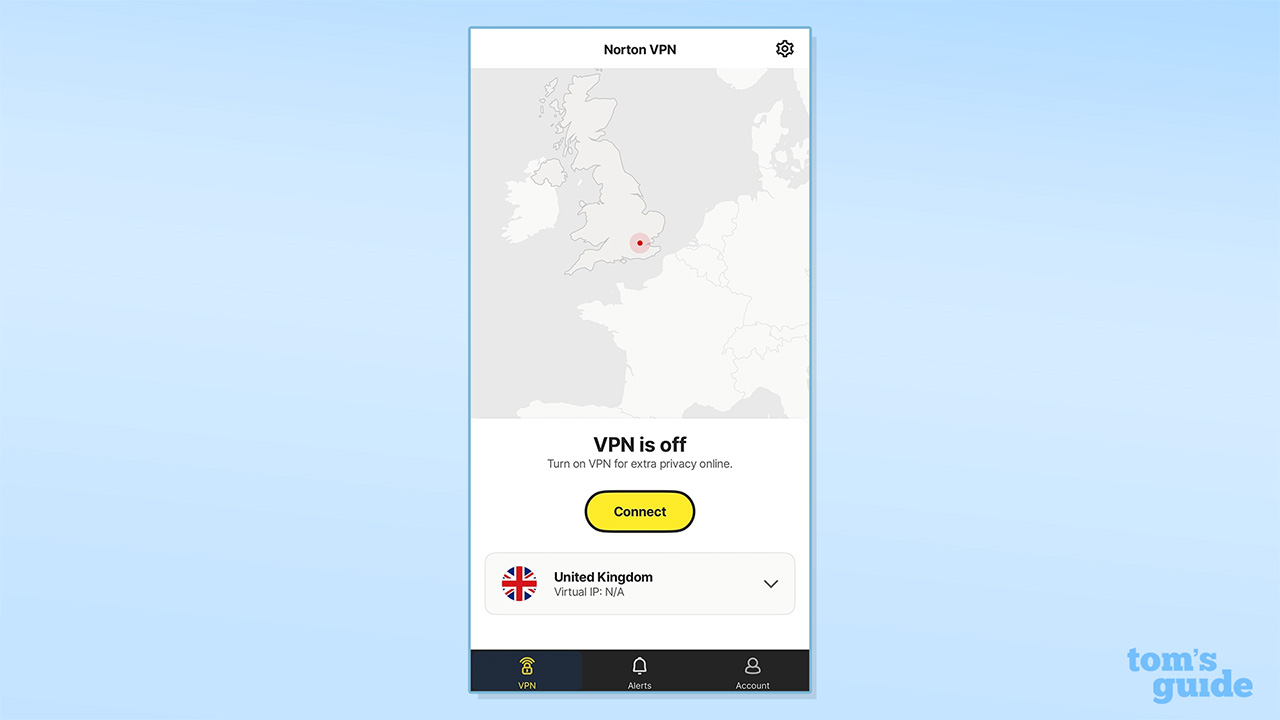
I find setting up an iOS widget for my VPNs very useful, and Norton VPN supports them. However, I encountered two specific, yet irritating widget design flaws.
You can’t connect and disconnect your VPN directly from the widget without opening the app. There’s a connect/disconnect button displayed on the widget, but each time you press it, it opens the app, connects/disconnects the VPN, and closes it again.
You might not see this as an issue, and Norton VPN isn’t the only VPN to do this – NordVPN, PIA, CyberGhost, and PrivadoVPN all do the same. With Proton VPN’s widget, the app opens when you connect but not when disconnecting.
However the widgets of ExpressVPN, Surfshark, and Windscribe allow you to connect and disconnect to a server straight from the widget, without opening the app. I think this is incredibly useful and all widgets should have this feature.
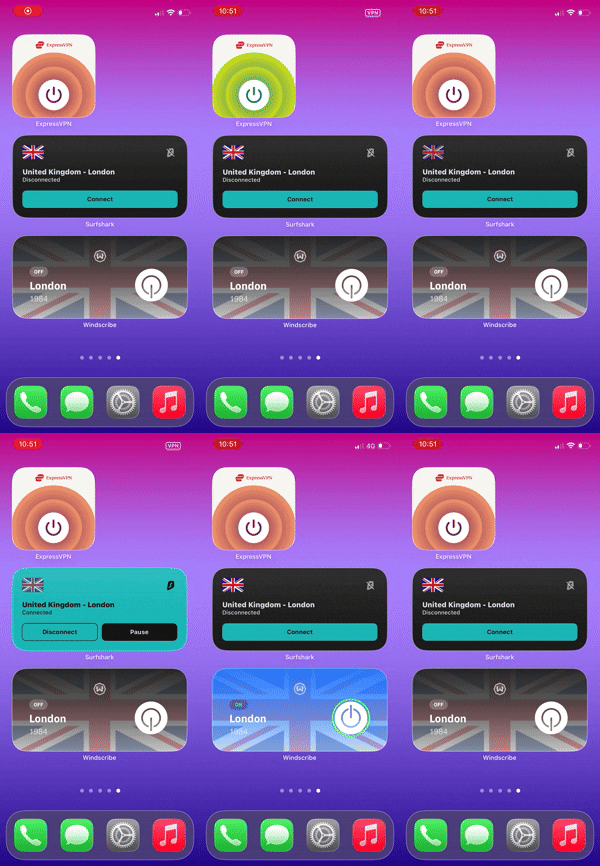

The second flaw caused me more frustration. No matter where I clicked on the Norton VPN widget, it opened the app, connected/disconnected, and closed the app again.
With every other widget I tested, clicking anywhere except the connect/disconnect button, opened the app and kept it open. Because my VPNs are all in a folder, I always use the widget to open the app when I want to change location or access settings.

It’s petty and picky, but Norton VPN’s widget not allowing me to do this means I have to navigate to my VPN folder, open that, then find the Norton VPN app to open. It’s a first-world problem but a noticeable one. Especially when it’s not an issue for other VPN widgets.
It may sound like I’m being overly critical of Norton VPN. But these are the small margins that separate good VPNs from great VPNs – and Norton VPN is so close to joining that top-tier.
The small quality of life bugs may not put you off, and I’ll stress that Norton VPN is a seriously good VPN, at a great price. It’s still early days for this iteration of the VPN and we’ll no doubt see more improvements in 2026.
We test and review VPN services in the context of legal recreational uses. For example: 1. Accessing a service from another country (subject to the terms and conditions of that service). 2. Protecting your online security and strengthening your online privacy when abroad. We do not support or condone the illegal or malicious use of VPN services. Consuming pirated content that is paid-for is neither endorsed nor approved by Future Publishing.
Source link
-

-

-

-

-


