

Iqunix Magi75 review: Good but could have been great
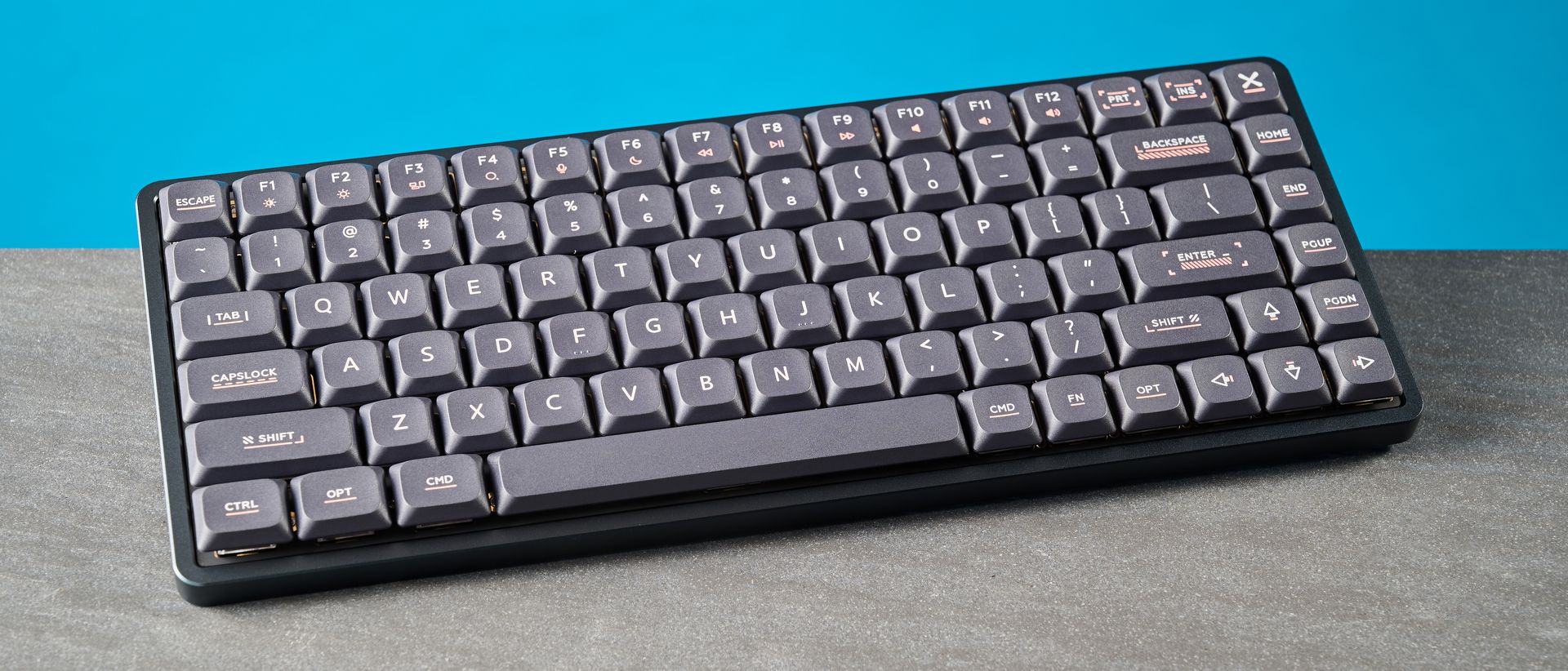
I’ve tested a lot of keyboards as a reviews writer. Last I counted, I’d reviewed over 80 keyboards — magnetic and mechanical. The most recent deck I’ve tested is the Iqunix Magi75, a mechanical keyboard with beautiful Kailh Gold Red switches which are a delight to type on. The keyboard sounds lovely with a creamy profile, and it looks great, sporting a minimalist design and an aluminum build. Customization is super easy thanks to web-based software, and the Magi75 is suited to casual gaming too.
But the Magi75 isn’t perfect, and given how much fun the typing experience is, I was disappointed by its flaws. Very limited stock switch choice and the non-adjustable height are considerable drawbacks, as are the confusing key combos for changing settings and the premium price.
To find out if it’s one of the best mechanical keyboards for you, read my full Iqunix Magi75 review.
Iqunix Magi75 review: Specs
|
Specs |
Iqunix Magi75 |
|---|---|
|
Price |
|
|
Switches |
Kailh Gold Red (linear) mechanical |
|
Keycaps |
Double-shot PBT |
|
Construction |
Aluminum + ABS plastic |
|
Mount |
Le-tray |
|
Layout |
75%, 84 keys |
|
Operating system |
macOS, Windows |
|
Backlighting |
Per-key RGB |
|
Polling rate |
1,000Hz (wired, 2.4GHz); 125Hz (Bluetooth) |
|
Paired devices max |
3 |
|
Connectivity |
Bluetooth, 2.4GHz dongle, wired |
|
Battery |
4,000mAh |
|
Battery life (rated, RGB off) |
500 hours |
|
Battery life (rated, RGB on) |
10 hours (all lighting); 10.5 hours (backlight only) |
|
Measurements |
12.8 x 5.3 x 1.5 inches |
|
Weight |
2.08lbs |
|
Colors |
Black, White |
Iqunix Magi75 review: Cheat sheet
- What is it? A low-profile mechanical keyboard with a 75% layout
- Who is it for? Hardcore typists who want a thoroughly responsive (and musically sound) typing experience
- How much does it cost? The Iqunix Magi75 is available for $169 / £195
- What do we like? The high quality build, lovely design, comfortable low-profile design, typing experience, and user-friendly companion software
- What don’t we like? The confusing key combos for settings, non-adjustable height, limited stock switch choice, and premium price
Iqunix Magi75 review: The ups
From its exceptional build quality and lovely typing feel and sound, to its user-friendly web-based software, the Iqunix Magi75 is a winner.
Built like a (gorgeous) tank
The Iqunix Magi75 is one of the best built keyboards I’ve had the pleasure of using or testing. Utilizing a combination of plastic and CNC machined aluminum, this thing is built like a tank. The aluminum case feels premium and high-quality, and is scratch-resistant, so you can rest assured that it won’t get too damaged over time.
Because it features an aluminum case and is a low-profile keyboard, the Magi75’s closest competitors are the Lofree Flow 2 ($149), the NuPhy Air75 V3 ($139) and the Hexgears Immersion A3 TKL ($129). The first two feature all-aluminum bottom cases while the Hexgears uses a combination of aluminum and plastic.

Also aiding the Magi75’s structural integrity is the le-tray mount design, which has been developed by Iqunix and features four PCB support arms and silicone rings, as well as several layers of sound-dampening foam. The le-tray mount design, according to Iqunix, “provides more bottom-out space within the compact low-profile keyboard layout.” In turn, it delivers a soft typing feel and a creamy sound profile. All of this also contributes to a comfortable and non-fatiguing typing experience, which I’ll discuss in detail shortly.
Thanks to the aluminum case, the Magi75 doesn’t have any flex in its body, and the keys don’t dip far into the PCB — something I’ve experienced with all-plastic decks. You also get double-shot PBT keycaps with anti-oil coating, and these are more wear- and tear-resistant than their ABS counterparts.
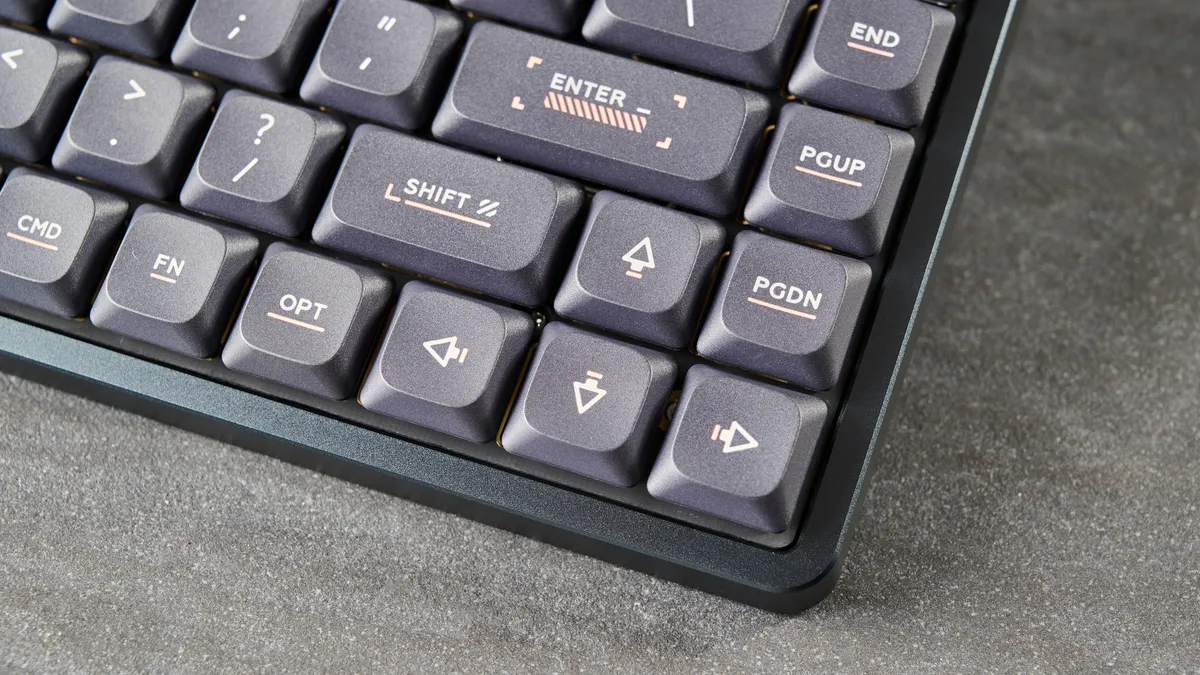
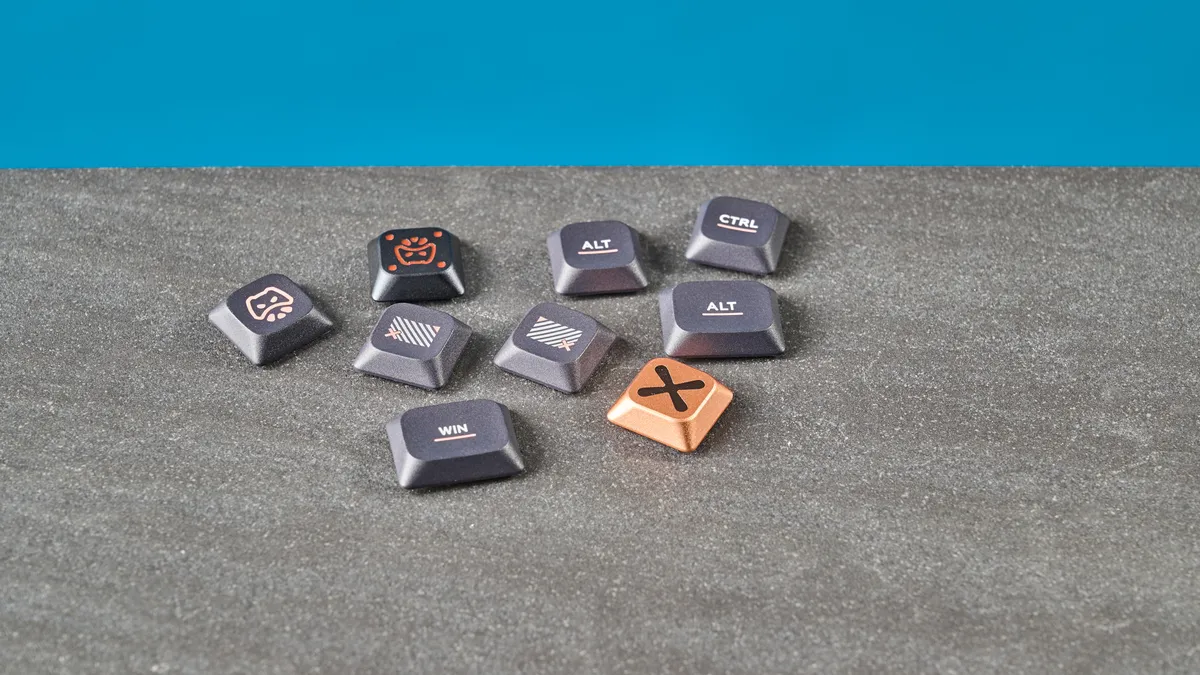
The Magi75 is a very good-looking keyboard too. You can get in black or white, with either pinkish-red or gold accents gracing the keycaps. It looks minimalist and low-key, and features customizable RGB lighting that doesn’t look too garish or loud. 10/10 from me in the design and build department, no notes.
Highly portable
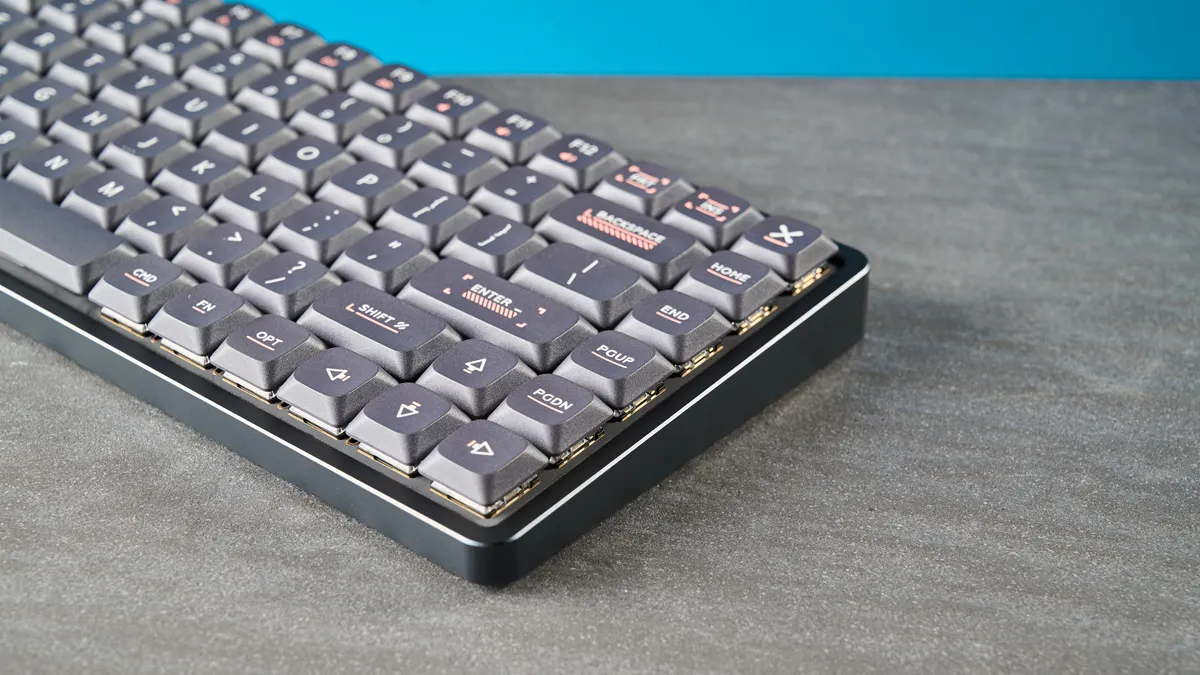
Just because the Iqunix Magi75 features an aluminum case doesn’t mean you should assume it isn’t portable. The Magi75 is a low-profile 75% keyboard which is highly compact as it omits media keys and the number pad. It measures 12.46 x 4.96 x 0.44 inches so it doesn’t take up too much space on your desk or in your bag, and it’s more compact than both the NuPhy Air75 V3 and the Lofree Flow 2.
The Magi75 weighs 2.08lbs, and I didn’t feel like it was weighing me down when I was traveling with it in my backpack to and from work. It’s slightly heavier than the NuPhy Air75 V3 (1.65lbs) and the Lofree Flow 2 (1.64lbs), though, but the difference is hardly noticeable.
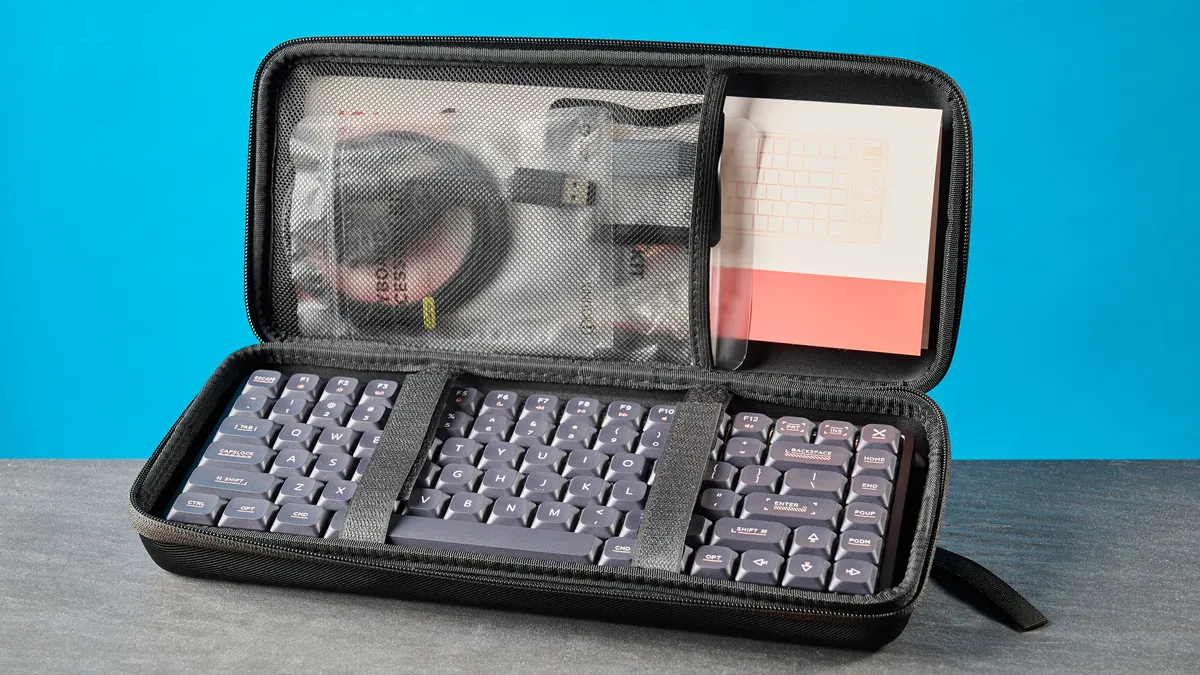
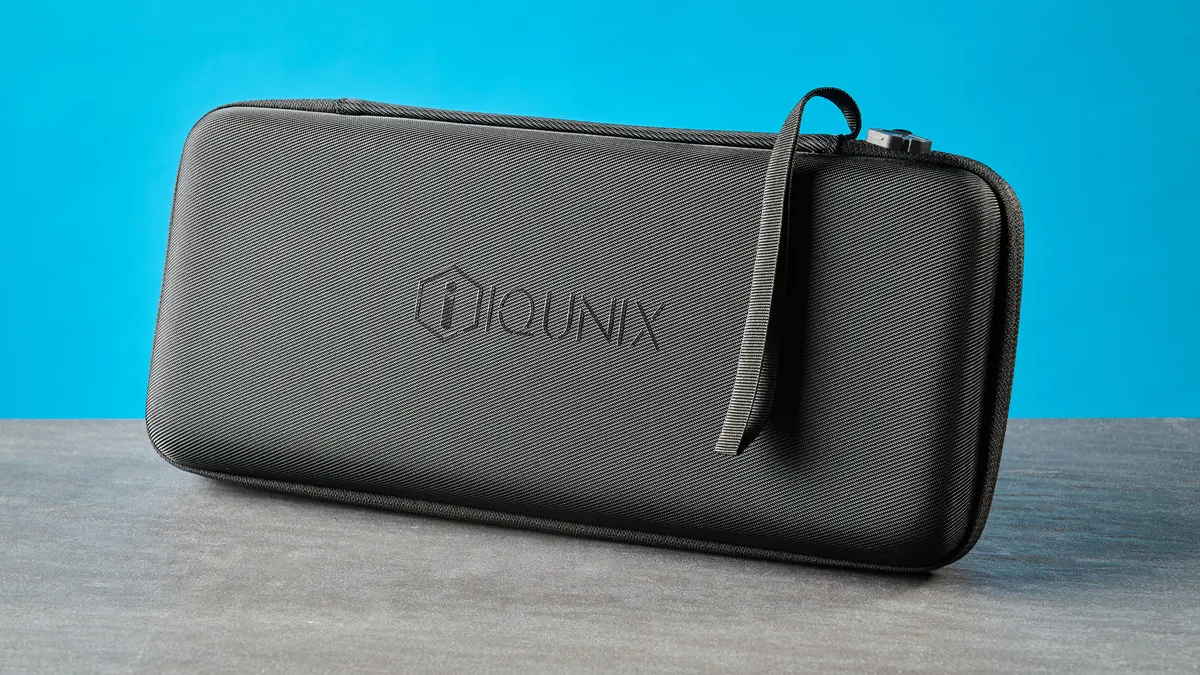
If you want to travel with the Magi75, the keyboard comes with… a carrying case included in the box. The case itself is bulky and can take up a bit of space in your bag, and personally, I don’t know who’s packing their keyboard in a separate case. But you might find some use for it! And it gives you a pocket to stash the printed manual in and trust me, you’ll need it — more on that soon.
Beautiful to type on

As someone whose bread and butter relies on writing nearly 10,000 words a week, having a comfortable keyboard I can type on all day long is high on my list of priorities. The Iqunix Magi75 is just that. As is the nature of low-profile keyboards, the Magi75 uses low-profile switches with lower actuation points, so they’re easier and quicker to activate compared to standard-profile ones.
At the time of writing, the Magi75 comes fitted with one set of stock switches only: the Kailh Gold Red mechanicals. No word of a lie, I absolutely adore these switches. Typing on them feels like my fingers are bouncing off clouds. They require just 40g of force to activate, and they have a pre-travel distance of 1.2mm (2.8mm before bottoming out) so you don’t even need to press them all the way down to activate them. These switches are lighter and less fatiguing than the Kailh White Rains in the Hexgears Immersion A3 TKL (50g) and the Gateron LP 2.0 Reds in the Epomaker Luma84 (50g).

The Magi75’s shallow depth also means that I don’t need to raise my wrists too much to reach the keys, and my hands sit closer to the surface of my desk, which essentially eliminates the need for a dedicated wrist rest. This makes the keyboard ergonomically-friendly, and having typed on it for five days’ worth of work, I can confirm that it’s extremely comfortable. My hands and fingers never once felt fatigued.
To test how the Magi75 fared against other mechanical keyboards I’ve tested recently, I took a typing test at 10fastfingers.com. Right off the bat, I achieved 99 words per minute with 91% accuracy. As you can see in the table above, my speed was faster than usual, and though my accuracy took a slight dip, 91% is still not too shabby.
Oh, also, the Magi75 sounds great. The Kailh Gold Reds don’t sound too thocky, like the Wisterias in the Epomaker P65 ($119), and they aren’t too quiet either, like the Kailh White Rains in the Hexgears Immersion A3 TKL. The keyboard sounds soft and creamy, and it feels like music to my ears. You won’t be disturbing your coworkers as you type away.
Decent gaming performance, too
Similar to the Lofree Flow84 and the Epomaker Luma84, the Iqunix Magi75 is a productivity-first keyboard, and it isn’t intended for serious gaming. However, if you want to play a couple rounds of Counter-Strike 2 or drive a lap around Silverstone in F1 25 after work, the Magi75 should suffice.
Digitpatrox reviews gaming platform
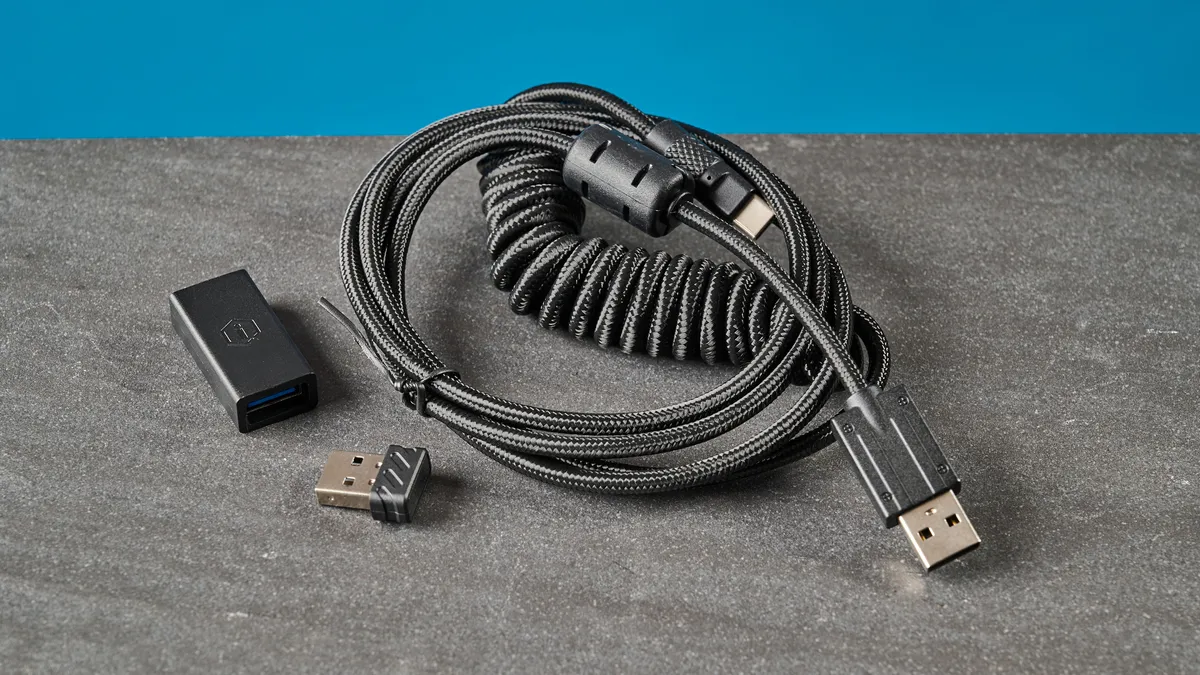
Over wired and 2.4GHz (using the included dongle), the keyboard has a 1,000Hz polling rate which drops to 125Hz over Bluetooth. For casual gamers, this should be more than plenty. I didn’t notice any latency issues or missed inputs. I found the switches to be super responsive too, and of course, the keyboard’s low-profile design felt mighty comfortable for all-day play. It’s worth checking out a low-profile Hall Effect keyboard, like the NuPhy Air60 HE ($139), if you’re a serious or competitive player.
Web-based companion software
Image 1 of 3
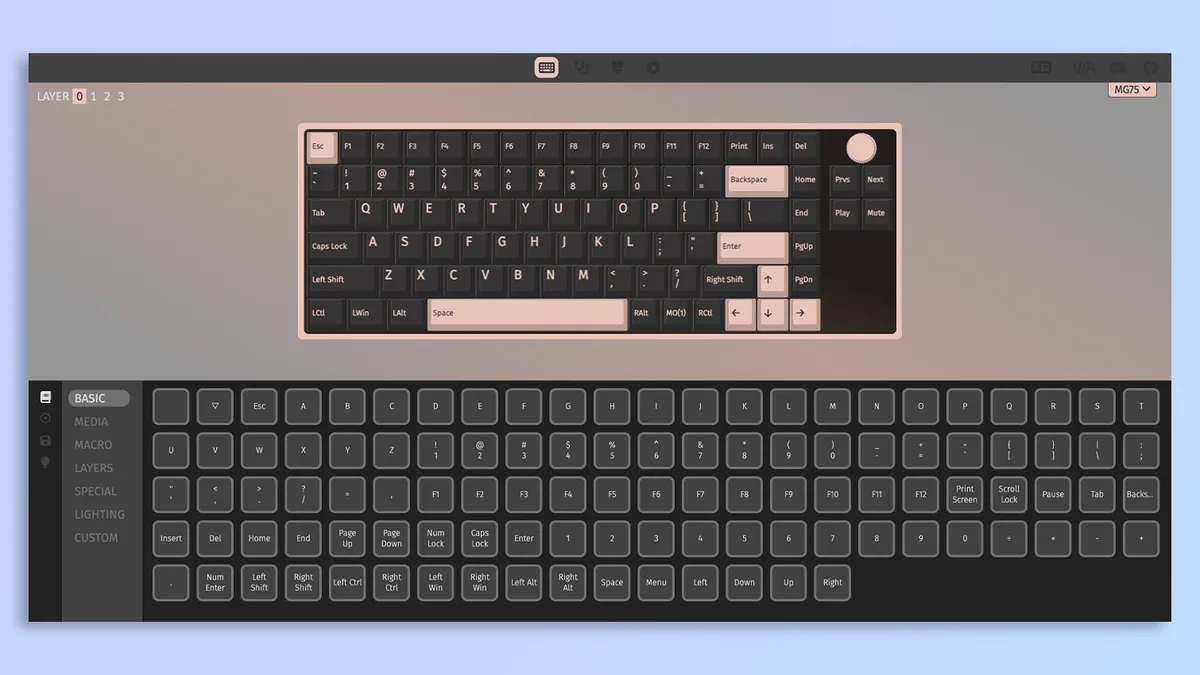


I love it when keyboards and other peripherals don’t ask me to download proprietary third-party software or bloatware onto my laptop. To customize the Iqunix Magi75, all you need to do is connect the keyboard to your machine and open the VIA web app in your browser. Download the board’s JSON file, upload it to VIA, and you’re good to go.
Customization via VIA (heh) is extremely straightforward, as the app gives you quick access to remapping keys, programming macros, adjusting the RGB effects and brightness, and updating/flashing the Magi75’s firmware. VIA sports a clean and user-friendly interface thanks to the omission of unnecessary pop-ups and ads. As a productivity-focused keyboard, you don’t really need more options in terms of customization.
Iqunix Magi75 review: The downs
Although there are many things the keyboard does well, the Iqunix Magi75 sadly has some considerable drawbacks, such as confusing key combos, non-adjustable height, and very limited stock switch choice.
Confusing key combos for every setting
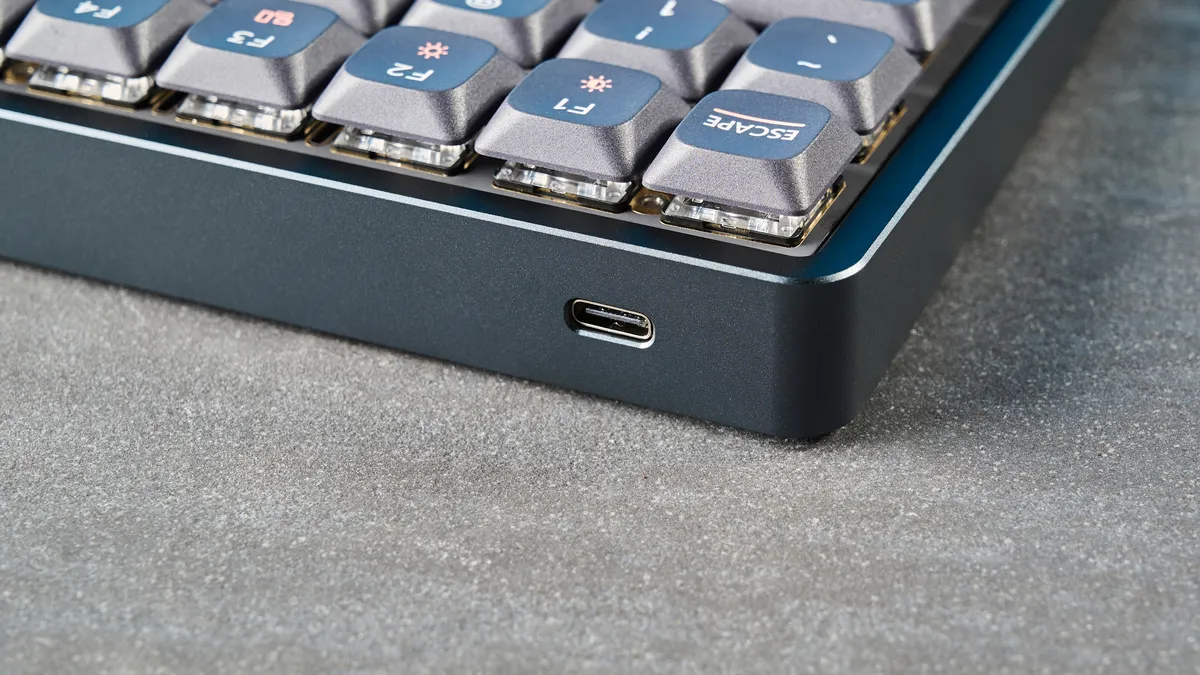
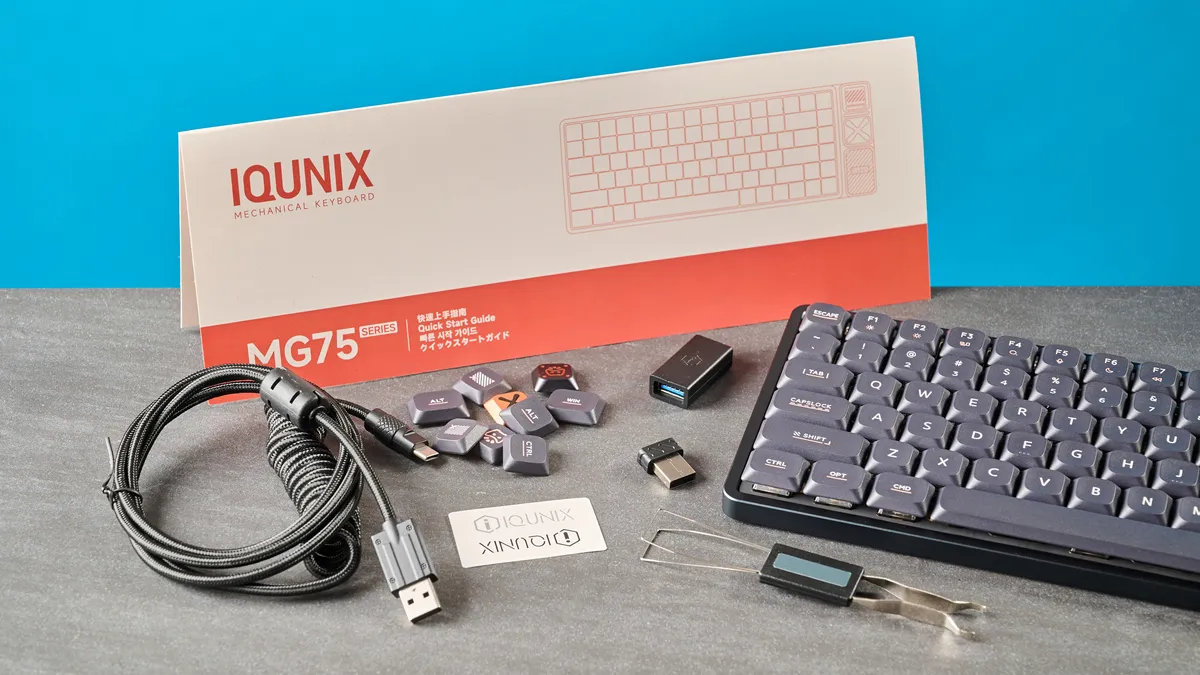
One of my biggest gripes with the Iqunix Magi75 is its lack of physical toggles to change settings. You need to rely on key combinations to change, well, any setting you want to. Iqunix happily includes a physical manual in the box, and you can access a digital copy through the official website.
But the key combos are quite annoying. Powering up the keyboard for the first time is fine because all you need to do is plug it in, but connecting it wirelessly is a pain — at least I found it to be. In my testing, when I followed the instructions to pair the Magi75 with my MacBook Air M2 over Bluetooth, it took a good three or four tries to get it to work. With the Dell Alienware 16X Aurora, it was a similar story.
This could have easily been solved by placing a couple of physical toggles on the keyboard’s body but it’s difficult to do so on aluminum low-profile keyboards, and it’s something I haven’t seen on rivals either. My issue is that the combinations are finicky and didn’t always register at first when I was testing the keyboard, and I hope Iqunix fixes this problem in the future.
Height can’t be adjusted
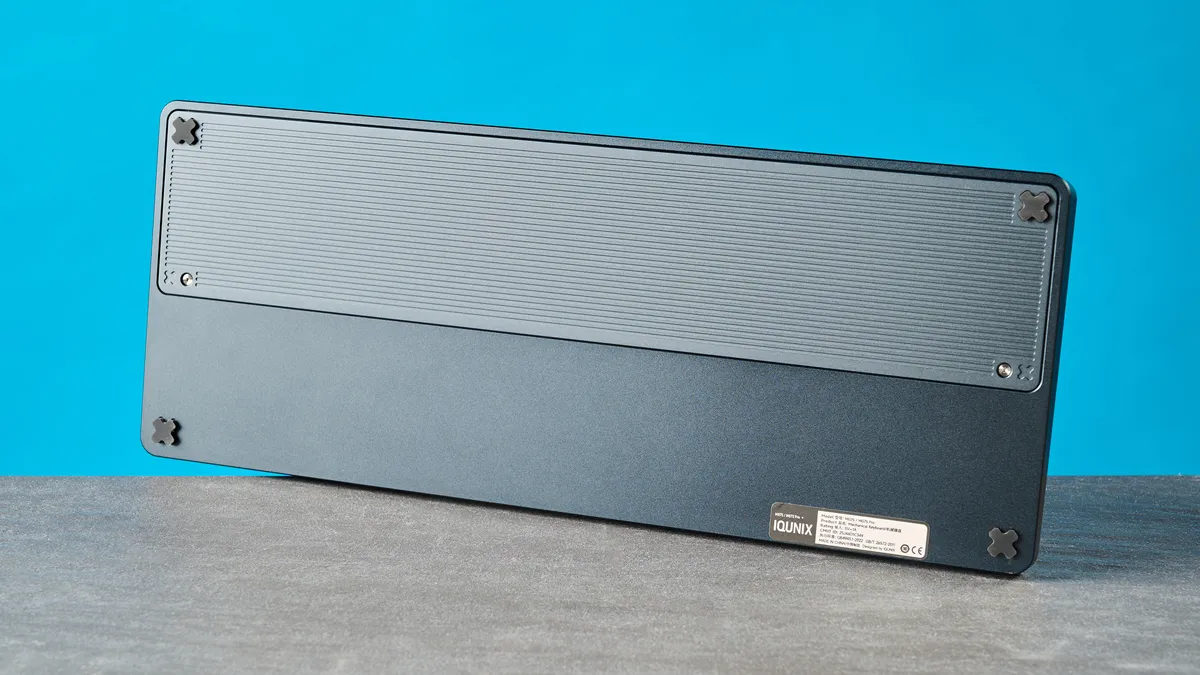
Another drawback of the Iqunix Magi75 isn’t exclusive to it — it’s a drawback of most aluminum keyboards. The Magi75 doesn’t have feet on its underside, which means its height can’t be adjusted. While it isn’t impossible to fit adjustable legs to an aluminum case as compared to a plastic one, it makes machining and manufacturing much trickier. We’ve seen this with the Epomaker Luma84 and the Keychron Q3 Ultra 8K ($229), to give a couple examples. But a keyboard like the Lofree Flow 2 has managed it, so it would have been nice to see Iqunix implement something similar.
If you want a great low-profile keyboard whose height can be adjusted, I’d recommend the Hexgears Immersion A3 TKL, a mech deck that I’ve been using for over a year when I work from home. The NuPhy Air75 V3 and the NuPhy Node75 ($99) are superb alternatives too, but you’d be sacrificing the Magi75’s aluminum build for the latter.
(Very) limited stock switch choice

As I alluded to earlier, the Iqunix Magi75 comes with only one set of stock switches, and that’s the Gold Reds. The Gold Reds are outstanding, especially for those who want tactile feedback without obnoxious clickiness, but you can’t get any other switches, which is disappointing. Now, the Magi75 is hot-swappable, but Iquinix doesn’t specify compatibility, and it doesn’t sell any low-profile switches through its website. Weird.
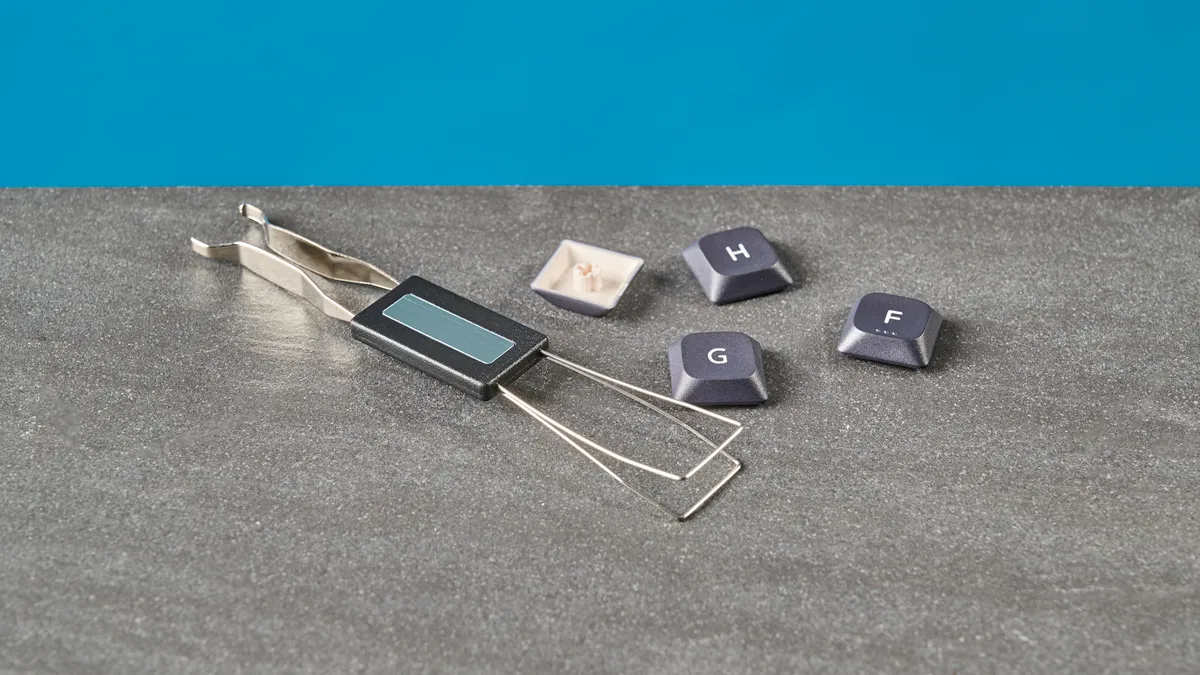
I pulled a switch out using the included switch puller to inspect it, and they’re south-facing switches with a 3-pin setup. I then reached out to an Iqunix representative who confirmed that the Magi75 is, at the time of writing, compatible with the Kailh 1353 series, and that “any variant based on this model will work.” You need to buy these separately as you can’t get them as stock switches when ordering the keyboard, which is a shame (and an added expense).
An expensive entry in a crowded market
Technology and keyboards have come leaps and bounds and today, you don’t need to spend hundreds and hundreds to get a fantastic low-profile keyboard. Though the Iqunix Magi75 is excellent in its own right, I’m not entirely sure the asking price is justified. The Magi75 retails for $169 / £195 at Amazon — and that’s for the standard 75% variant. Its top line configuration, the Magi96 Pro, costs a whopping $209. That’s a lot of money.
If the Magi75 didn’t face such fierce competition, maybe that would be justified — none the wiser, right? But alternatives, like the Lofree Flow Lite84 ($109), the Epomaker Luma84 ($109) and the Hexgears Immersion A3 TKL ($129), cost less and offer pretty much the same (or similar) specs and features. Oh, and the Immersion A3 TKL features a TFT screen for on-the-fly customization.
Unless you’re sold on the Magi75’s design — which is stunning, in my opinion — there isn’t much else unique about the keyboard that you won’t find anywhere else for similar or less money.
Iqunix Magi75 review: Verdict
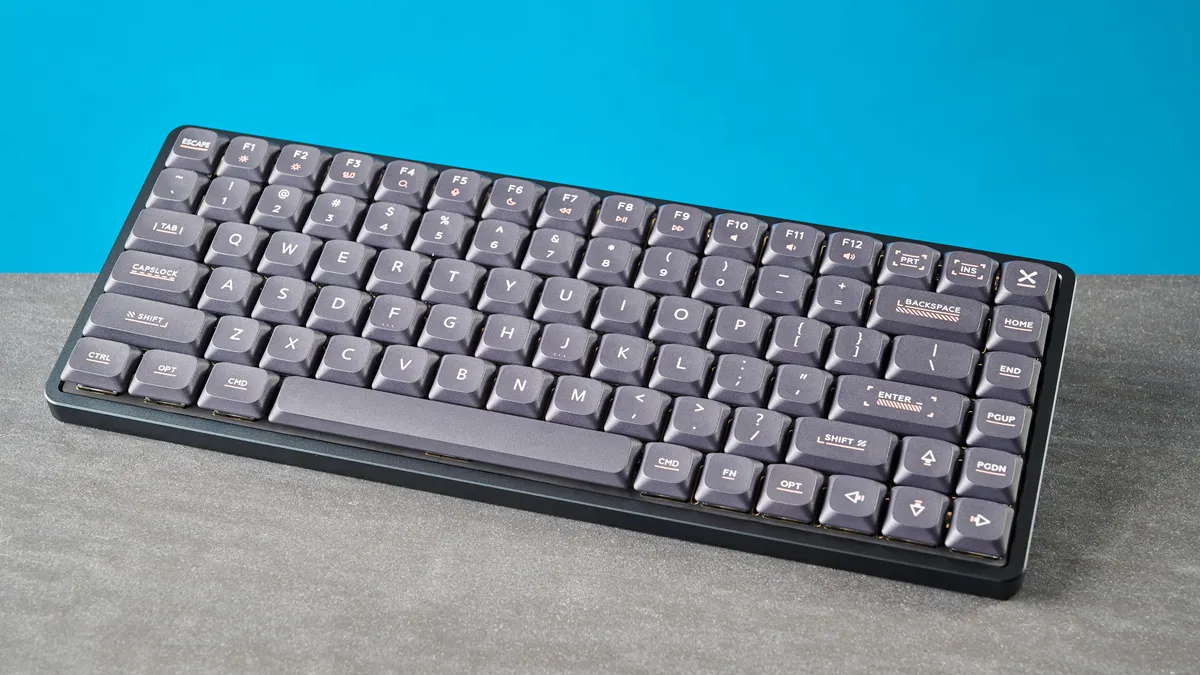
If it’s a wonderful typing experience you’re after, the Iqunix Magi75 is an excellent choice. Its Gold Red switches are easy to activate, and the low-profile design offers a comfortable typing experience for all-day long work. The keyboard is designed beautifully, and its aluminum build makes it quite durable. Web-based software doesn’t give you much to complain about either.
But is the Magi75 worth the premium? I’m not entirely convinced, as its limited stock switch choice, non-adjustable height and confusing key combos leave a lot to be desired. The keyboard also faces fierce competition from the likes of Lofree and Epomaker who offer low-profile decks with the same features for either the same or less.
Don’t mind those drawbacks? Then the Magi75 could be a great addition to your productivity-focused setup.
Source link
