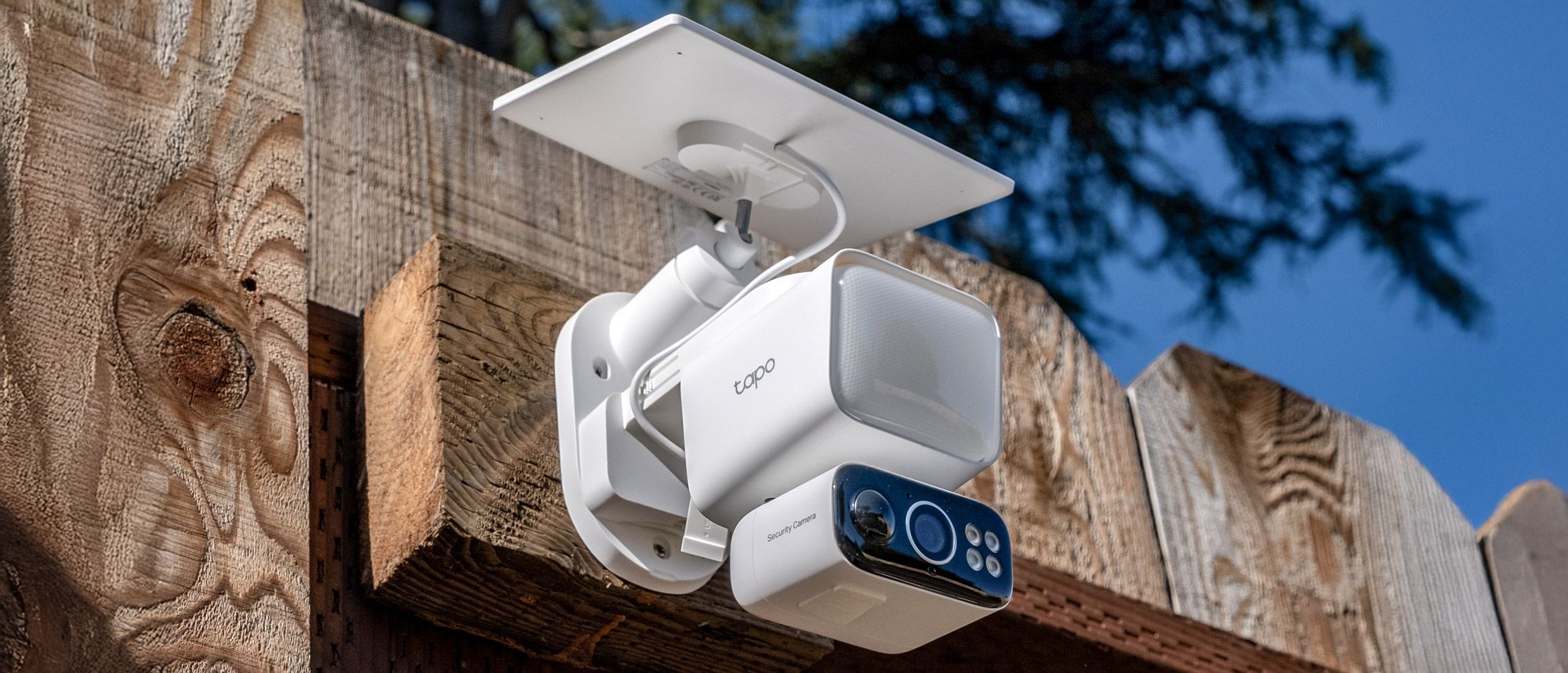
TP-Link Tapo C615F Kit: Specs
Video: 2K, 20fps
Field of view: 100 degrees
Sensor: 3MP
Night vision: Infrared and color night vision
Wireless: 2.4 GHz/5 GHz Wi-Fi 4
Weather Resistance: IP65
Power: 10,400mAh battery, integrated solar panel
Works with: Google Home, Alexa
Solar-powered security cameras are becoming much more common as a way to get home security without having to worry about power or charging. The TP-Link Tapo C615F Kit is the latest in a series of solar-powered options from the company, but unlike alternatives from the likes of Arlo, it’s also pretty cheap.
Even better: The Tapo C615F has pan/tilt motion-tracking, a sharp 2K resolution, and doesn’t require a subscription for things such as saving video. However, there are some compromises to be made when compared with some of the premium options among the best outdoor security cameras. Does TP-Link cut too many corners to hit the lower price point? You’ll just have to read the rest of the review to find out.
TP-Link Tapo C615F Kit review: Price and availability
The TP-Link Tapo C615F Kit comes at $99.99, and is available through major retailers including Best Buy and Amazon, as well as directly from the official TP-Link Tapo Store. Currently, it’s only available in white, which should blend well with most home exteriors.
TP-Link Tapo C615F Kit review: Design and setup
The C615F’s design follows TP-Link’s aesthetic for their Tapo camera line, which isn’t particularly unique but still looks fine. All of the components have an all-white body, helping make sure they look good together. There are no alternatives to the all-white look, so you’ll have to be fine with it — but it should look fine outside most homes.
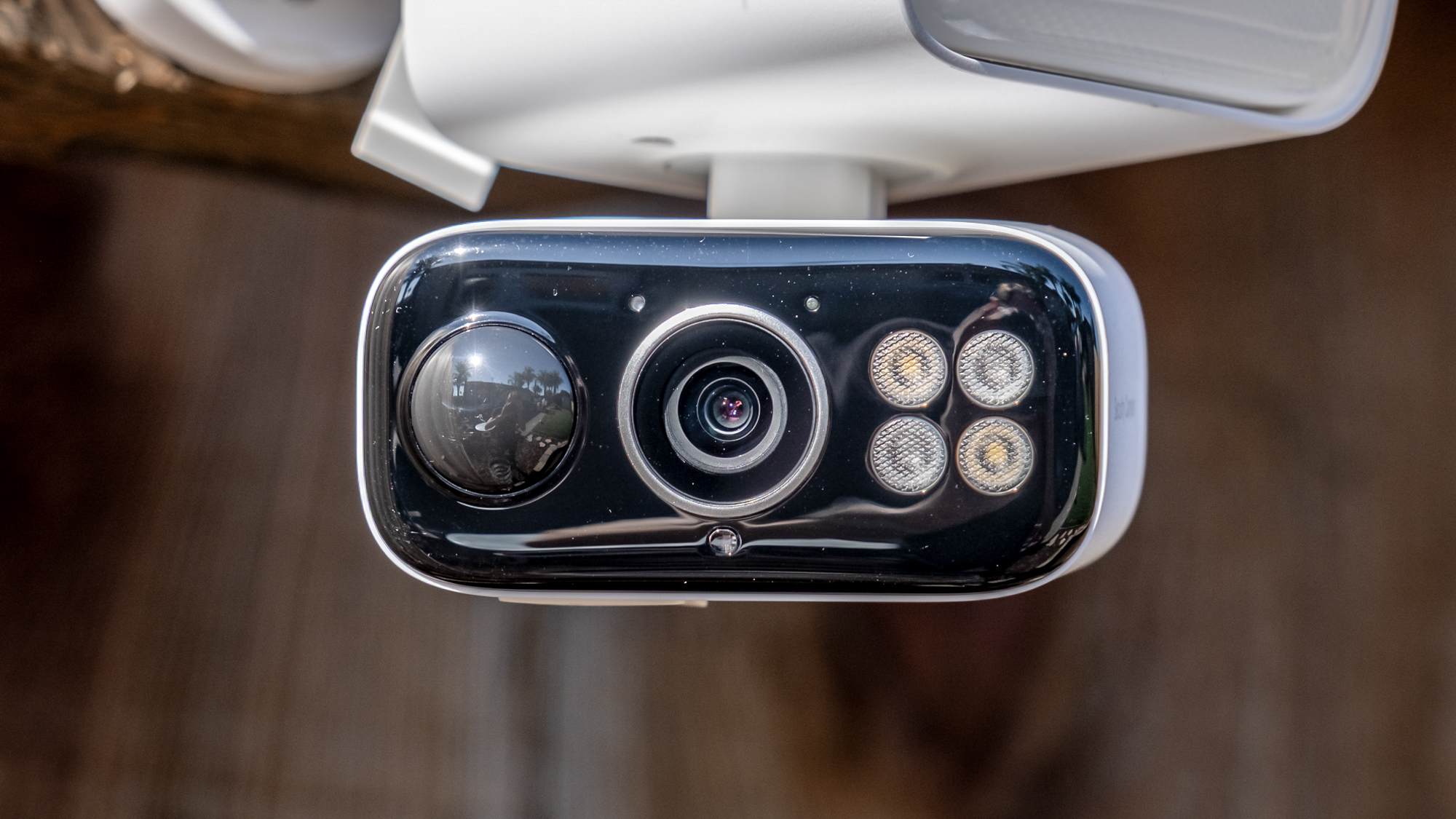
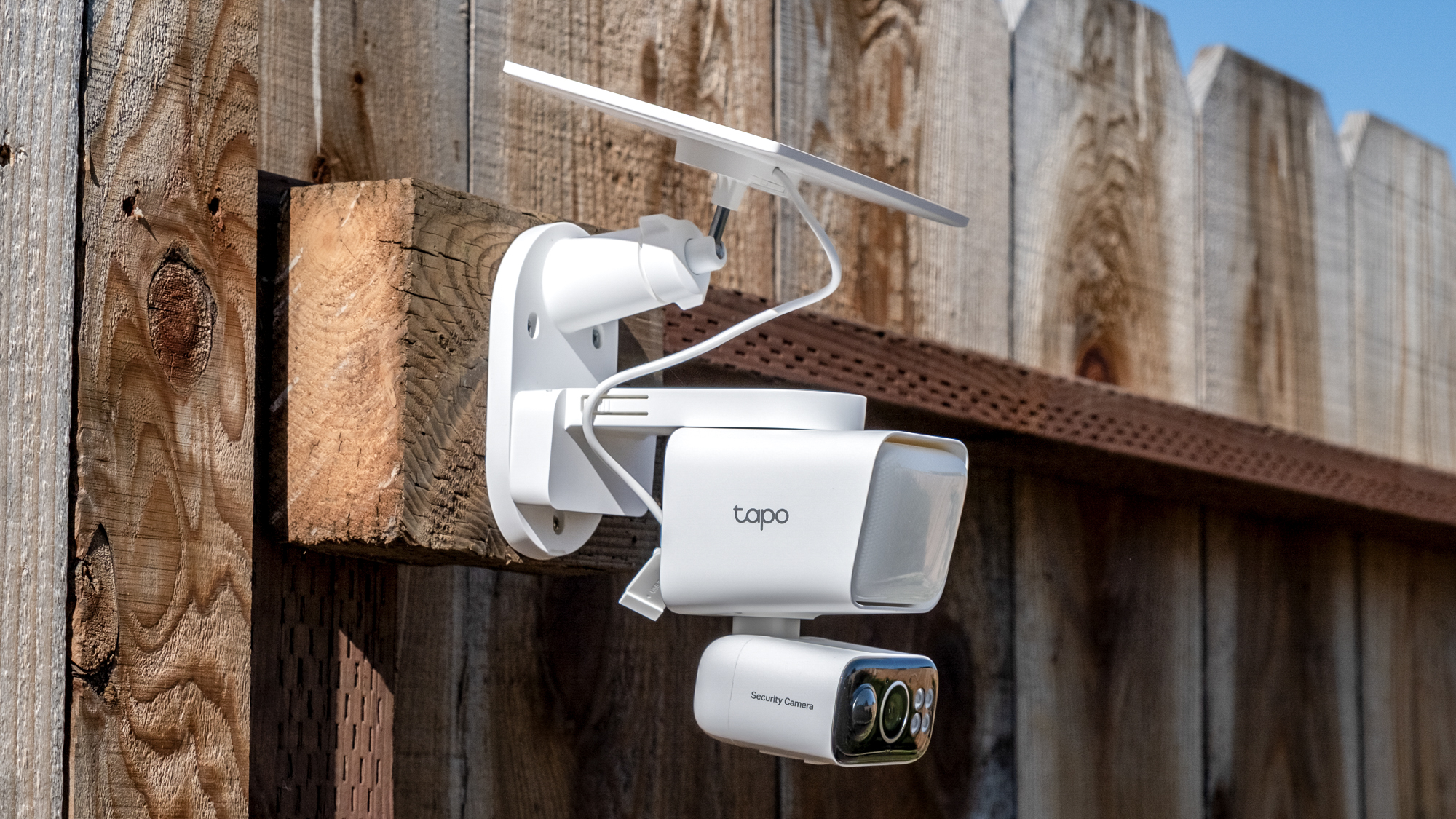
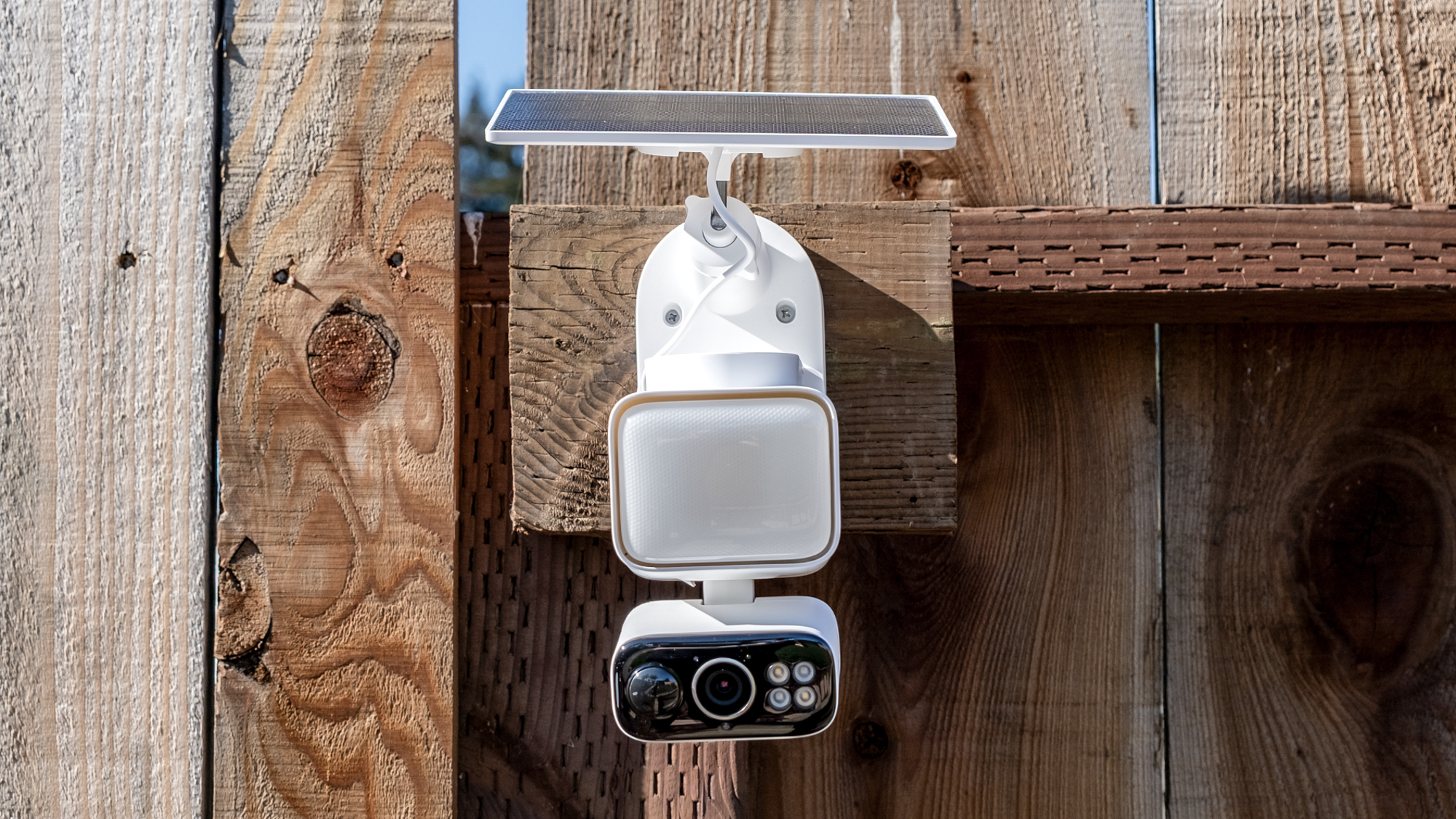
The unit is made up of two parts, and the camera itself kind of looks like two modules. There’s the larger floodlight module at the top, under which hangs the camera, which can pan and tilt as needed. Both the camera and solar panel feature IP65 weather resistance, ensuring they can withstand rain and dust without issue.

The camera and solar panel both connect to a main base plate that serves as the mounting point for the entire system. Installation of all of the pieces was pretty simple, and there are instructions both in the box and in the app. Everything you need to mount the camera and solar panel is in the box.
Setting up the camera in the app is equally painless. After mounting, you simply hold down the power button on the bottom of the camera and follow the instructions in the Tapo app. The app immediately recognized the camera and walked me through the connection process without any hiccups.
TP-Link Tapo C615F Kit review: Video & audio quality
The C615F captures video at a 2K resolution using a 3-megapixel sensor, and I found that video was relatively crisp and detailed, both in good lighting during the day and at night. While some competitors offer higher resolutions, the 2K footage here looks quite good, with clear details that make it easy to identify faces.

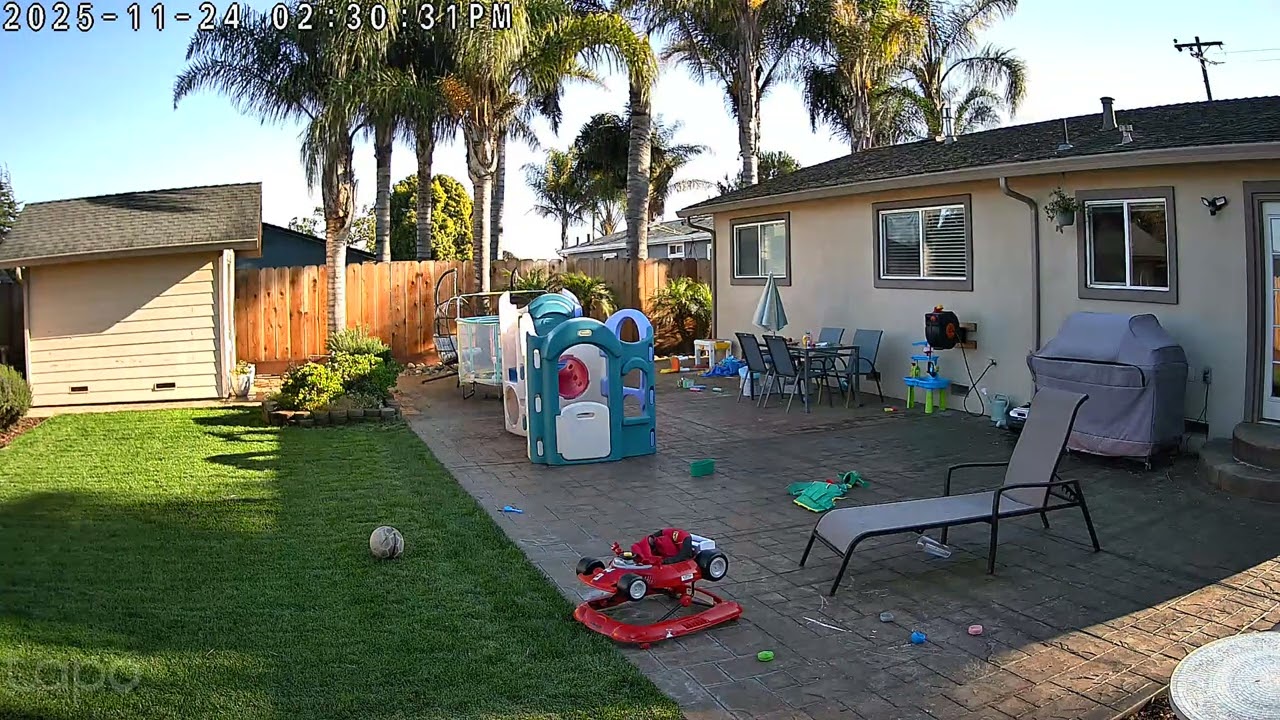
The camera offers a 100-degree diagonal field of view, which is only fine — but combined with its pan and tilt feature, it can cover a 360-degree horizontal area and tilt to cover a 130-degree vertical area. Of course if motion occurs outside of the camera sensor’s field-of-view, it won’t know to pan or tilt to track it, so there’s still benefit to a wider view from the camera sensor itself.
Night vision comes in two forms: color and infrared. The infrared mode can provide visibility up to 32.8 feet. Of course the main reason to buy this camera over some others, though, is the large 800-lumen floodlight. While 800 lumens is somewhat modest compared to competitors that can reach 2,000 lumens or more, I found that it was easily enough to illuminate my backyard effectively. If you find that the floodlight is too bright, you can adjust the brightness in the app.
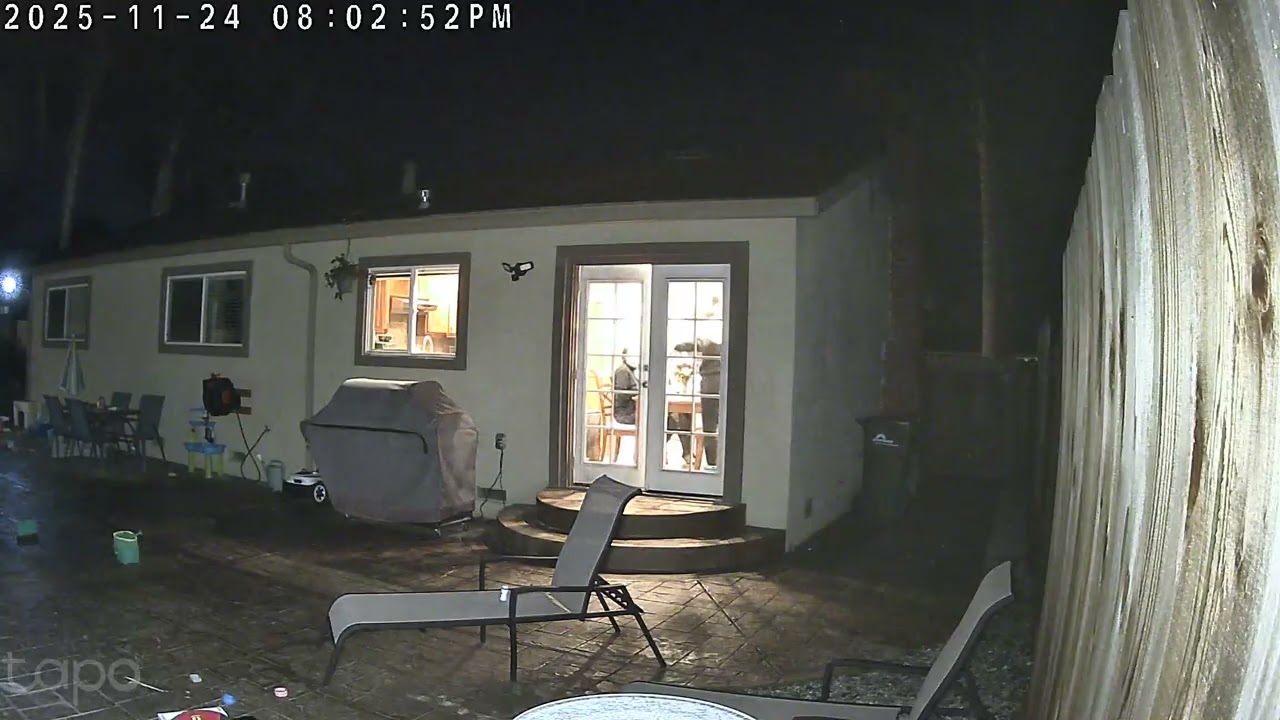
To be clear, footage captured in infrared mode is going to be slightly more crisp — but the benefits of color night vision, at least in this case, easily outweigh the downsides. Footage generally looked great. The light can be set to activate automatically when motion is detected, on a schedule, or manually through the app.
Motion detection performed well during testing too, quickly picking up movement and beginning recording without a noticeable delay. The camera can track all activity or be configured to auto-track specific subjects like people, vehicles, and pets, and you can choose settings for each separately. When tracking begins, the camera smoothly follows the subject to keep them centered in frame, then returns to its original position once the subject leaves the area. It did trigger quicker when motion was closer to the camera though – particularly in low light. It kicked in immediately when I exited my back door and walked towards a garden shed in the opposite corner of the backyard to the camera, but didn’t trigger until I was halfway back when I walked the other direction. Some of this can be fixed by tweaking the motion sensitivity settings, so I recommend playing with them a little when you first set up the camera.
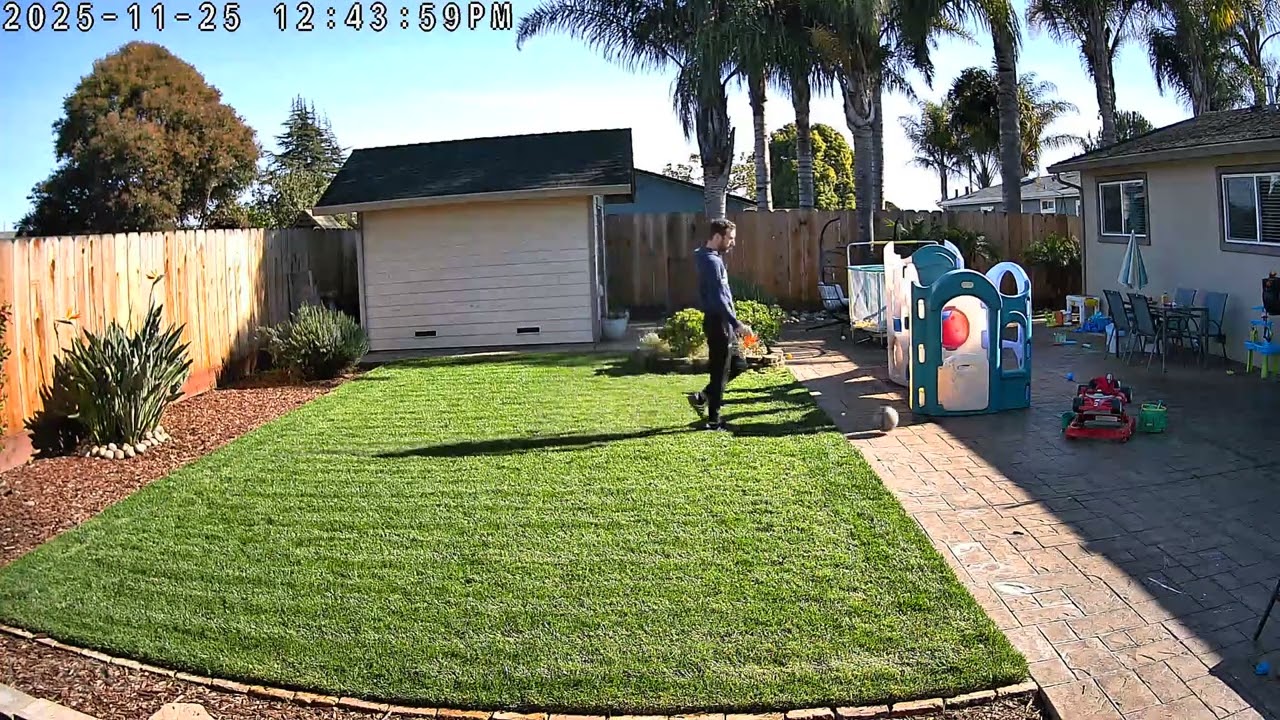
The camera supports “24/7 Capture,” but this isn’t actually continuous recording. Rather, it’s a feature in which the camera takes photos at a pre-set interval, on top of recording whenever an event is detected.
Two-way audio also worked just fine. My voice came through clearly on the other end when I was using my phone, but understanding responses the other way around, when someone else was talking through my phone, sometimes proved challenging. This could vary a little depending on how far away the person is from the camera.
TP-Link Tapo C615F Kit review: App
The camera works with the TP-Link Tapo app, which is generally well-organized and easy to navigate. There’s a home that shows you a list of your connected devices, though it’s really just a tile view that shows basic information like battery life, and you can’t see a live view straight from that screen.
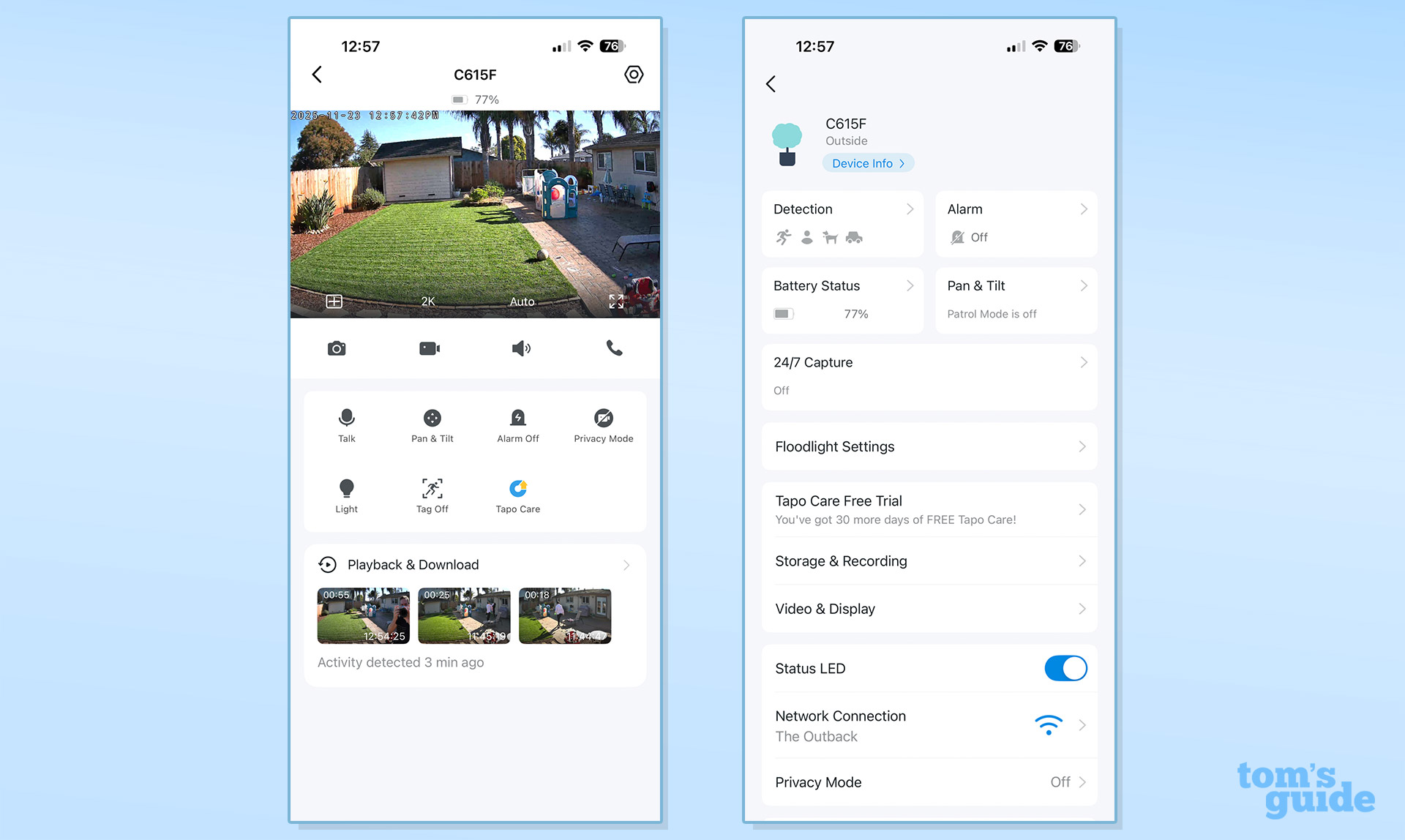

From there you can tap on the camera and access its live feed, plus wider settings for panning and tilting manually, activating an alarm, or turning on the floodlight. You can also jump between pre-set positions, which is handy.
One of the C615F’s better selling points is its subscription-free detection capabilities. The camera can identify and differentiate between people, pets, and vehicles without requiring any monthly fees. You can also configure different motion-tracking settings for different detection zones, allowing the camera to detect vehicles in one area while ignoring them in another.
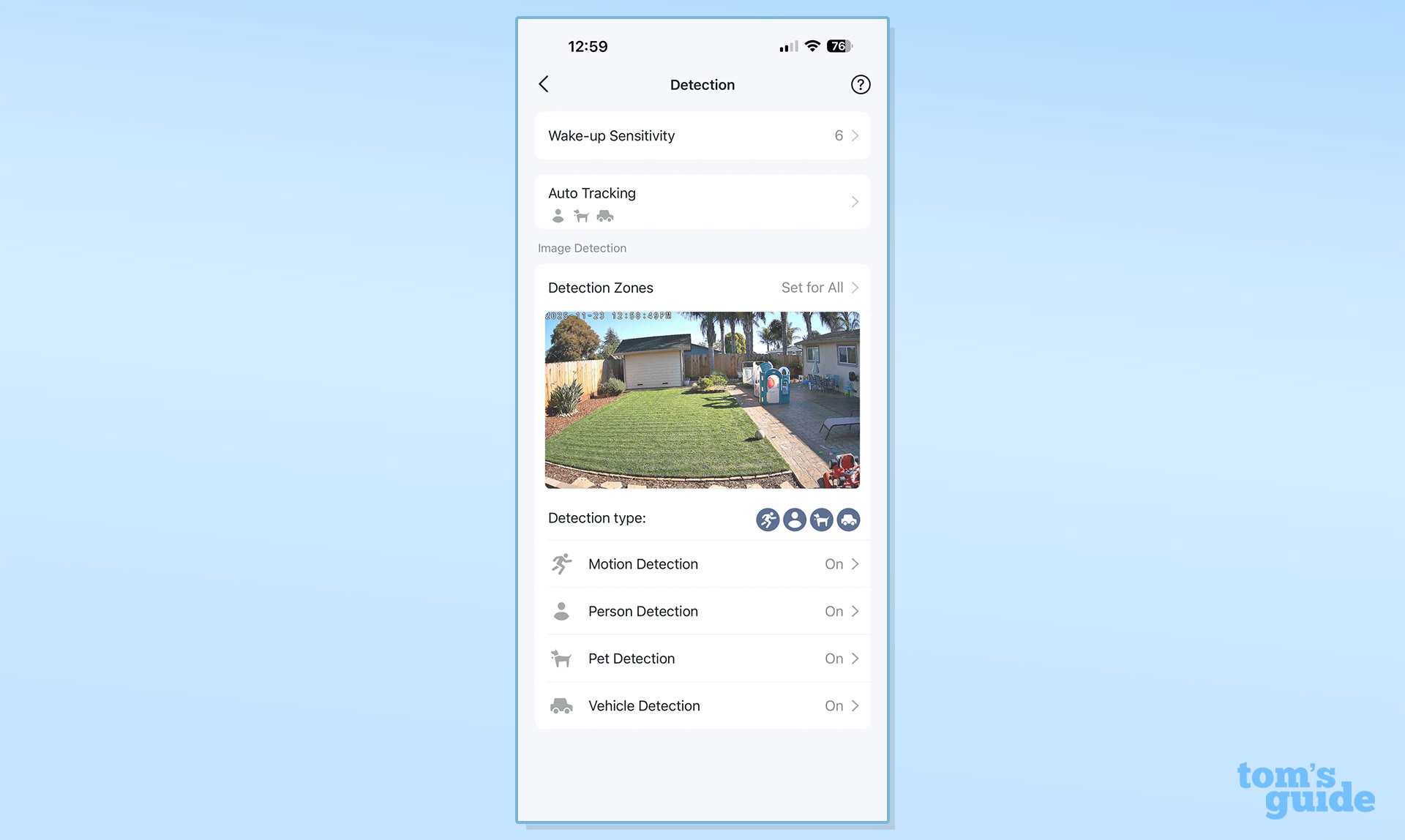
There are other features that make it easier to ensure any activity is detected. The Patrol Mode has the camera move between positions on a schedule, somewhat getting around the limitations of the camera’s field of view. You can also schedule timed panoramic videos, and they can be set as many times per day as you want, including different schedules for different days.
The app doesn’t offer generative AI features like some competitors offer. I’ve found some of these features, like Google’s Home Brief and AI-based descriptions, kind of handy — and I hope TP-Link adds this functionality someday soon. In terms of direct competition, Wyze does offer generative AI features — but you’ll have to pay a subscription fee to access them.
TP-Link Tapo C615F Kit: Smart home compatibility
The C615F supports both Amazon Alexa and Google Assistant, allowing for voice control and integration with existing smart home setups. You’ll still need to use the Tapo app for setup and to access most of the basic settings though.
Unfortunately, there’s no HomeKit support, which will disappoint Apple users looking for native integration with their ecosystem. This limitation means iPhone users will need to rely on the Tapo app rather than the Home app for camera access and control. Maybe Matter will allow for more cameras in Apple Home at some point, but that’s likely to be a few years away even though Matter 1.5 finally adds cameras to the Matter spec.
TP-Link Tapo C615F Kit review: Battery power and solar charging
One of the main advantages to this particular kit, of course, is its power system. The solar panel adds extra bulk, but means that it’ll constantly charge up the camera unit, so you’ll never really have to worry about power.
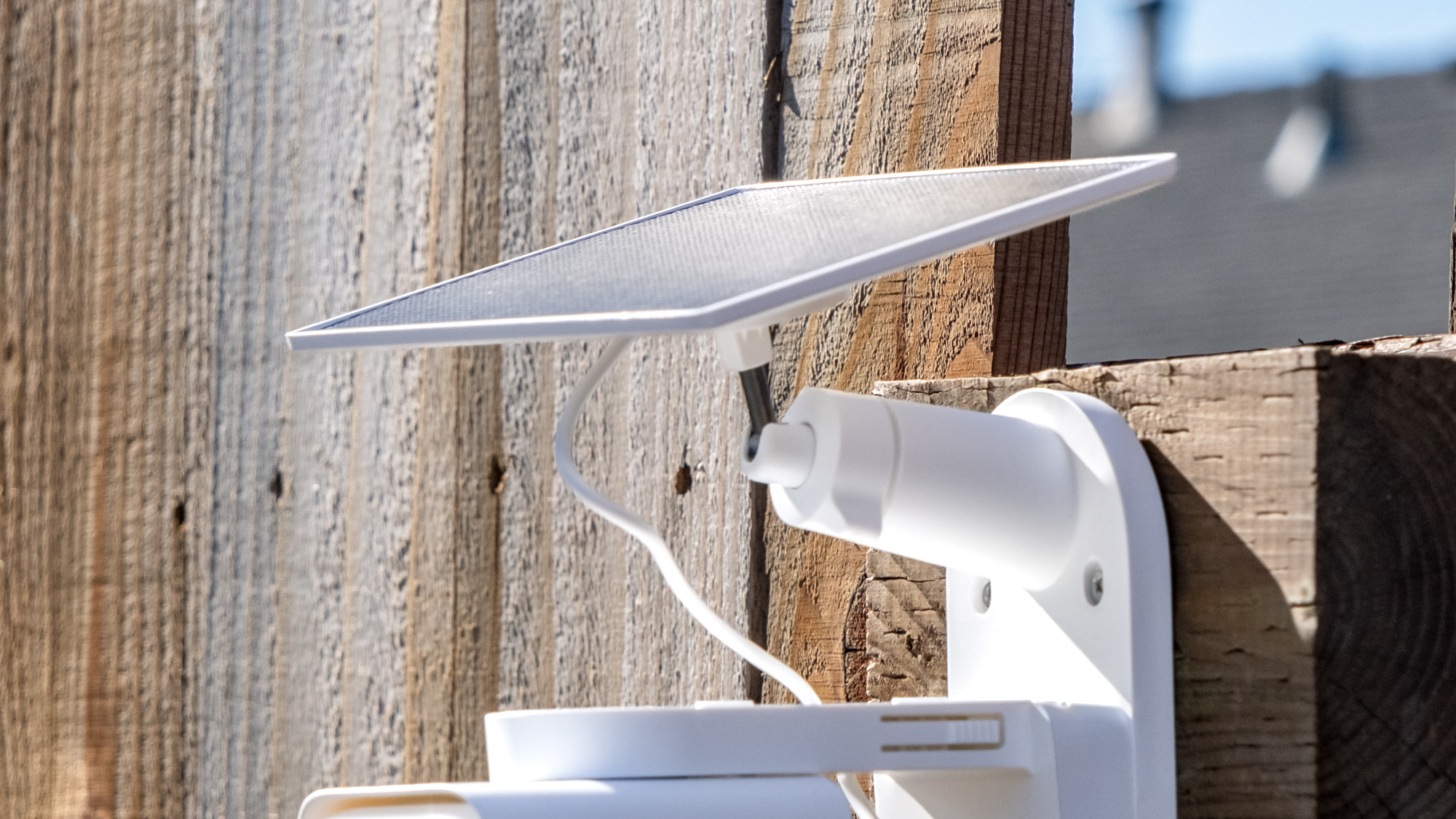
TP-Link claims that just 45 minutes of direct sunlight can power the camera for a full day of use. It also claims the battery can last up to 140 days on a single charge, though real-world usage with regular floodlight activation will likely be considerably less.
I was unable to test the 140-day battery claim in my shorter testing time, but over the course of use the camera always stayed above 90% or so. In fact, out of the box the camera had around 45% charge, but was fully charged by the end of one day. Even during extended cloudy periods, the combination of solar charging and battery capacity means you’re unlikely to ever run out of power.
TP-Link Tapo C615F Kit review: Storage and subscription plans
One of the things that TP-Link has been good at is offering local storage in its Tapo cameras. This camera has a microSD card slot that supports up to 512GB of storage, which is more than enough for continuous recording without any ongoing costs.
If you do prefer cloud storage, TP-Link offers the optional Tapo Care subscription service. Pricing runs at $3.49 per month or $34.99 per year for a single device, or $11.99 per month and $119.99 per year for up to 10 devices. At the time of this writing, TP-Link was running discounts on the service for some subscriptions, and I suspect those kinds of discounts aren’t uncommon.
Importantly, the subscription only adds cloud storage and extended video history — all the detection features, motion tracking, and smart alerts work without any subscription. That’s not very common these days, and nice to see.
TP-Link Tapo C615F Kit review: Verdict
The TP-Link Tapo C615F Kit delivers great value in the crowded security camera market. The combination of solar power, 360-degree coverage, built-in floodlight, and subscription-free features creates a solid package that rivals the likes of the $250 Arlo Pro 3 Floodlight (which also has a 2K resolution), at a lower price. Perhaps the closest competitor in terms of price is the Wyze Floodlight v2, which has a brighter floodlight, but doesn’t have the pan-tilt features on offer by the Tapo C615F Kit.
If you’re looking for a self-sufficient security camera with advanced features and the option to avoid ongoing subscription costs, the TP-Link Tapo C615F Kit is an excellent option — especially for those in the Google or Alexa ecosystems, or who don’t mind sticking to the Tapo app.
Source link
-
-

-

-

-