Acer’s own literature claims its Nitro line of gaming laptops is “known for offering gamers the ‘best bang for your buck,'” and they’re not wrong. While it’s always nice to drool over the most powerful new laptops and desktops, reality dictates that most of us need to be more selective in our purchases to get the best value for the dwindling money in our bank accounts. If you’re not one of those who need to play every game at SuperMegaMaxOHWOW details settings, modest gaming systems become more attractive.
Everyone will still have their own definition for what kind of performance is “good enough” for them, so there’s still no one-size-fits-all gaming laptop or desktop. To that end, Acer offers many configurations in its Nitro line from low-end basics to high-performance desktop replacements.
Acer Nitro V 16 AI review: Cheat Sheet
- What is it? The Nitro is a cost-effective line of gaming laptops intended to maximize performance value by focusing on “good enough” gaming performance instead of fancy cases, lighting, and other frills.
- Who is it for? Those who want entry- to mid-level gaming performance on a laptop that doesn’t require a second mortgage.
- What does it cost? This review unit is one of the least expensive in the current Nitro line, with an MSRP of only $849. Many other models are available in varying performance levels for up to $2000.
- What do we like? The Nitro provides excellent gaming value, has a 16:10 display, superb battery life, and is user-upgradeable for storage, RAM, and wireless networking.
- What don’t we like? Only 512GB of storage is low for a gaming computer; it comes with plenty of bloatware pre-installed, and the display has mediocre color gamut coverage and no VRR.
Acer Nitro V 16 AI review: Specs
| Row 0 – Cell 0 |
Acer Nitro V 16 AI (2025) |
|
Price |
$849 |
|
Display |
1920×1200 IPS, 180Hz |
|
CPU |
AMD Ryzen 5 240 |
|
GPU |
Nvidia GeForce RTX 5050 |
|
RAM |
16GB |
|
Storage |
512GB |
|
Ports |
1x HDMI 2.1 port, 1x USB-C, 3x USB-A, 1x Ethernet jack, 1x microSD slot, 1x 3.5 mm headset jack, 1x Kensington lock |
|
Connectivity |
Wi-Fi 6E and Bluetooth 5.3 |
|
Size |
14.2 x 10.9 x 0.96 inches |
|
Weight |
5.38 pounds |
Acer Nitro V 16 AI: The ups
The Acer Nitro V 16 AI has a lot to offer at its price range, including decent performance, strong battery life, and upgradeable storage and RAM.
Design
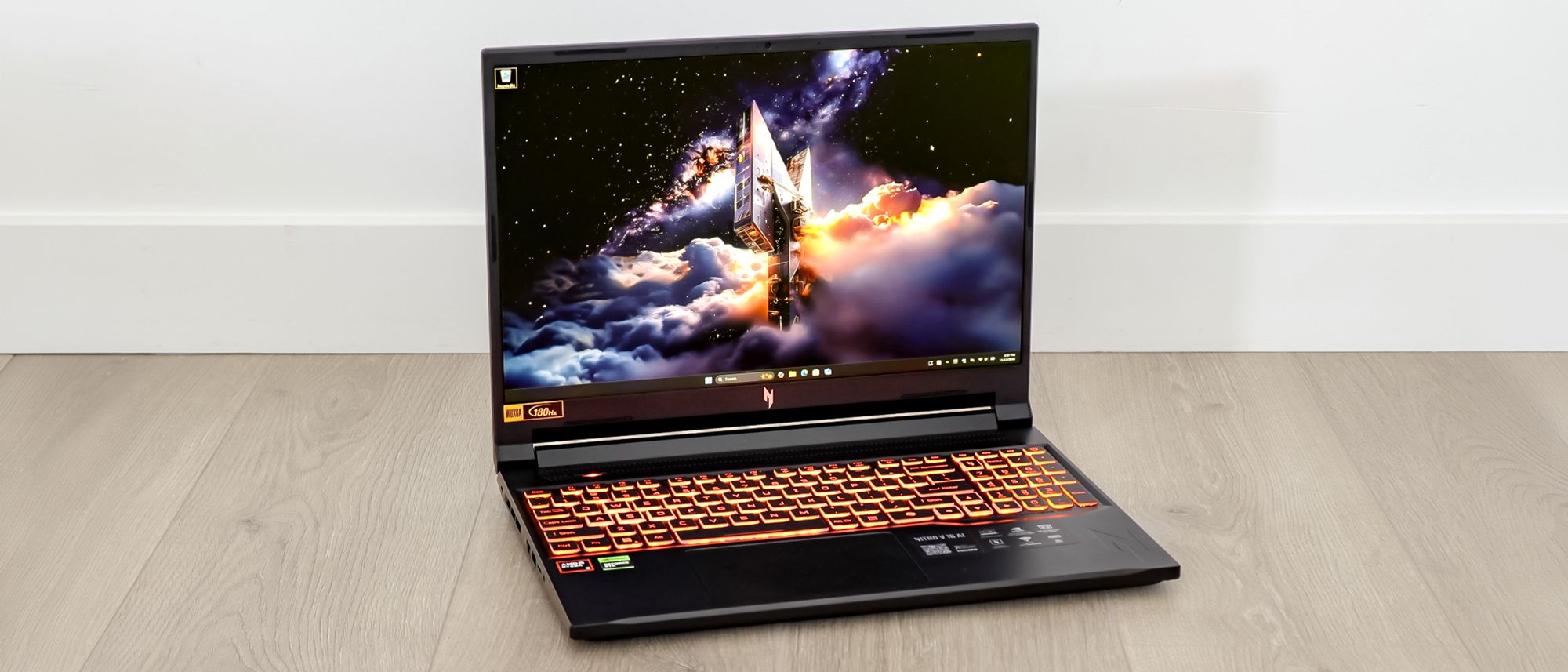
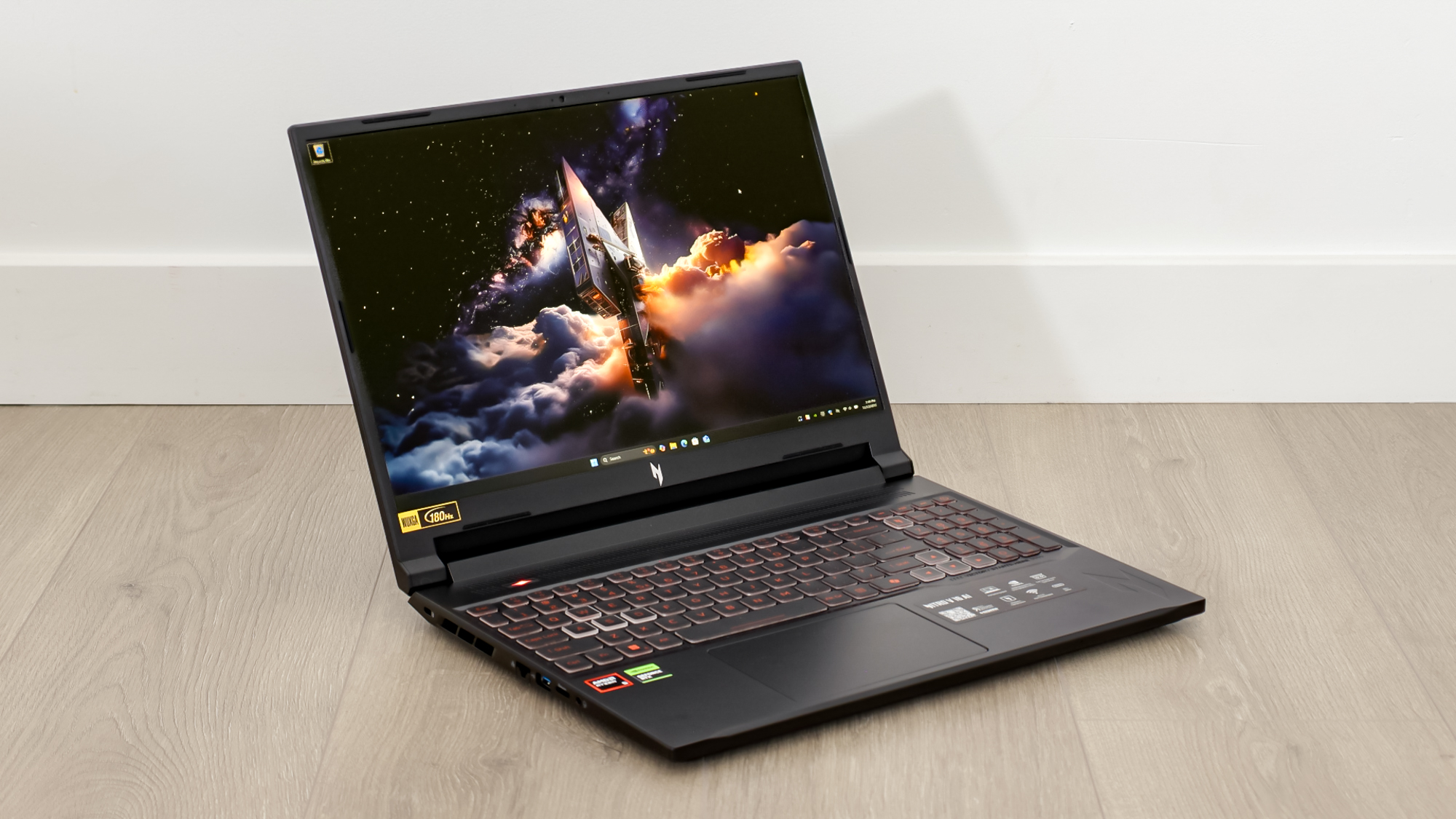
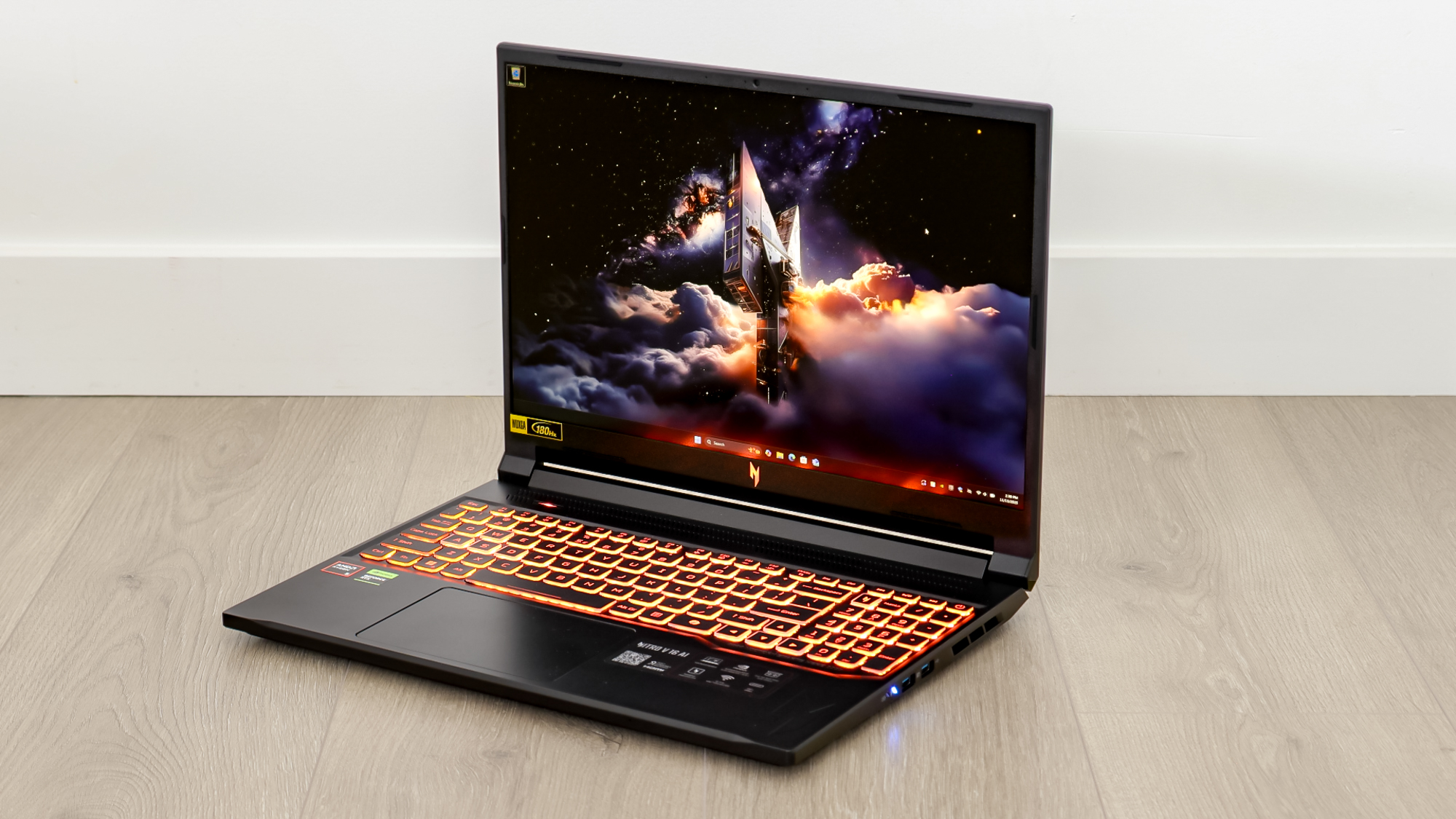
Acer’s focus on reasonable cost-cutting for the Nitro V is obvious at first glance. The chassis is plain black plastic with no lighting or decoration, save for a single inset metallic N logo on the lid. If you want a flashy-looking laptop, the Nitro series is certainly not for you. Cooling vents and heatsink fin stacks are visible from the sides and back. Much of the bottom is vented for cooling intake with additional intakes above the keyboard near the hinge.
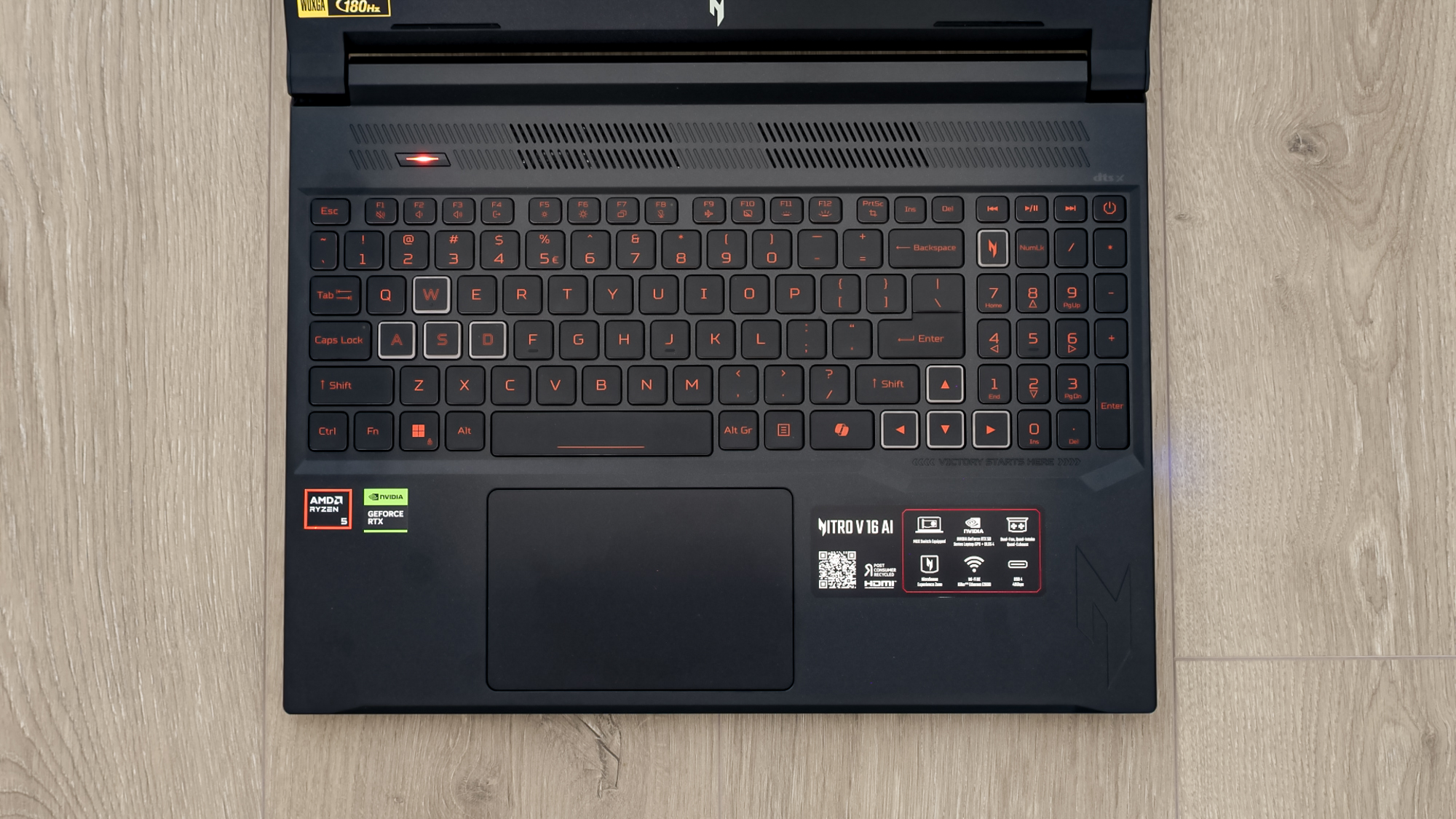
The Nitro has a full keyboard, black keys with orange printing, and all keys are backlit. The WASD and cursor keys have white rings on the edges, which outline the keys brightly with the backlighting on. As this isn’t a mechanical keyboard, the keystrokes aren’t as nice and crisp as those of more expensive laptops. However, it’s certainly not bad for a normal laptop keyboard. The switch feel is overall mushy, of course, but it has a consistent firmness to it. The touchpad is spacious with a nice feel and a satisfying click.
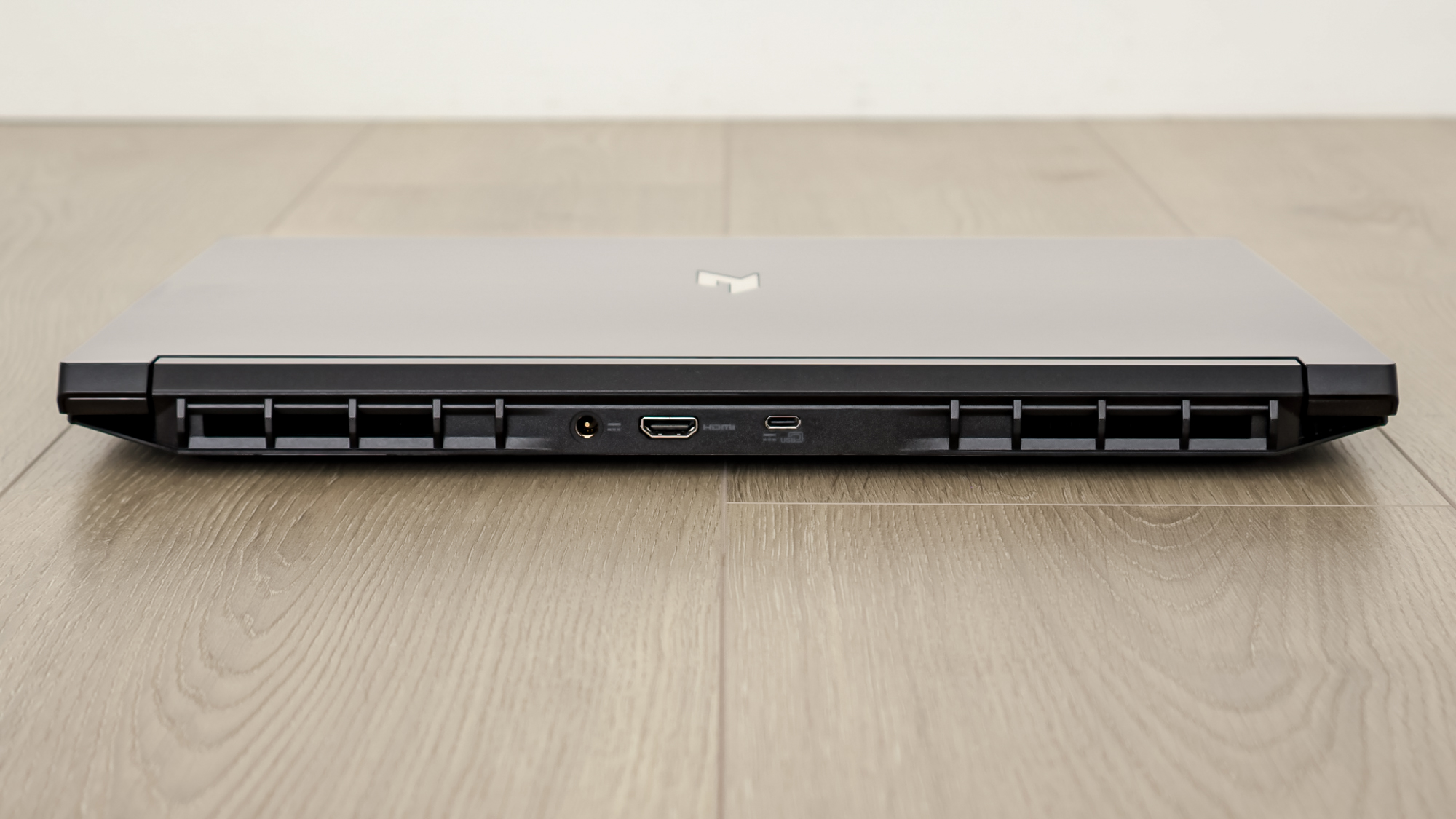
Connectivity ports are on three sides of the Nitro, not just two as with most laptops. On the back is the power connector, HDMI 2.1 port, and USB-C port that can also be used for charging the laptop. Three more USB ports are available (two on the right side, one on the left), all 3.2 type-A ports. Apart from the USB ports, the left side also features a fold-down Ethernet jack, microSD slot, 3.5 mm headset jack, and Kensington security lock.
Performance

The short of it is that the Nitro V 16 AI serves its purpose quite well, given its price and intended market segment.
As mentioned before, this isn’t a system meant to push intense graphics at ridiculous framerates. But that doesn’t mean it won’t serve up an enjoyable gaming experience. Playing through games such as Clair Obscur: Expedition 33 is perfectly satisfactory when using an optimized mix of med-high graphic settings.
| Row 0 – Cell 0 |
Acer Nitro V 16 AI |
Legion LOQ 15 |
Asus TUF Gaming A14 |
|
Assassin’s Creed: Shadows |
29 fps |
N/A |
52 fps |
|
Black Myth: Wukong |
60 fps |
56 fps |
61 fps |
|
Metro Exodus |
72 fps |
72 fps |
82 fps |
|
Red Dead Redemption 2 |
61 fps |
62 fps |
69 fps |
|
Shadow of the Tomb Raider |
102 |
96 fps |
99 fps |
|
Total War: Warhammer III |
77 fps |
78 fps |
98 fps |
Looking through our benchmarks, we can compare it to the Lenovo LOQ 15 and Asus TUF Gaming A14. It’s important to note that both these systems are significantly more expensive than the Nitro V 16, notably in the GPU department. Again, the RTX 5050 in the Nitro is meant for modest 1080p gaming, while the RTX 5060 in both the LOQ and A14 is significantly more powerful. Despite that disparity, the Nitro still holds its own in a few titles.
In some games like Assassin’s Creed: Shadows, the difference in GPUs is quite obvious as both the LOQ and A14 nearly double the Nitro’s framerate. In Total War: Warhammer III and Metro Exodus, again, the RTX 5060-powered laptops hold a big advantage over the Nitro. But in other titles like Shadow of the Tomb Raider and Red Dead Redemption 2, the gap shrinks significantly, or even disappears.
Lest you think it’s only older games where the RTX 5050 compares favorably, look at Black Myth: Wukong. At 1080p Medium details, all three laptops stay above 60 fps.
| Row 0 – Cell 0 |
Acer Nitro V 16 AI |
Legion LOQ 15 |
Asus TUF Gaming A14 |
|
Geekbench 6 (single/multi-core) |
2540 / 9207 |
2040 / 10143 |
2904 / 13024 |
|
Handbrake (mins:secs) |
5:37 |
5:17 |
4:24 |
|
File transfer (25GB) |
56 secs |
44 secs |
14 seconds |
In other performance metrics, the Nitro delivers expected results. The A14 has the strongest CPU of the three with its Ryzen AI 7 350. The LOQ and Nitro both use a Ryzen 200 series processor, but the LOQ has two extra cores. While the A14 has an insurmountable lead over the other two, the Nitro keeps it close with the LOQ in many tests despite fewer cores.
For storage, the Nitro seems to match the LOQ. Admittedly, one of the runs for a 25GB file copy on the Nitro took an alarming 132 seconds to complete, while the other two were between 16 and 20 seconds. However, as this was the last run, this was likely due to a solid-state cache overrun, and not something you’ll encounter in real-world use (unless you regularly write dozens of GB to your system drive every hour ).
So, while on paper it may appear the Nitro takes a beating from the other two notebooks, consider also that it costs hundreds of dollars less than either. From that perspective, the Nitro is certainly holding its own.
Battery life
Thanks in part to the lower power draw of the “weaker” components, battery life on the Nitro is significantly higher than that of many similar laptops.
| Row 0 – Cell 0 |
Time (hours:mins) |
|
Acer Nitro V 16 AI |
12:54 |
|
Legion LOQ 15 |
3:24 |
|
Asus TUF Gaming A14 |
11:10 |
In our battery test, which involves continuous web-surfing over Wi-Fi with the display set to 150 nits of brightness, the Nitro lasted nearly 13 hours. That’s fantastic for web browsing and productivity work. However, gaming battery life is capped at around 2 hours.
Excellent connectivity
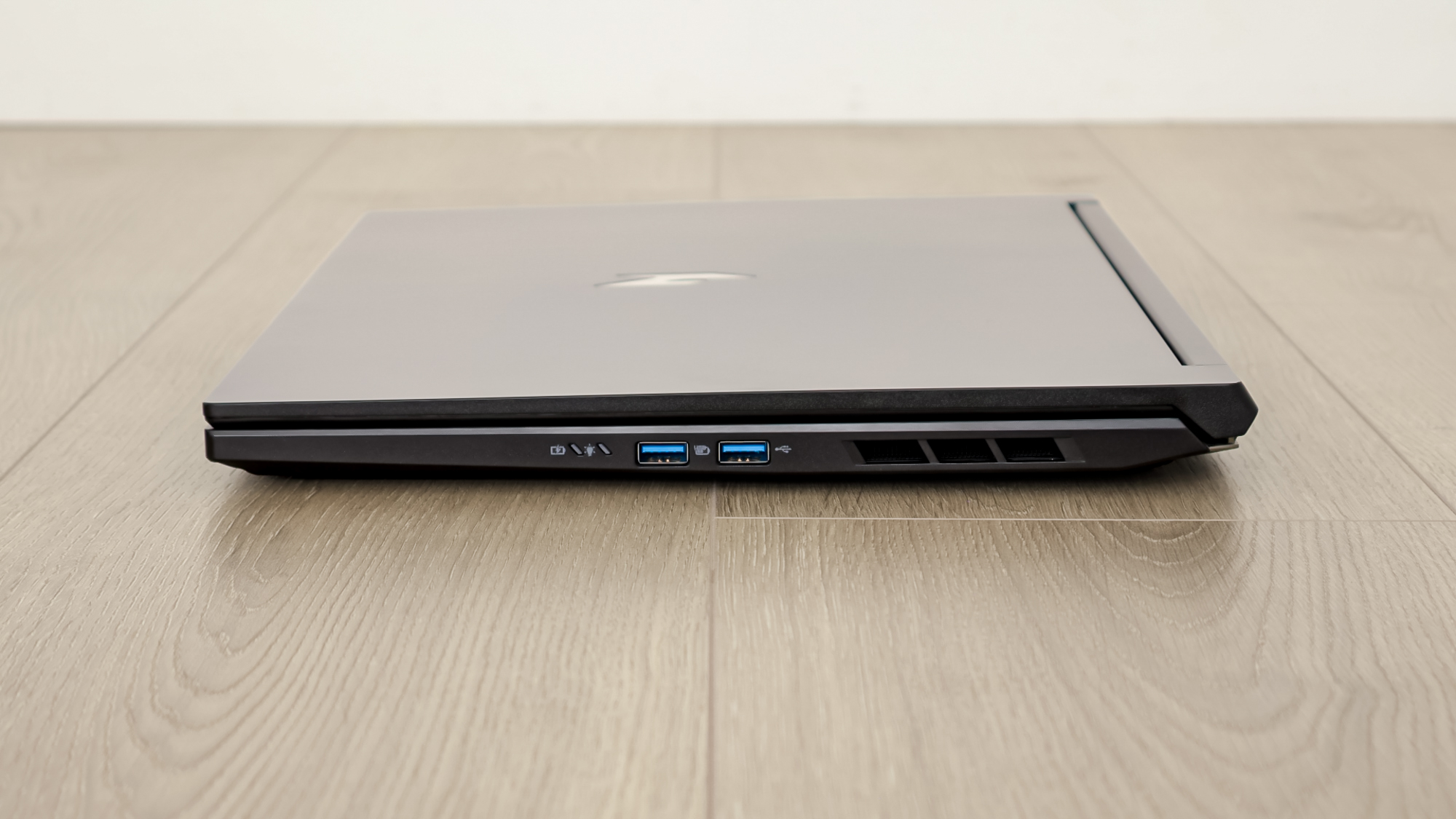
We’ve been told for years that type-C is going to replace everything, but that’s still nowhere near the case. And since everyone still has keyboards, mice, and USB drives that use the type-A connector, having three of those ports on a laptop is a welcome addition.
The microSD slot is also great for someone who uses a digital camera (whether a GoPro, aerial drone, or otherwise) and doesn’t want to carry a card reader adapter with them.
Upgradeability
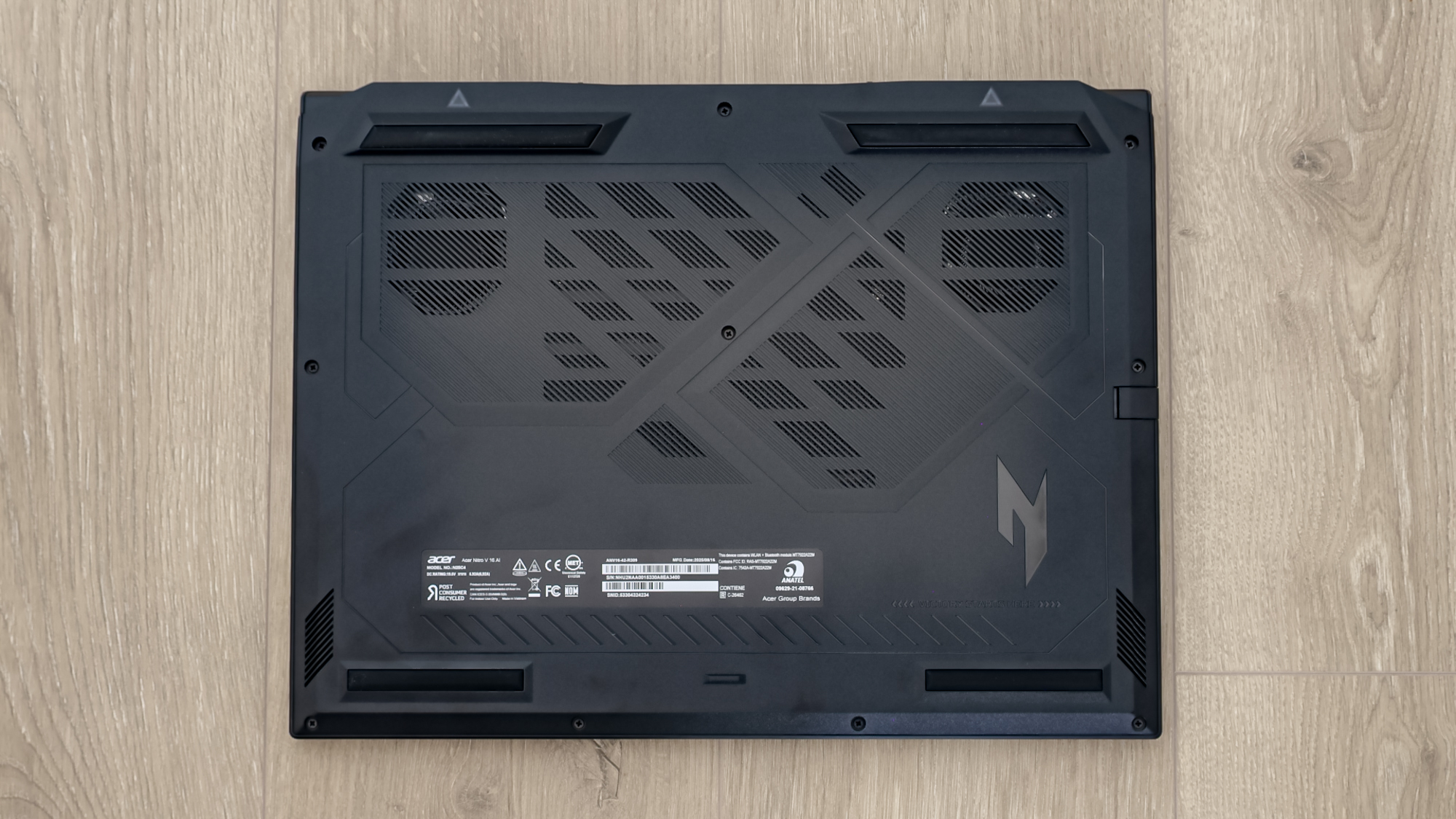
Being able to upgrade laptop components isn’t a given as it is with desktops, so being able to easily pop the case and swap out some parts is a valuable feature. No, you won’t be upgrading your CPU or motherboard, but increasing RAM or storage, or switching to an upgraded Wi-Fi card as new standards come out, greatly increases a laptop’s usable lifespan.
The Nitro has two M.2 slots for storage. Rather than needing to clone the stock drive and replace it, you can just add a second drive to increase capacity. It’s similar to RAM. The Nitro ships with a single 16 GB SO-DIMM, leaving the second slot available. Instead of requiring you to purchase a whole new RAM kit, you can simply buy a matching module to double your system memory.
Acer Nitro V 16 AI review: The downs
The Acer Nitro V 16 AI offers a good enough experience for the price, but this is still a budget laptop with some of the expected setbacks.
Gaming Performance, Pt II
As said before, the RTX 5050 is not intended for higher than 1920 x 1200 resolution. It simply doesn’t have the VRAM or processing oomph to handle the 60% increase in pixels to 1440p. So if you have ideas of connecting the Nitro to a higher resolution external monitor, you’ll likely be disappointed in the gaming results.
The caveat here is DLSS and AI frame generation, which Nvidia is pushing heavily. In games that implement these features well, the improvement in visual quality and framerate smoothness is amazing. However, that’s on a game-by-game basis. And, as AC: Shadows shows us, there are games already released that tax the RTX 5050 to its limit even on lower fidelity settings, and it’s not going to get any better.
Storage
The biggest complaint I had about the Nitro while testing it was the storage capacity. Every day that passes, games require more and more storage. Having a drive under 1TB in a gaming machine is a significant limitation.
Yes, it’s easy to upgrade the Nitro with a second drive, but the thing only has 350GB available out of the box. That can easily be eaten up by two or three games these days.
Display
The 1920 x 1200 ISP screen uses a 180Hz refresh rate and has a matte finish, which helps reduce glare and reflections. While a 1200p display may not sound like much in a day when 1440p and 4K have all the intention, it’s perfectly fitting on this laptop.
However, the Nitro’s display has two sizeable shortcomings. First, the color gamut coverage is pretty low at only 64.6% of the sRGB gamut. Compared to the over 100% coverage of the LOQ and A14, it looks particularly bad. But to the gaming crowd, the lack of any variable refresh rate is the bigger blow.
| Row 0 – Cell 0 |
Acer Nitro V 16 AI |
Legion LOQ 15 |
Asus TUF Gaming A14 |
|
Nits (brightness) |
335.4 |
309.8 |
393 |
|
sRGB |
64.6% |
110.3% |
114.1% |
|
DCI-P3 |
45.8% |
78.1% |
80.8% |
|
Delta-E |
0.19 |
0.31 |
0.30 |
The Nitro, and specifically the RTX 5050, can easily deliver 1080p gaming at medium-to-high detail settings in the 40 – 50 fps range, which is exactly where VRR shines the best.
Bloat
Acer, I need to pick this bone with you, and really, all computer manufacturers.
If I buy a gaming laptop, I want it to play games like Doom, Assassin’s Creed, Final Fantasy, Baldur’s Gate, Forza Horizon, or MechWarrior. I don’t need pre-loaded shortcuts to install things like Elvenar or Forge of Empires in my start menu. I don’t want SweetLabs, AppExplorer, and other adware pre-installed. Okay? Thanks.
Acer Nitro V 16 AI review: Verdict
The secret to a low-cost gaming laptop is quite similar to a low-budget productivity one: don’t let the customer notice where the cost-saving trade-offs were made. As long as there are no obvious pain points, the consumer will usually be satisfied with the product. So, did Acer succeed?
Not entirely. Yes, in terms of sheer framerate per dollar, the Nitro V 16 AI posts high marks. Excellent battery life and connectivity add to the overall value, as does the serviceable keyboard and generous touchpad. Moreover, the end user can upgrade the storage, RAM, and wireless networking. That’s a winning combination that’s hard to beat for the money.
However, the small stock storage drive is a pinch that the consumer will feel sooner or later. But while that can be remedied, the limitations of the built-in display cannot. The limited color gamut is disappointing, but not earth-shattering for a low-cost laptop. At worst, it eliminates the Nitro from any form of serious image or video work, but it was never really a contender there anyway. But had Acer included some form of VRR, the Nitro would be a gaming laptop on a very different level.
With VRR, you can select a detail preset and let VRR pick up the slack to get buttery smooth framerates with no tears or judder. Without, you have to experiment with individual detail settings to find the combo that keeps the game locked above a target minimum framerate, so V-Sync. That’s a constant reminder of the laptop’s limitations rather than its features and value.
But despite all this, it’s hard to hate the Nitro. It’s wrong to fault a sirloin for not being a filet mignon when the sirloin costs half as much. Is it wrong to complain about no VRR at this price point? Perhaps. Considering the Nitro can often be found well under its MSRP, that complaint becomes smaller and smaller. At $849, it warrants serious consideration at least.


Follow Digitpatrox on Google News and add us as a preferred source to get our up-to-date news, analysis, and reviews in your feeds.
Source link
-

-

-

-
-