
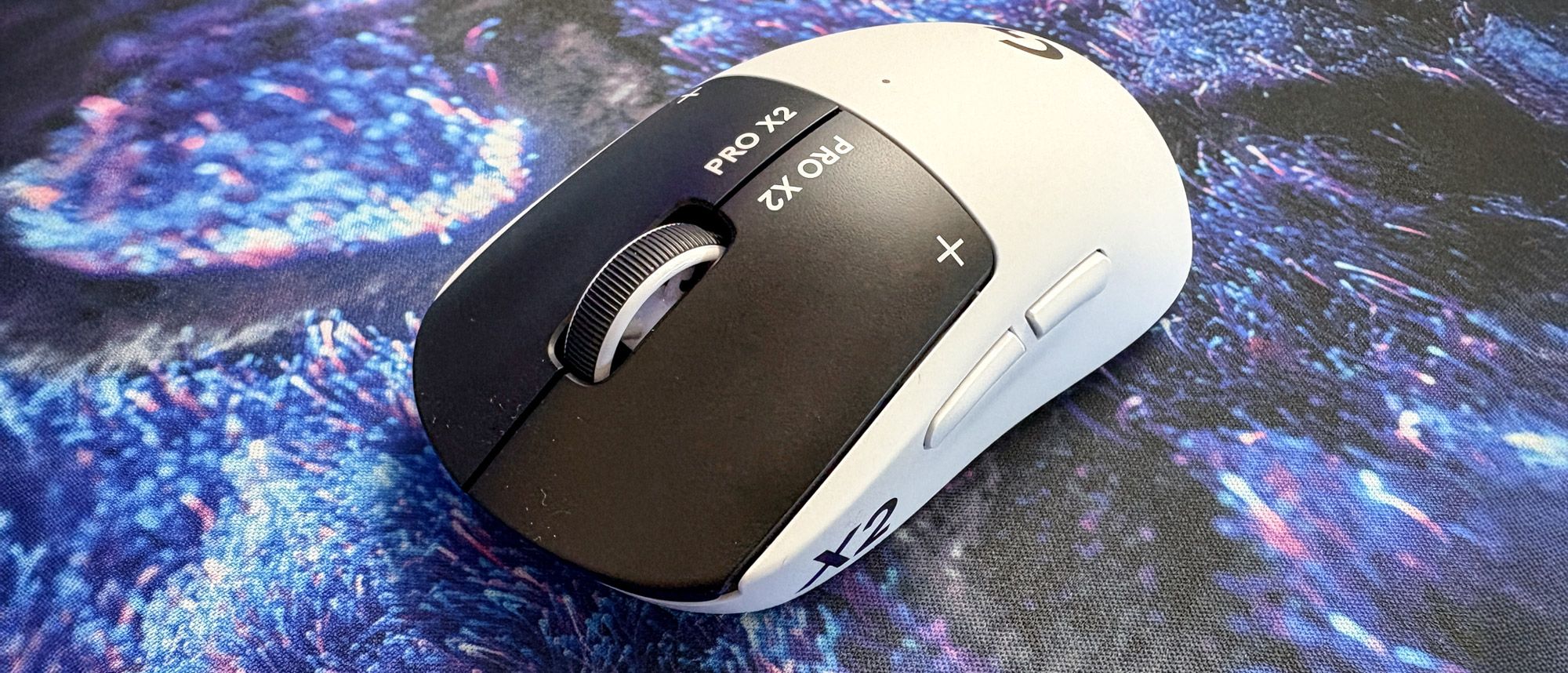
A new standard of competitive PC gaming has arrived, and the Logitech G Pro X2 Superstrike wireless gaming mouse is here to introduce you to it. It’s not due to a bold new design or improved polling rate, either. It’s all to do with haptics.
Wait, haptics in a gaming mouse made for esports? Surely that would completely disrupt a winning shot if you feel a buzz in your fingers or palm just for immersion, like a PS5 DualSense controller. That was my initial thinking, but Logitech G is using haptics the smart way — with the sole purpose of delivering faster clicks.
Logitech G Pro X2 Superstrike: Cheatsheet
- What is it? A wireless gaming mouse with real-time haptic feedback, made for competitive gameplay.
- Who is it for? Esports players, competitive enthusiasts and anyone looking for faster clicks.
- How much does it cost? It’s a pricey one. The Logitech G Pro X2 Superstrike is available for $179 in the U.S. and £159 in the U.K.
- What do we like? The customizable haptic triggers in the mouse buttons feel and perform excellently, pro-level specs across the board, lightweight and comfy design, onboard dongle storage and the companion app for fine-tuning.
- What don’t we like? Not a lot, but it’s a premium purchase, there’s no onboard DPI selector and not everyone will make full use of its features.
Logitech G Pro X2 Superstrike: Specs
|
Specs |
Logitech G Pro X2 Superstrike |
|---|---|
|
Price |
|
|
Max DPI |
44,000 |
|
Max polling rate |
8,000Hz |
|
Buttons |
Five |
|
Size |
4.72 x 2.57 x 1.53 inches |
|
Weight |
2.15oz |
|
Colors |
Black/White |
|
Body material |
Plastic |
|
Design |
Right-handed symmetrical |
|
Operating system |
macOS, Windows with at least USB 2.0 |
|
Connectivity |
Bluetooth, 2.4GHz, wired |
|
Battery |
600mAh rechargeable |
|
Battery life (rated) |
90 hours (1,000Hz) |
|
Lighting |
Small LED |
Logitech G Pro X2 Superstrike: The ups
The Logitech G Pro X2 Superstrike fires off on all cylinders, from its classic, lightweight design for smooth gliding to its 44,000 DPI and 8,000Hz polling rate. Oh, and it’s newfound haptics tech, no less. More importantly, it says a lot that an actual professional Rainbow Six Siege esports player, Davey “Freq” Hendriks, said, “when I’m getting faster response times, there’s no point going back,” when I asked about using the all-new mouse over others.
HITS for faster clicks
First, let’s address the scared elephant in the room (they’re definitely afraid of mice, after all). The Pro X2 Superstrike is the first to come with Logitech G’s haptic tech, which is dubbed HITS. Thankfully, I can confirm that this isn’t a gimmick.
The left and right mouse buttons use haptic triggers in place of the usual microswitches found in gaming mice, including the Pro X Superlight 2’s hybrid optical/mechanical switches. The result is a pronounced “click” sensation that we’re all used to, but one that I feel more in control of — even if it’s subtle.
Don’t worry, this isn’t pure haptics. The mouse buttons will still physically go down when clicking, but it’s the haptics that you’ll feel, and even hear. For example, when the Pro X2 Superstrike isn’t turned on (or the haptics are switched off), the mouse buttons won’t have any “click” when pressing down on them. Switched on, however, and you’ll immediately notice a click that feels like any other mouse.

Essentially, it feels as natural as ever, but I’m a huge fan of the precise, tactile sensation of each click and the subtle yet noticeable sound it makes. It’s what you’d want in a gaming mouse, but Logitech G takes it a step further by allowing for faster click speeds and extended levels of customization (more on this later).
As Logitech claims, the Pro X2 Superstrike delivers up to a 30ms latency drop in click speed, which is a huge claim. For pro-level gameplay (and more casual), that’s the difference between landing a winning shot against an opponent first in games like Counter-Strike, Overwatch, Valorant and plenty more.
This is due to the precise nature of HITS, along with the inclusion of Rapid Trigger, which is generally found in the best gaming keyboards. The latter allows the register of a click to activate and reset instantly, delivering faster repeated clicks.
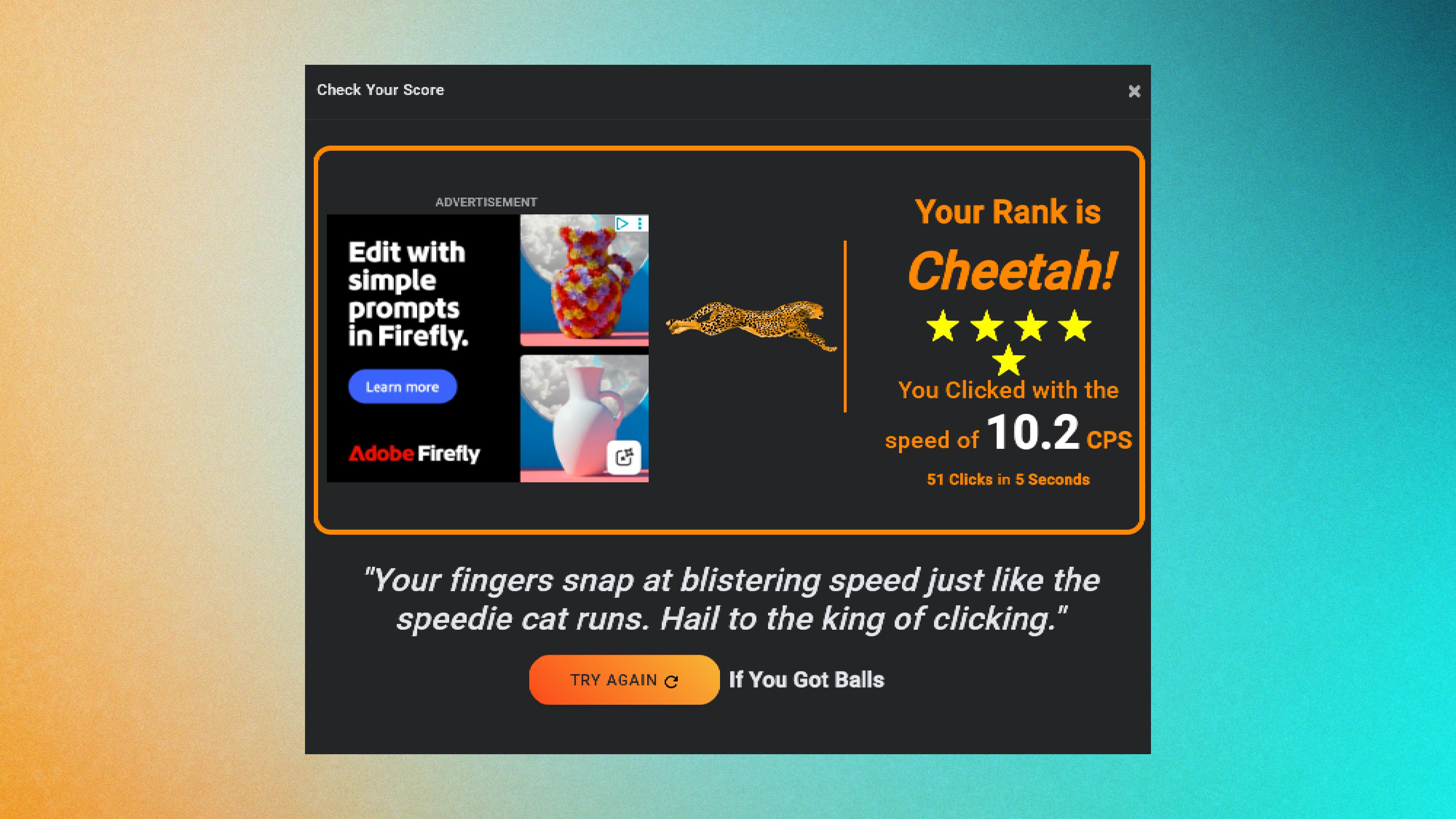
I put this to the test using CPS Test, comparing it to the click speed of my usual daily driver, the NZXT Lift Elite Wireless. I also tried using my MacBook Air M3’s Force Touch trackpad, which also uses haptic feedback.
| Row 0 – Cell 0 |
Logitech G Pro X2 Superstrike |
NZXT Lift Elite Wireless |
MacBook Air Force Touch trackpad |
|
Clicks per second (5-second test) |
10.2 |
8.8 |
9.2 |
Even after using the Pro X2 Superstrike for over a week, I’ve seen a substantial gain in CPS over the NXT gaming mouse and even the MacBook’s trackpad. Apply that to competitive gameplay, and I’m just over a full click faster than the competition (if they have the same CPS as my NZXT score, that is).
It’s the fastest I’ve ever clicked before, and while I’m impressed with my 10.2 CPS, when put in the hands of an esports gamer, I’ve seen it achieve 11.0+ CPS. Still, while it’s made for tournament-level gameplay, the Pro X2 Superstrike even manages to improve click speeds of casuals like me. And that’s a huge advantage to have.
Tried-and-true design
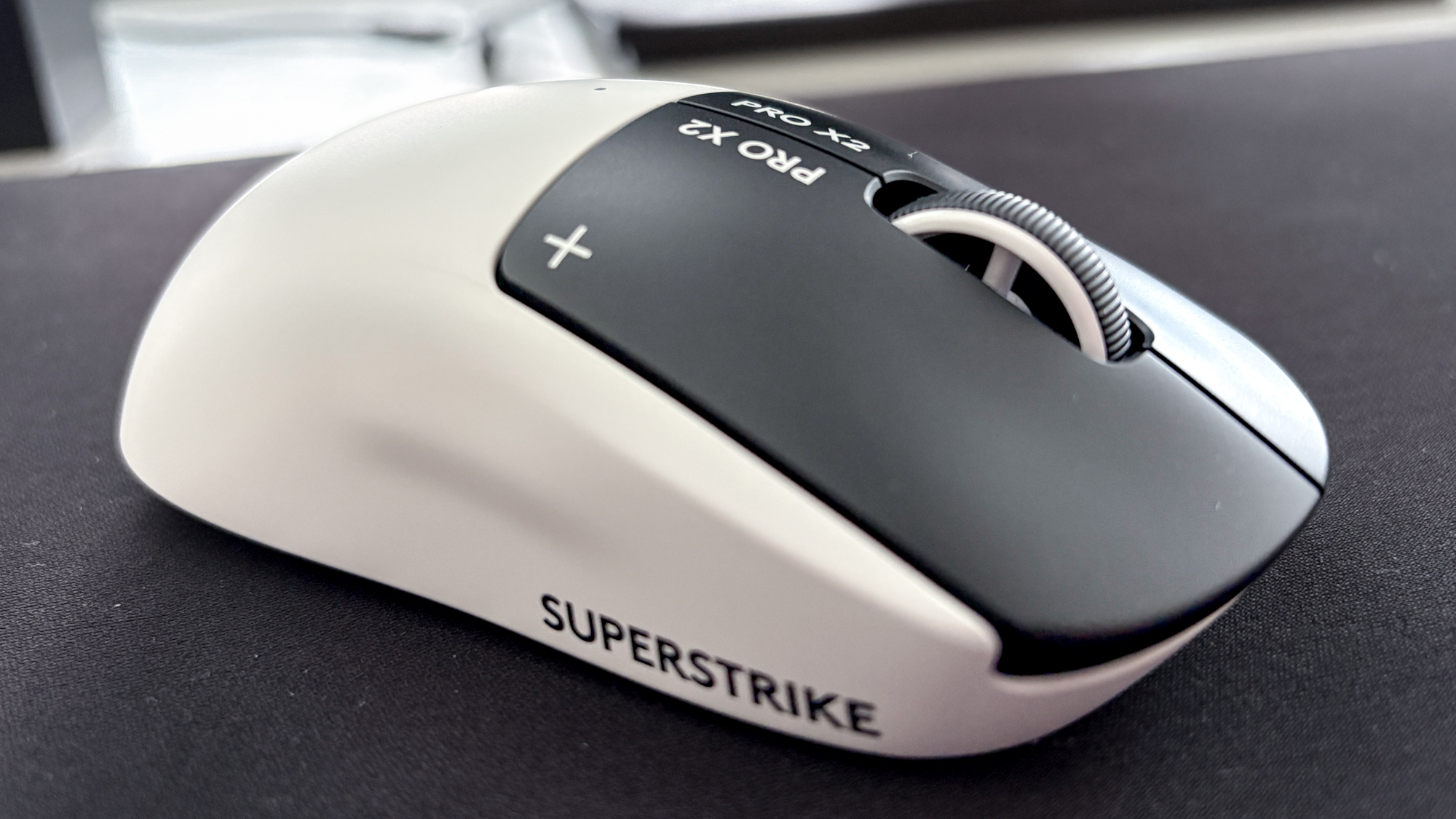

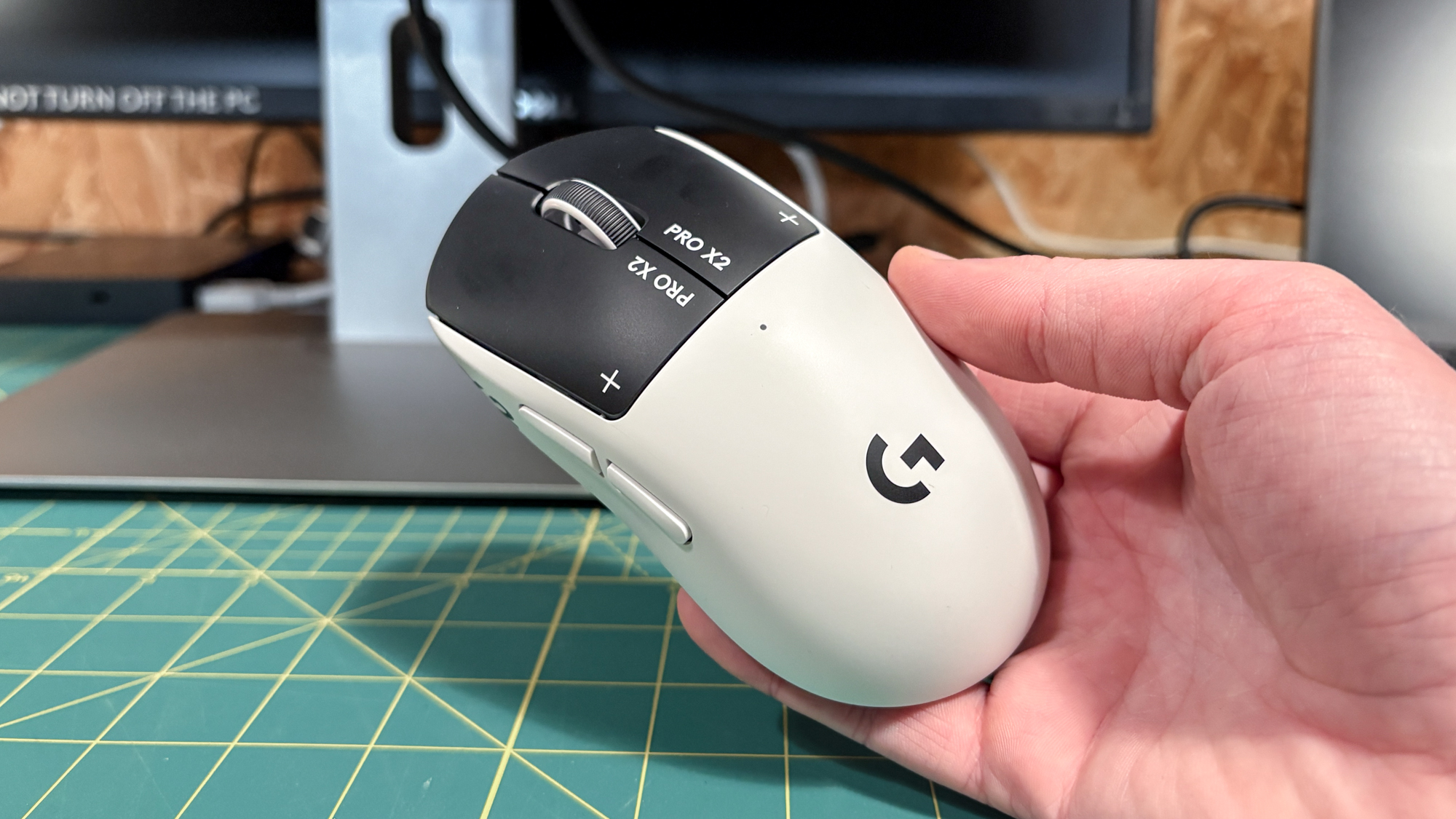
Think the Pro X2 Superstrike looks familiar? It should, as it borrows the same design as Logitech G’s other gaming mouse used in esports: The Logitech G Pro X Superlight 2. Like many, we’re huge fans of that build, so Logitech rightfully decided not to mess with the formula.
For context, Logitech brought in 40 pro and non-pro gamers to gather real-time data when developing the Pro X2 Superstrike, and this test group was happy with the symmetrical shape of its predecessors. “We kept the shape because people love the shape,” a Logitech rep told me, and I’m happy they did.
So, same minimalist yet sophisticated design, no RGB lighting (except for a small LED light to show its battery life on top) and identical PTFE feet for smooth, low-friction surface gliding. Plus, you’ll find optional grip tape in the box if you need more friction.
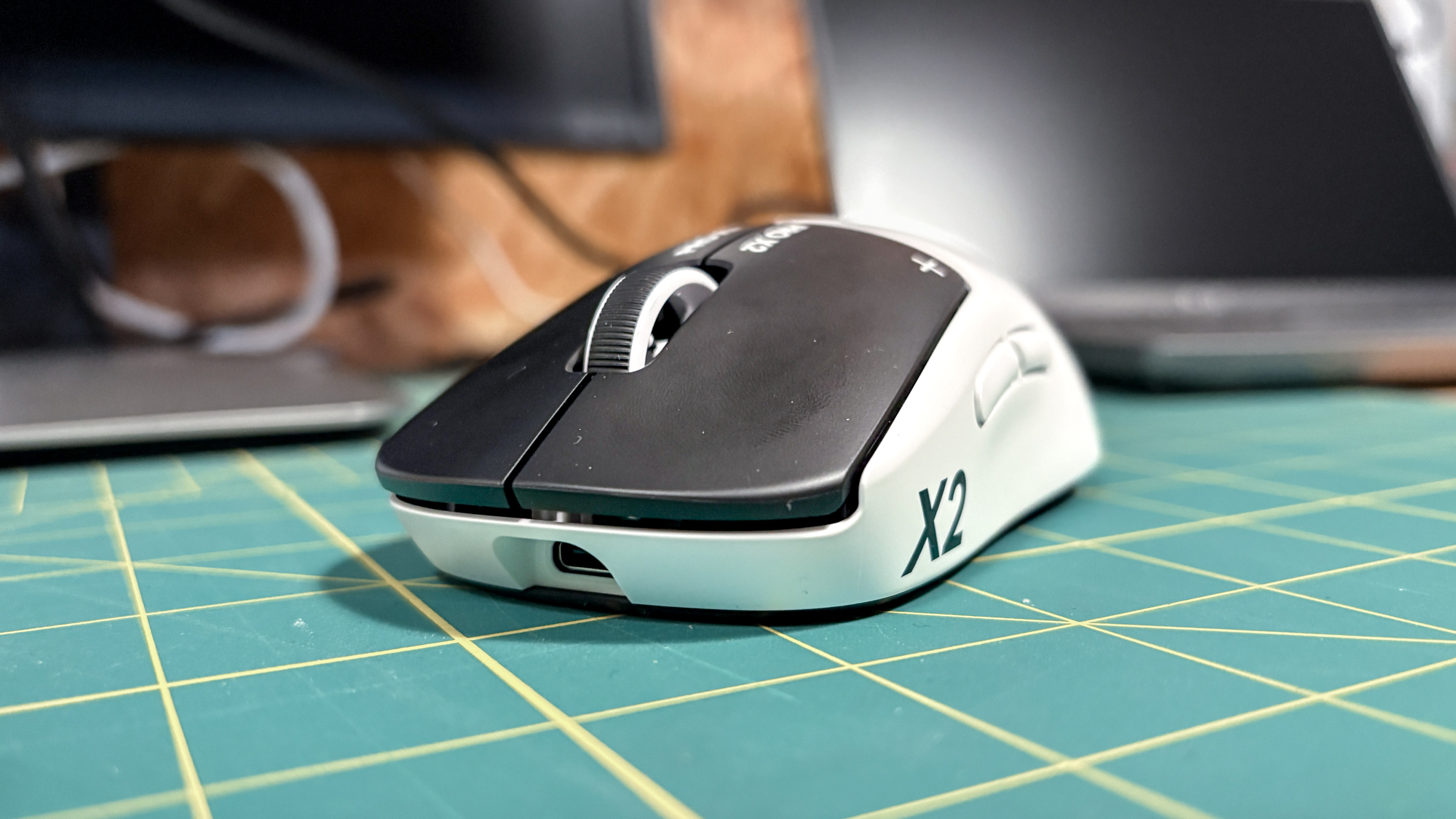
It’s not completely the same, as the Pro X2 Superstrike (4.72 x 2.57 x 1.53 inches) is slightly smaller than the Pro X Superlight 2 (4.92 x 2.5 x 1.57 inches). It’s also a very tiny bit heavier at 2.15 ounces (61g) over the Superlight’s 2.11 ounces (60g), but that hardly makes a difference. What you’re getting is a lightweight gaming mouse that offers the same sturdy and premium feel.
Otherwise, the mouse comes with five buttons, including left- and right-click buttons, two thumb buttons placed on the left side and a clickable scroll wheel. These are all mappable with different macros and actions, including in specific games and apps, which is the icing on the cake. I will say the thumb buttons don’t feel as premium, but they work as intended and aren’t too big to accidentally press, either.
Pro-level performance
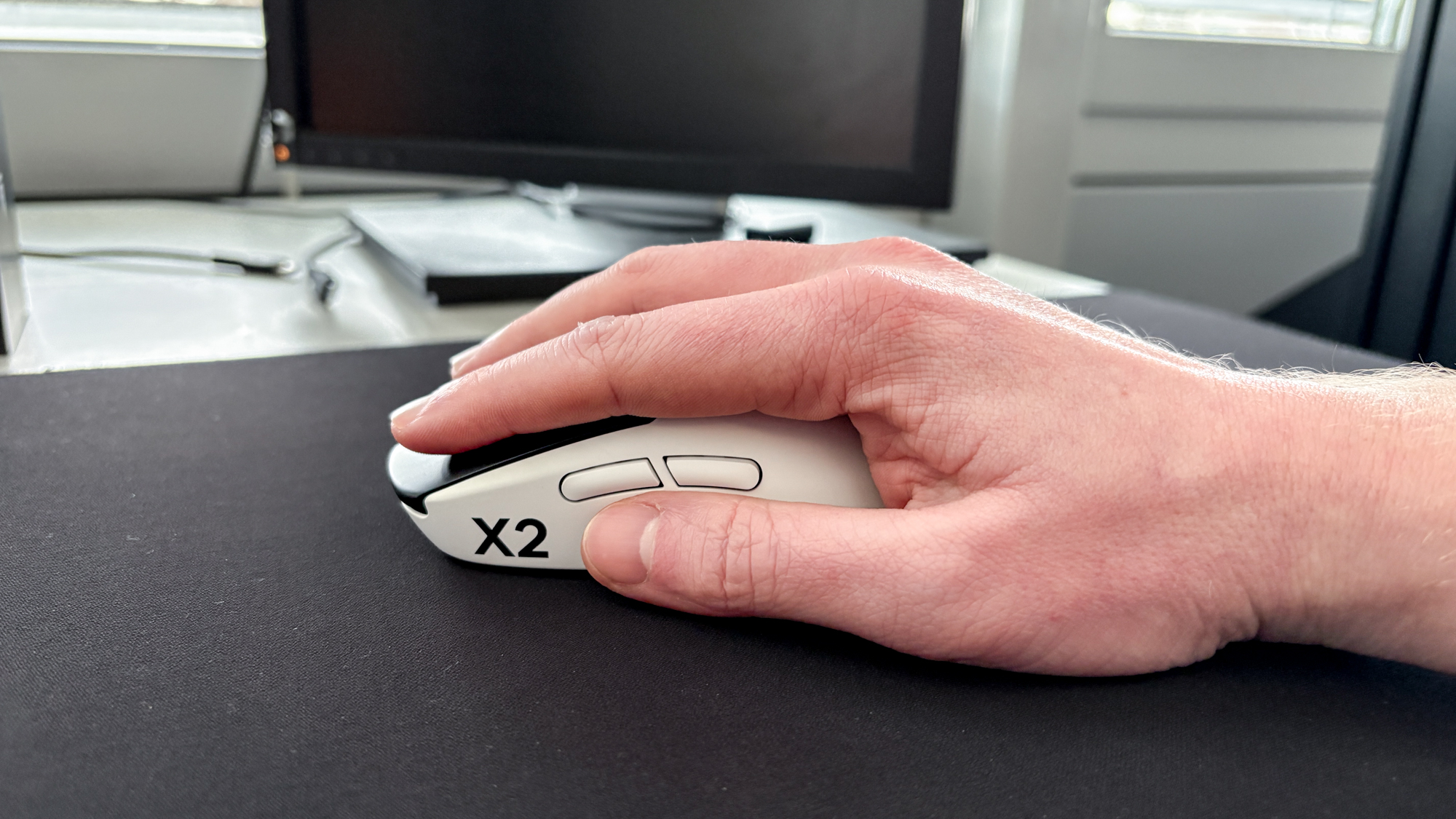
Putting its design and features together delivers gaming performance that’s hard to beat, whether that be for competitive play or single-player action. It also helps that it boasts a maximum dots-per-inch (DPI) of 44,000, which is one of the highest I’ve seen in a gaming mouse, along with up to an 8,000Hz polling rate.
When playing as Junkrat in Overwatch (my go-to character for the chaos), I was effortlessly launching bombs in precise directions post-haste, causing a rain of explosives exactly when and where I wanted. But even playing as Ana, the medic sniper, I was dropping health (and KOs) with pinpoint accuracy, and I was able to snap my reticle where it needed to be to give high-mobility characters like Doomfist or Genji health boosts.
The same applied to other competitive shooters, like Counter-Strike, while peeping around corners or locking on for a headshot, and more single-player driven games. Just as I’m on a trend of playing classics, it was great to quickly nail vital hits in bullet time mode in Max Payne 3, as I had more accurate, swifter movements when aiming at thugs when falling slowly — taking everyone out in one swoop.
I’m sure esports players can take this to the next level, but considering the Superlight 2 comes with a 32,000 DPI and 4,000Hz polling rate, the Keychron M3 Mini V2 8K with up to 30,000 DPI and 8,000Hz polling and the NZXT Light Elite Wireless at 26,000 DPI and 8,000Hz polling, this still pushes gaming mice to new limits.
Being able to adjust DPI, polling rate and plenty more to suit my game of choice is also a boon to have. Speaking of…
Customization perks
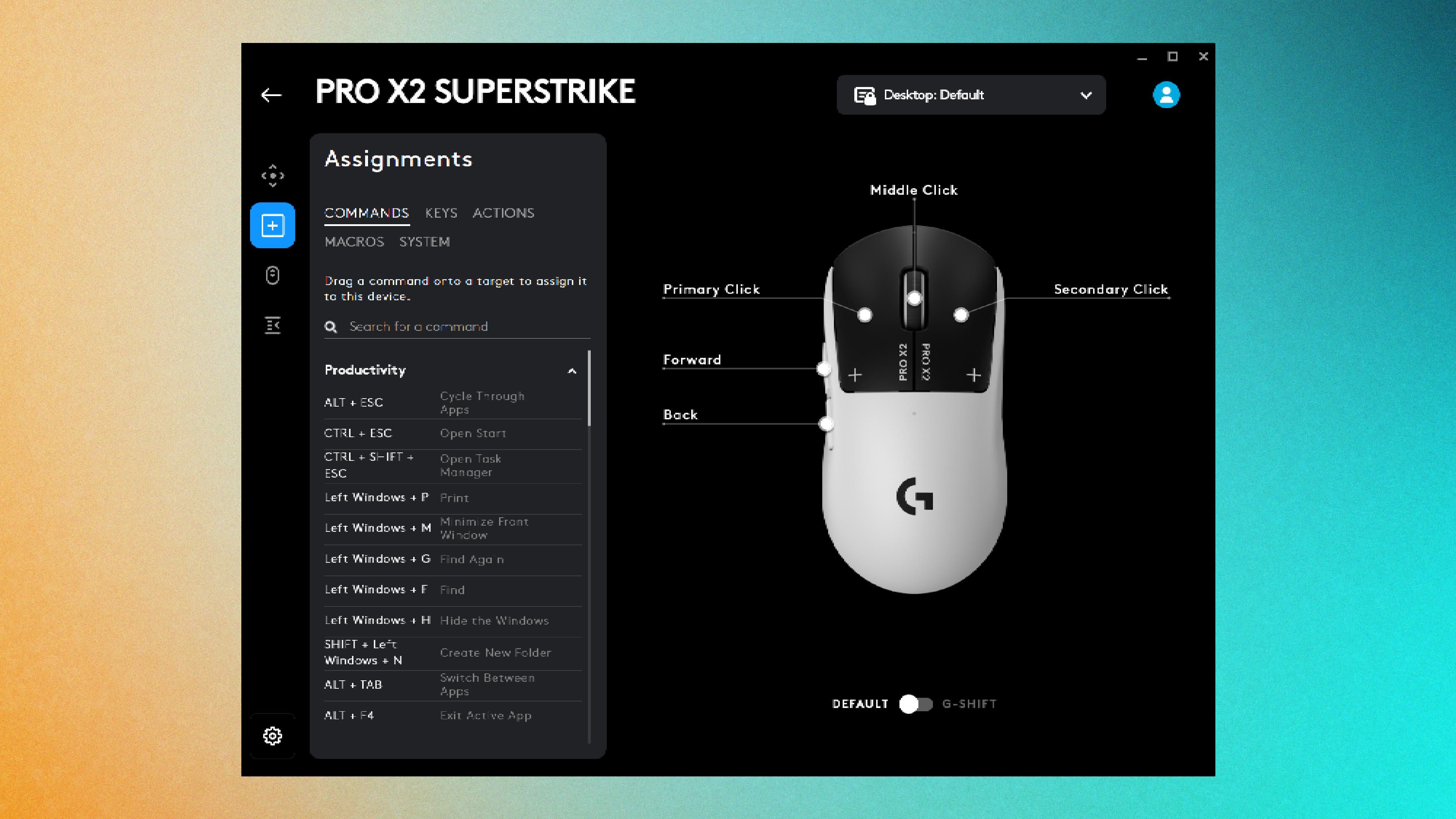
Like other Logitech G devices, the Pro X2 Superstrike comes with a reliable, intuitive companion app that makes it easy to completely customize your clicking experience on the fly. But this time, more than ever before.
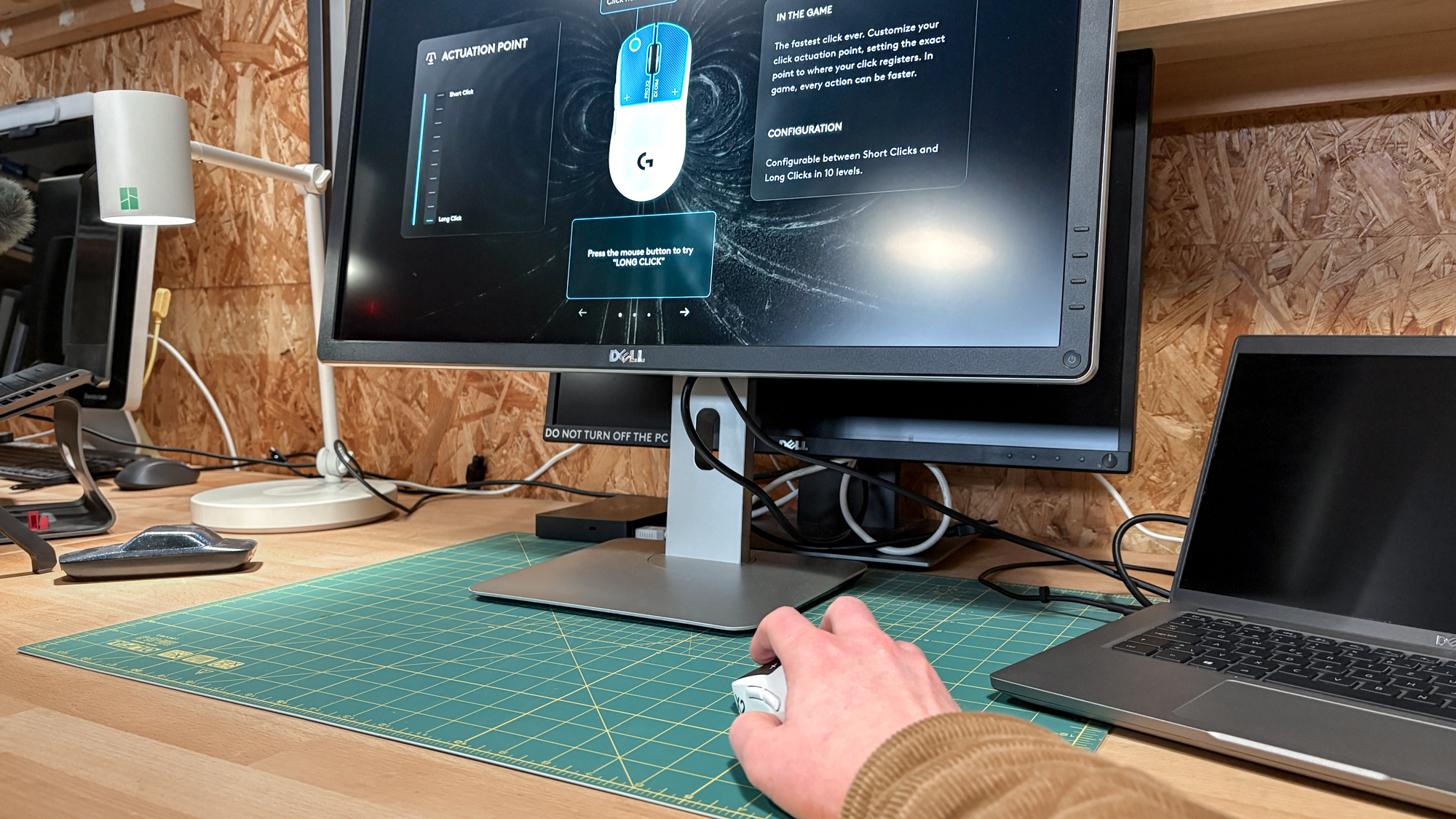
As usual, the Logitech G Hub app lets you adjust DPI and polling rate, remap buttons, customize specific profiles (which saves up to five profiles on board) and check the battery life of the mouse. What’s more, it’s compatible with both Windows and macOS systems.
But with HITS comes a new level of configurations. For both the left and right mouse buttons, you can easily adjust the actuation point of a click, which is a game-changer in controlling a “click” to your liking. With 10 levels of actuation, you can have a short click with minimal travel distance, which is perfect for those rapid-fire shots when playing Overwatch, or a longer click for a controlled, precise blast for something more long-range in The Finals or Valorant.
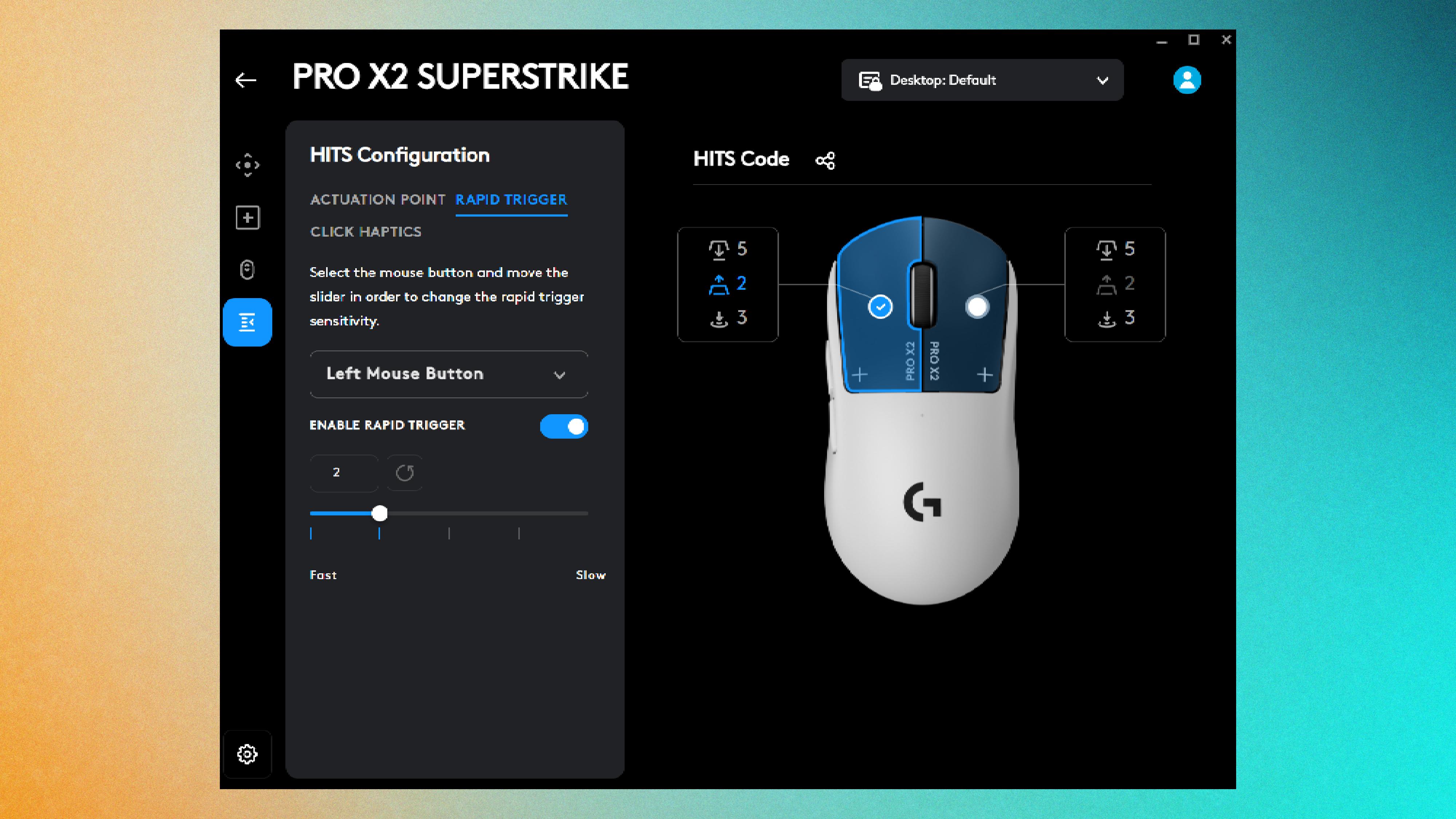
There’s also Rapid Trigger sensitivity adjustment with five levels to choose from, so I could find the right level of speedy clicks that work for my level of gameplay. Finally, you can also adjust click haptics, so you can have a subtle, weaker-feeling click or a super strong, pronounced one. Or, with any of these configurations, something in between! The customization is in your hands.
It’s all done through an easy-to-use slider system, and I found each change offers a noticeable difference, no matter how incremental it is. And yes, you can turn haptics and Rapid Trigger off, with the former feeling very off without any feedback.
Never lose that dongle!
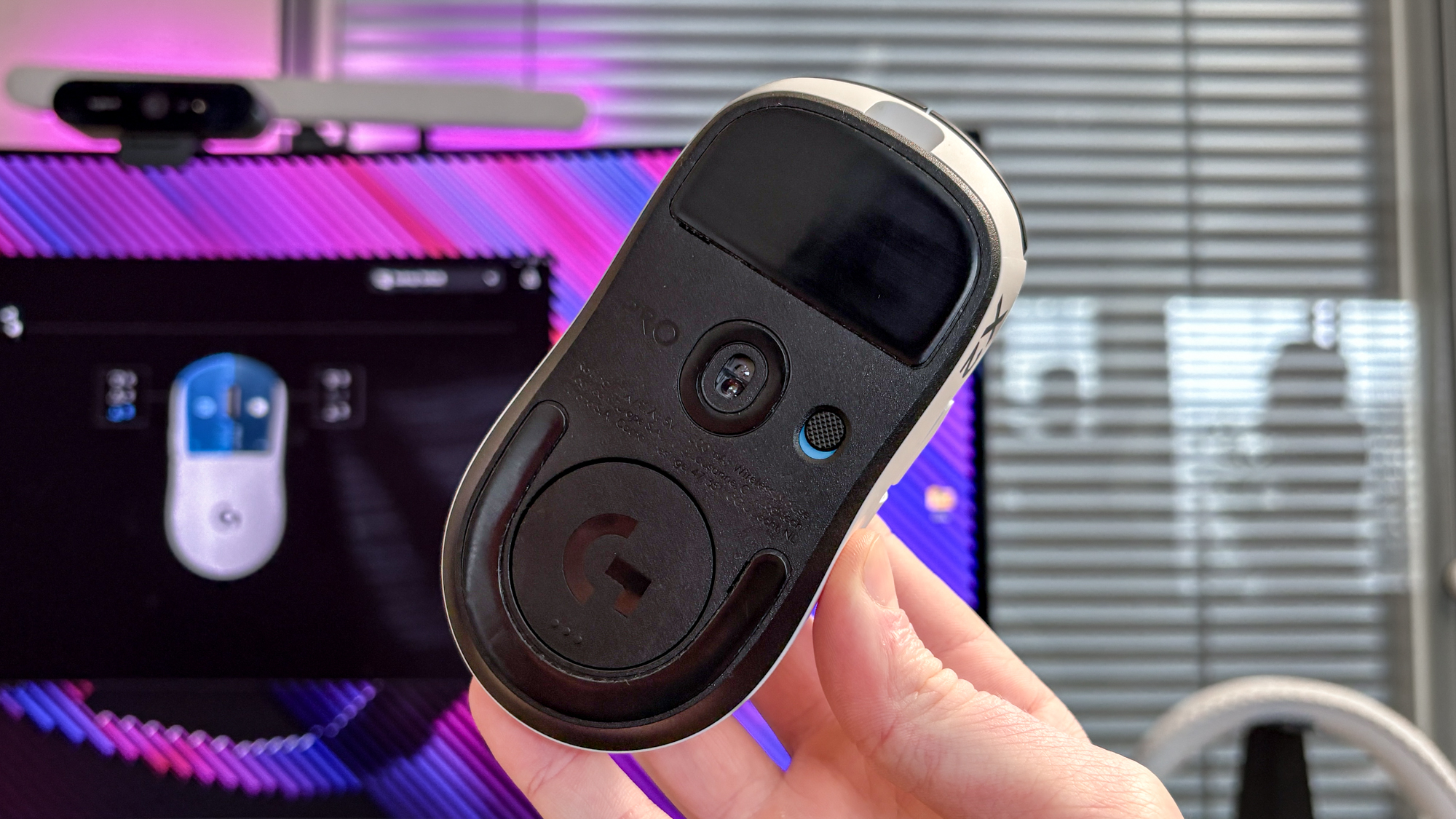
This is a quick shoutout to Logitech G for still including onboard dongle storage right on the underside of the mouse. It means I’ll never lose track of the 2.4GHz USB-A dongle (which also comes with a USB-C connector) when it’s not in my laptop or PC.
Just like the Pro X Superlight 2, it has a compartment right under the sensor that uses magnets to hold a plastic cover. It’s a simple yet effective design, and it doesn’t budge unless I interact with it. That’s miles better than the NZXT Lift Elite Wireless, Glorious Model O 2 and the SteelSeries Aerox 3 we’ve tested.
Logitech G Pro X2 Superstrike: The downs
Honestly, as far as wireless gaming mice go, it’s hard to pinpoint any major downsides for the Logitech G Pro X2 Superstrike. Like its Superlight 2 predecessor, though, it’s a pricey rodent, and don’t expect any onboard DPI selector.
A pricey rodent
The price of the Pro X2 Superstrike is a double-edged sword. On one side, it’s actually the same price as the Pro X Superlight 2 at $179 / £159, which means you’re getting upgraded HITS and Rapid Trigger in a near-identical, winning design. But on the other hand, that’s still quite a pricey venture.
Recently, we’ve tested many gaming mice that are well below $100, and that includes Keychron M3 Mini V2 8K ($69 / £74), NZXT Lift Elite Wireless ($79 / £74) and Redragon M916 ($44 / £45). These all come with pro-level gaming performance and specs, so the Pro X2 Superstrike’s cost is steeper than most. Oh, and you’ll find these will come with a DPI selector button to easily switch between DPI levels, unlike the Superstrike.
But, just like the Logitech MX Master 4, you get what you pay for, and this is a premium mouse at the top of its game.
Casual gamers, beware
As you might have guessed, I’m a huge fan of the HITS tech on the Pro X2 Superstrike and the faster clicks I gain from it. But let it be known that Logitech G’s pro-level gaming mouse is made for competitive tournaments and geared toward esports players, so you may not find a clear benefit from the speedier clicks it offers.
For casual gamers, there are plenty of other gaming mice that offer high specs across the board and are considerably more affordable. For competitive play, don’t expect this to be a cheat sheet to win a match; I’ve still lost plenty of times in a quickdraw in games like Valorant.
When it comes down to it, it’s about a gamer’s own reaction speeds and prowess in a game. But that’s not to take away from the Pro X2 Superstrike, as it still closes the gap to perform faster clicks on a gaming mouse with excellent performance.
Logitech G Pro X2 Superstrike: Verdict
These days, it’s hard to find evolution in devices that are being fine-tuned to the highest degree, but the Logitech G Pro X2 Superstrike has hit a new gold standard for competitive gameplay. And that’s thanks to its surprising use of haptics.
Its HITS technology brings a new level of control in the otherwise simple “click” of a mouse, delivering the fastest, most customizable clicks I’ve ever seen. And it’s just as lightweight, precise and speedy as its renowned Pro X Superlight 2 sibling, just with a higher DPI and polling rate for accurate, fast-rate tracking.
Right now, it’s the best gaming mouse I’ve used, and I’ll continue to use it as my main driver to help me master and gain more control over clicks, all while making full use of its other pro-level customization perks. Is it expensive? Yes, but this mouse aims to be your go-to gaming equipment to bag even more wins.
Source link
-
-

-

-
-


