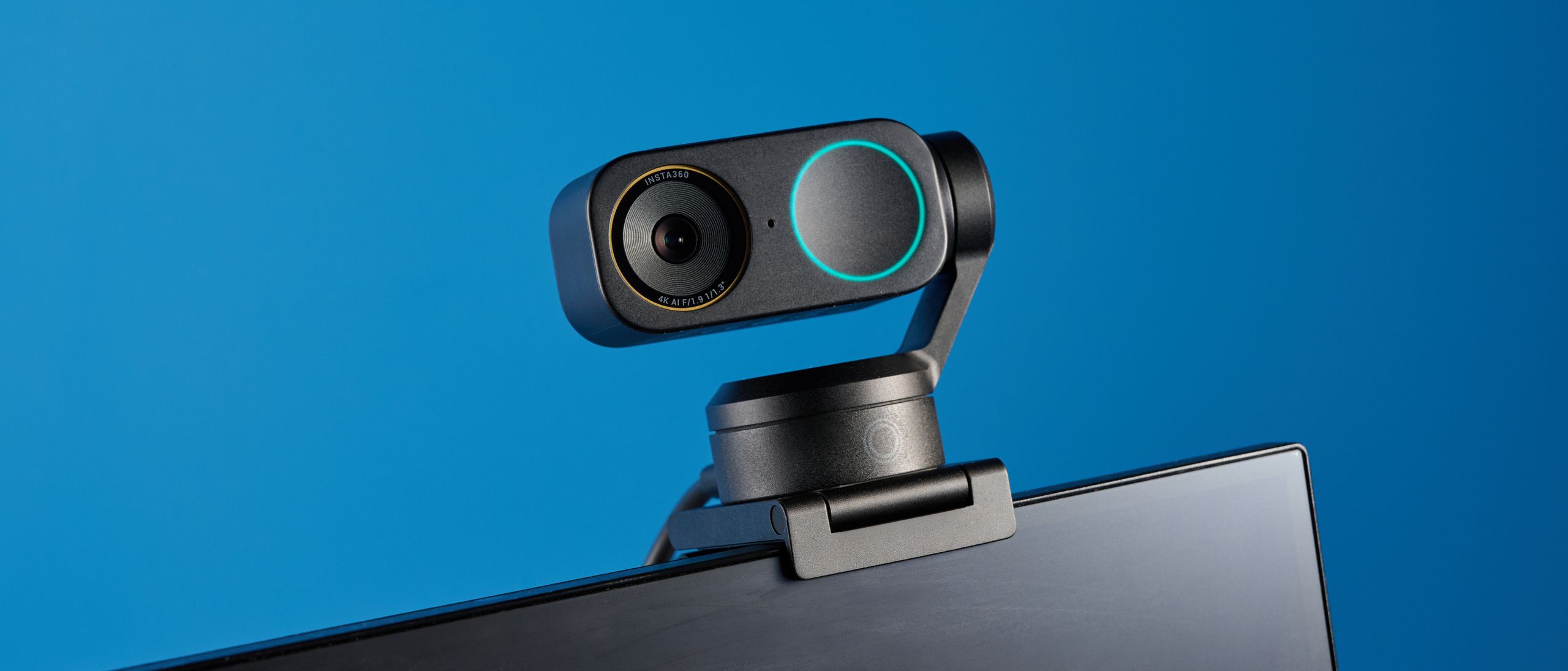
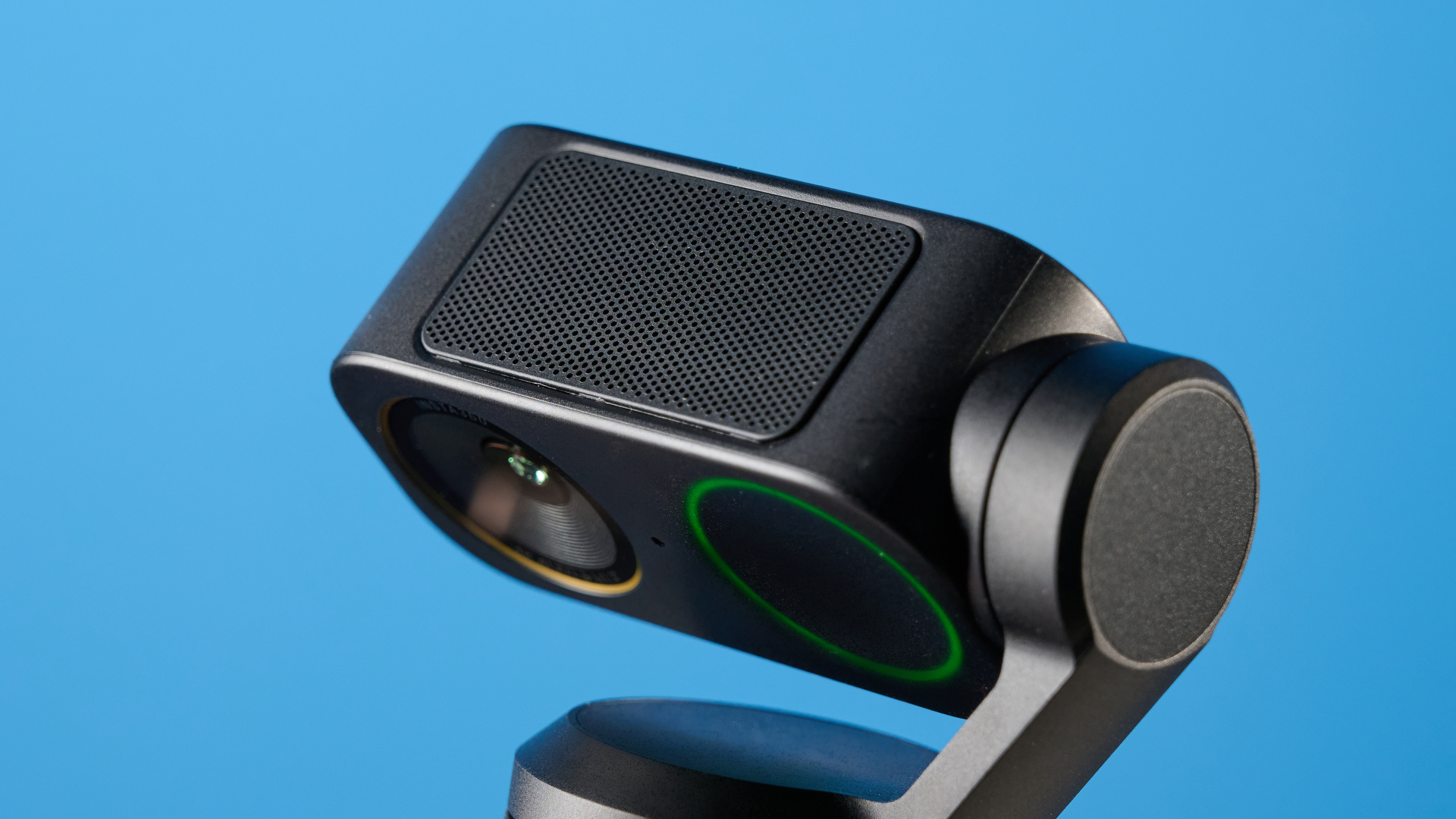
The Insta360 Link 2 Pro might be the best webcam you can get, with impressive 4K image quality, solid audio, advanced smart features and tracking that will keep you the center of attention at all times. The two-axis gimbal, fast autofocus and subject tracking make it a great choice for office workers or lecturers. I also appreciate the smart gesture controls that streamline setting up presentation modes.
It’s a little on the expensive side, especially if you don’t need these features to enhance your workflow, but otherwise ticks all the boxes of a great webcam.
Insta360 Link 2 Pro review: Cheat sheet
- What is it? A professional 4K/30 fps webcam with smart features and effective gimbal tracking
- Who is it for? Professional presenters and office workers who need a great quality camera for conference calls
- What does it cost? The Insta360 Link 2 Pro is available for $249 from Insta360, $240 from Amazon U.S., and £239 from Amazon U.K.
- What do we like? It’s an all-rounder with great picture quality, a solid microphone, plus effective autofocus and tracking
- What don’t we like? It’s on the expensive side
Insta360 Link 2 Pro review: Specs
|
Price |
|
|
Compatibility |
Windows 10 or later, macOS 10.13 or later |
|
Connectivity |
USB-C cable, USB-A adapter |
|
Digital zoom |
Up to 4x |
|
Sensor size |
1/1.3-inch |
|
Gimbal |
Two-axis |
|
Max landscape video resolution |
4K/30 fps 1080p/60 fps 720p/60 fps 360p/30 fps |
|
Max portrait video resolution |
4K/30 fps 1080p/60 fps 720p/60 fps |
|
Exposure compensation |
±3 EV |
|
ISO |
Dual Native ISO 100-3200 |
|
Shutter speed |
1/8000s to 1/30s |
|
White balance |
2000K – 10,000K |
|
Aperture |
f/1.9 |
|
Autofocus |
Yes |
|
Focusing distance |
12cm – ∞ |
|
HDR |
Supported |
|
Number of microphones |
2 |
|
Noise reduction |
AI noise canceling |
|
Audio modes |
Standard, Wide, Focus, Original |
|
Dimensions |
2.8 x 2.3 x 1.5 inches |
|
Weight without magnetic mount |
3.6oz |
|
Weight with magnetic mount |
5.9oz |
|
Color |
Graphite black |
Insta360 Link 2 Pro review: The ups
There’s a lot to love about the Insta360 Link 2 Pro. From great audio performance to perfect picture quality and auto-tracking capabilities. In my opinion, it’s an ideal addition to any home office, workplace or classroom.
Image performance
I looked incredibly clear when using the Insta360 Link 2 Pro, and the image was far sharper than when I use my usual MacBook Air M2’s built-in camera. With a maximum landscape and portrait resolution of 4K, which is an Ultra HD (3840 x 2160) resolution, it showed my face in pretty scary detail, although it records with the same image quality as the previous Link 2 model.
The frame rate of the webcam is also impressive. With a max of 30 frames per second (fps), my movements appear completely smooth on screen.
In the True Focus Mode, the camera also blurs the background slightly. This makes me stand out on the call, keeping me the centre of attention. I feel like this gives me a little more authority when speaking and certainly makes me feel a lot more confident.
Two-axis gimbal design
The two-axis gimbal on the Insta360 Link 2 Pro, combined with the subject detection, means that no matter where I set up the webcam, it moves itself to always keep me in frame. This is the same design that we saw in the previous Link 2 ($199) webcam, and also what keeps your camera stable when using gimbals like the DJI Osmo Pocket 3.
Tracking with the gimbal is super smooth, and the auto-framing settings work well. Even when I was moving around, it easily kept me in frame. But if you need to get a specific angle quickly, you can also adjust the camera by hand by pressing the button on the front of the webcam. It also uses Phase Detection Autofocus, so I was always in focus while testing.
There’s also a group framing setting, which means you can fit larger groups of people in the frame. This works by adjusting the zoom and camera angle to get as many people in frame as possible. You can see below, as we’re standing around, that the camera adjusts slightly as each of us moves.

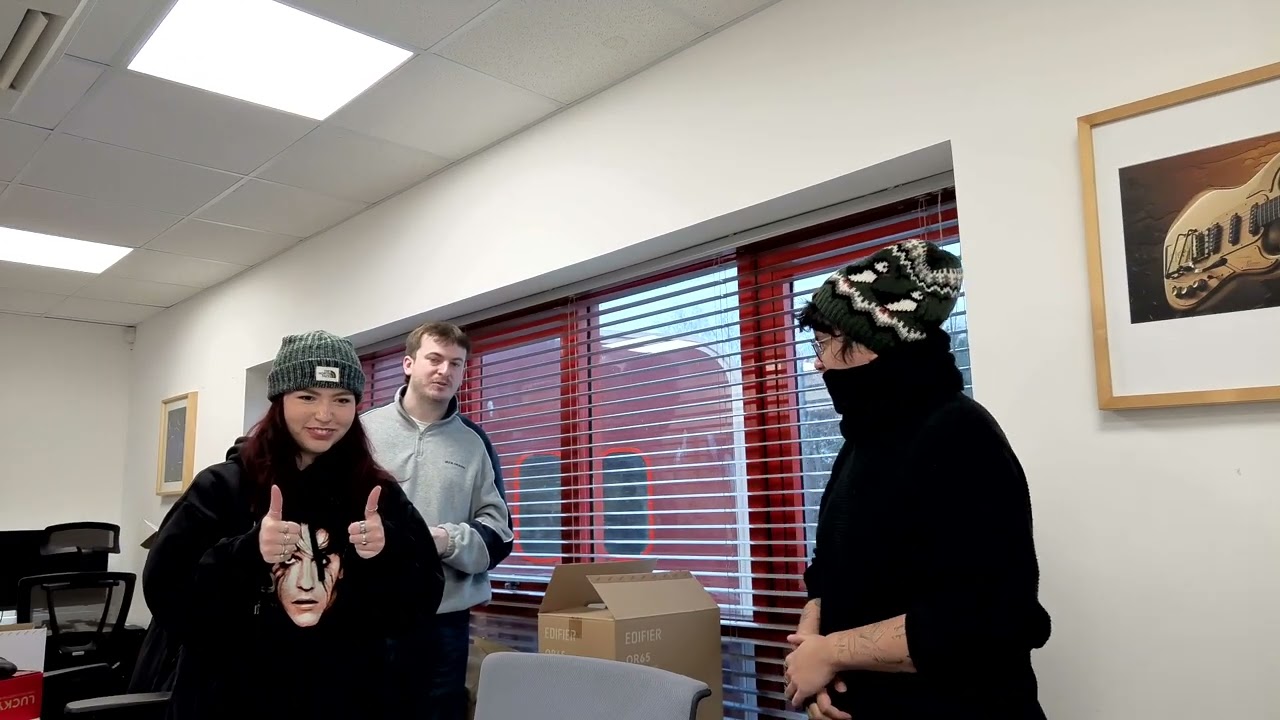
The Obsbot Tiny 2 ($299) also offers great quality two-axis gimbal tracking. However, I think the Insta360 Link 2 Pro takes the cake, as it’s far more consistent.
Look at what I’m doing
The Insta360 Link 2 Pro is a presenter’s dream. It has smart commands that enable you to share your physical work without battling the camera angle. My favorite feature is the desk view, which angles the camera downward using the gimbal and adjusts the zoom to give the perfect top-down view of your desk.
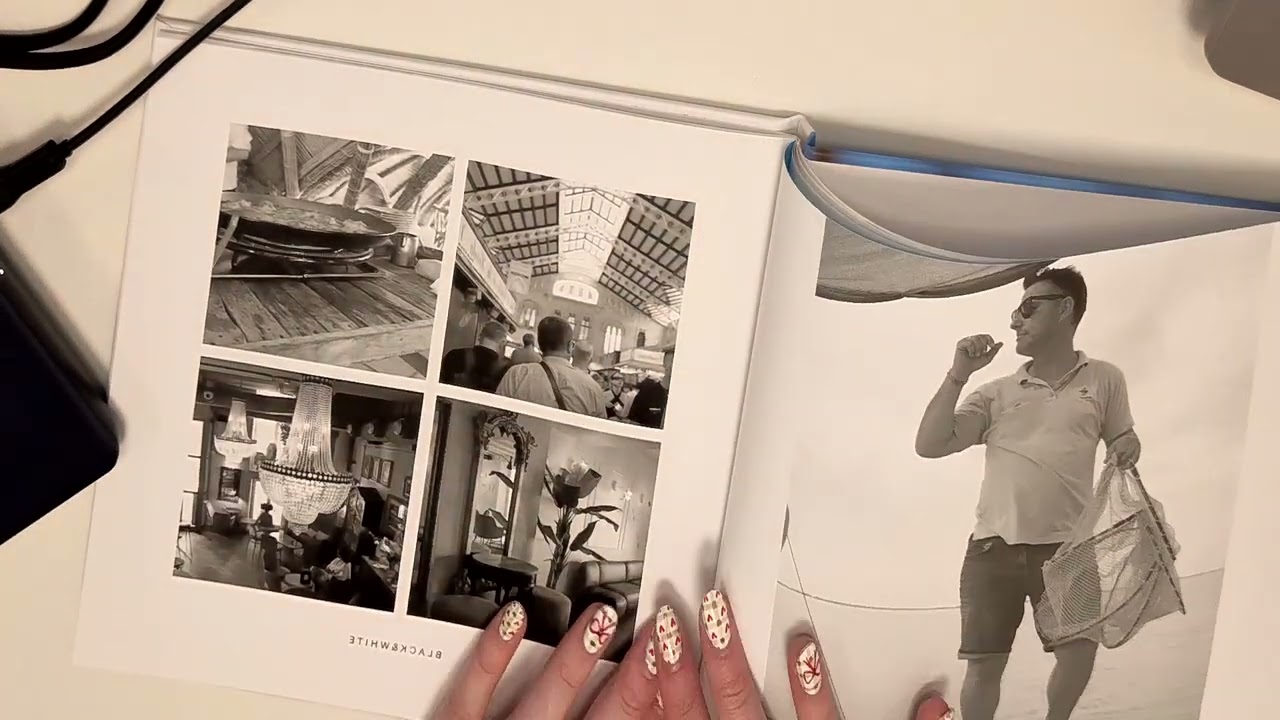
As you can see from the sample video above, it was easy for me to demonstrate the contents of this photo book without struggling to hold it up. This is perfect for showcasing detailed notes during presentations, and it’s a feature that I used on other webcams while in college — so I can attest to what a lifesaver it can be. My hands are slightly skewed, but this was much worse on the previous Link 2 model.

There’s also a whiteboard feature that can automatically detect a whiteboard surface and maintain framing on it, even if it moves around. I used the Link Connect software to scan the frame, but you can activate it using hand gestures, too. As you can see in this video, despite my shaky holding of the whiteboard, it stays in frame while I write.
Dual native ISO
As you can see from this image, I used the Insta360 Link 2 Pro in low-light conditions with light coming in from the window behind me. When using a much cheaper camera like the Logitech C270 ($29), this would normally result in an overexposed background, and my face would be completely in the dark. However, the Link 2 Pro does an excellent job of balancing the bright background with the dark foreground, so while there’s still a little grain, I was able to easily see my own face.
Image 1 of 2

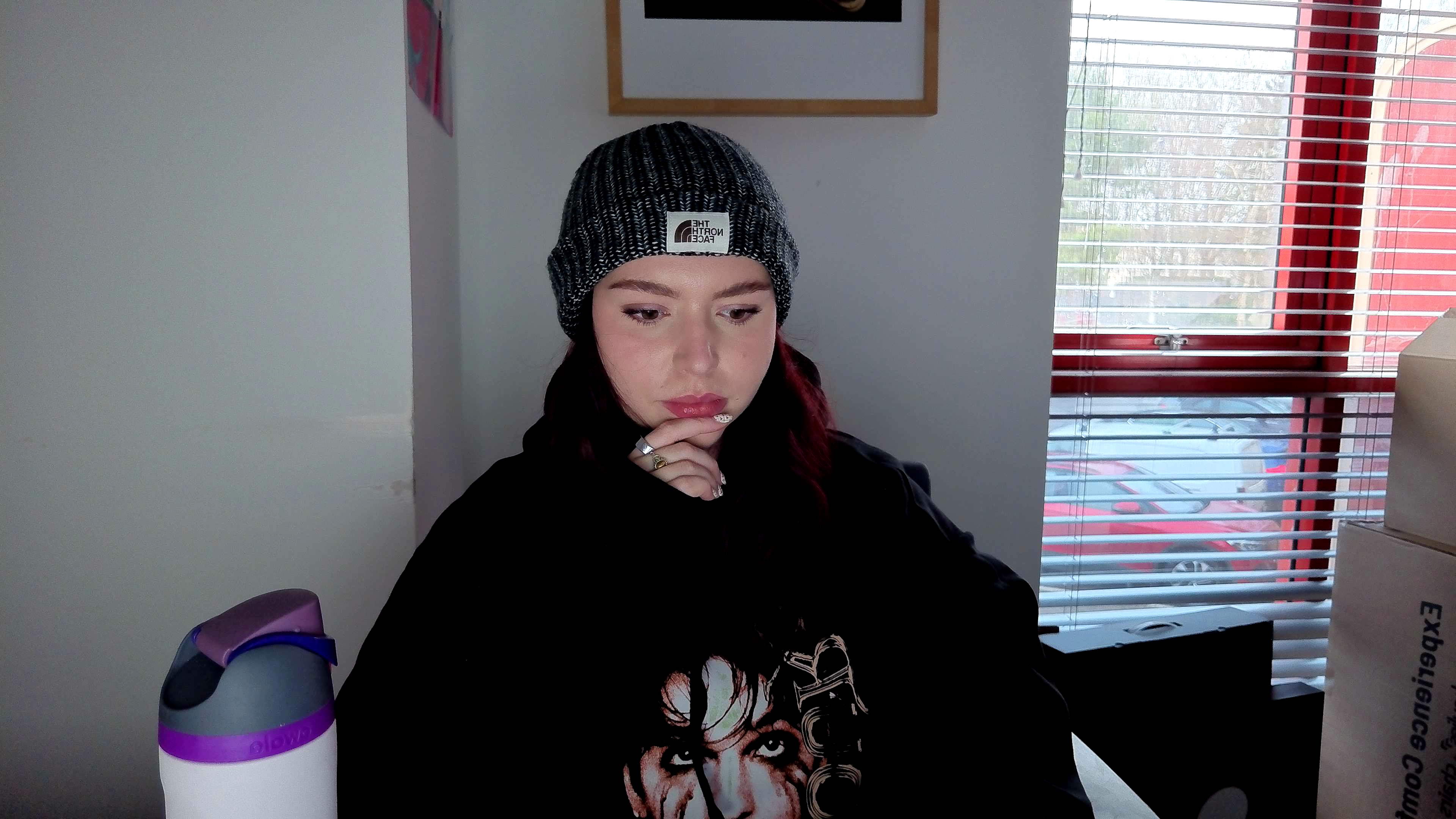
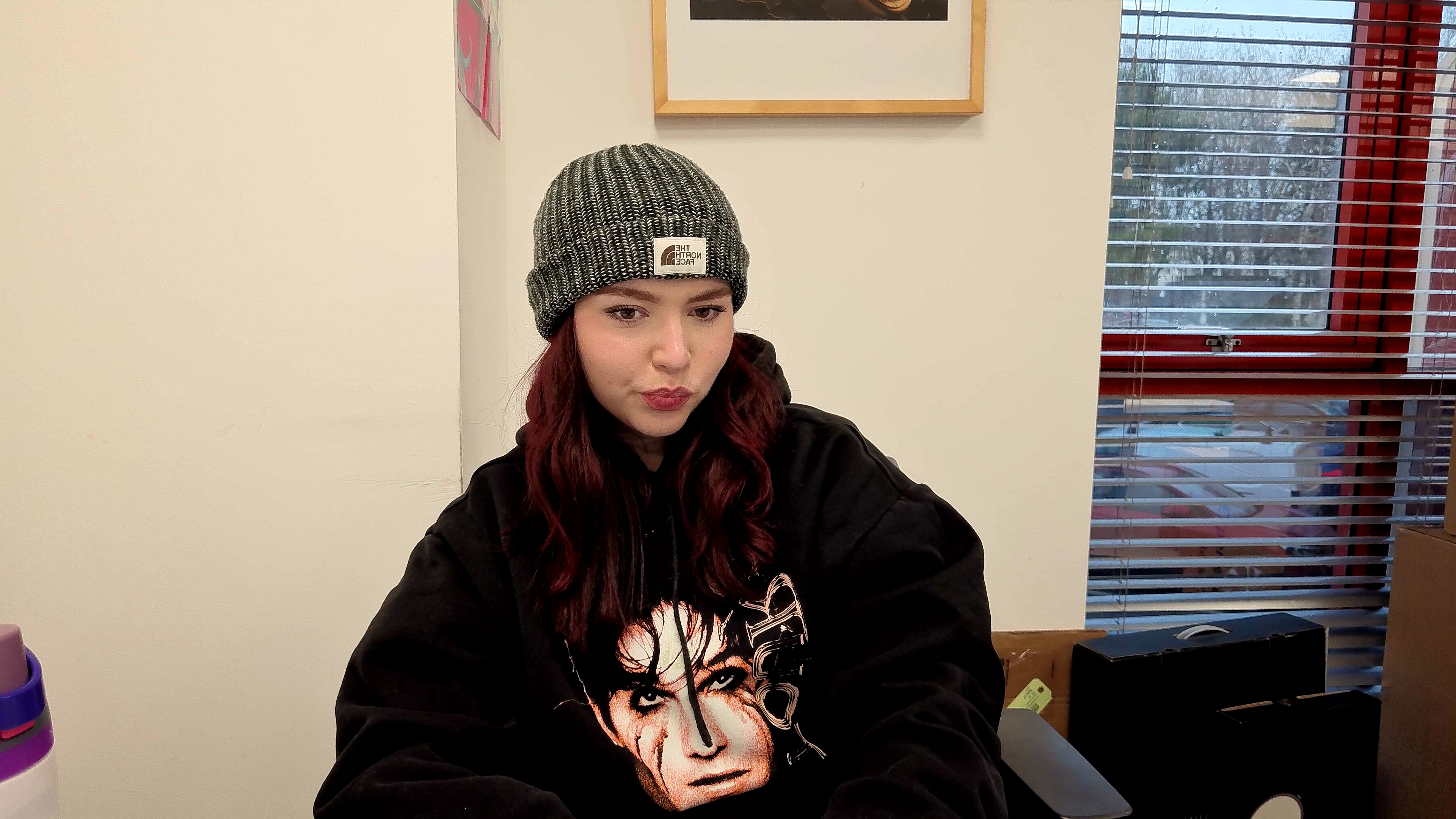
The 1/1.3-inch sensor has dual native ISO (where the camera switches between two native ISO ranges to get better results in extreme light or dark lighting), so you get more of a natural lighting experience. The camera works to balance quickly when moving from bright to dark conditions without severe grain, which makes the image feel extra noisy, so in darker conditions, the camera doesn’t need to digitally enhance the image.
You can hear me loud and clear
The audio performance on the Insta360 Link 2 Pro is great. I used the webcam for all of my video calls for a week, and my colleagues told me that my voice sounded clear — similar to what I sound like through the built-in microphone on my MacBook Air M2.
But what stood out to me is that they didn’t hear my friend speaking on her own call in the background. The beamforming microphones on the webcam help to isolate the sound coming from the speaker on the call. As you can hear in this recording, my voice is isolated from the other sounds in the office, like typing and quiet chatter.
There are also different microphone settings to choose from when using the Link Controller companion software. You can choose between Standard, which has subtle noise control, Original, which is totally unprocessed, Wide for capturing more voices or Focus for isolating a single voice. I used the webcam with the Focus setting since I’m usually in the office when I take calls, and I want my voice to be isolated.
Secure mount
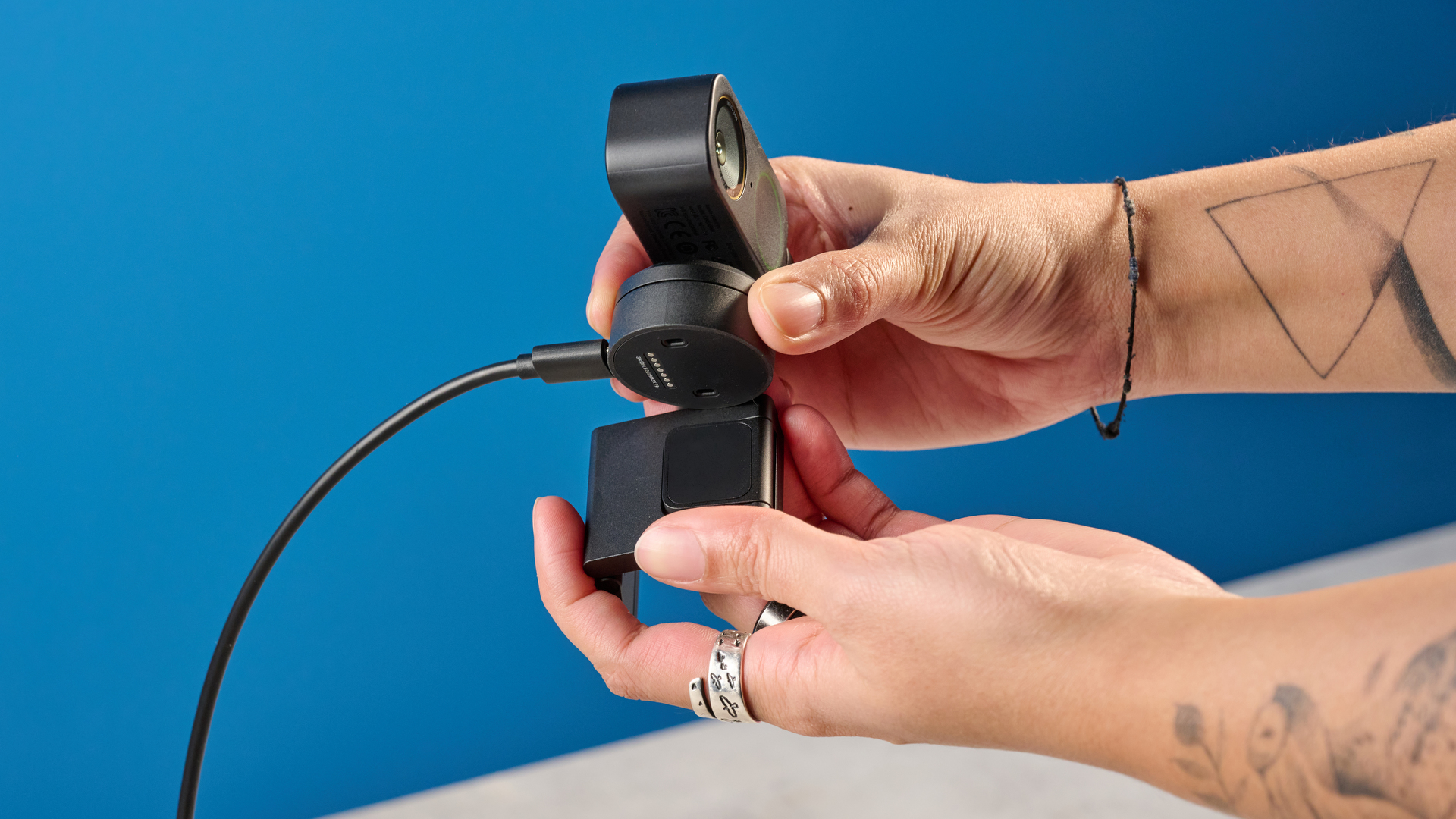
The Insta360 Link 2 Pro’s mount is incredibly sturdy. It has to be since the webcam itself is pretty heavy at 5.9 ounces. In comparison, the Insta360 Link 2C ($149) is 3.9 ounces, and the Obsbot Meet 4K ($149) is just 2.5 ounces. The mount is flexible, and I was able to angle it to securely fit on my monitor and support the weight of the camera. But it also fits onto the screen of my laptop, which is a lot thinner.
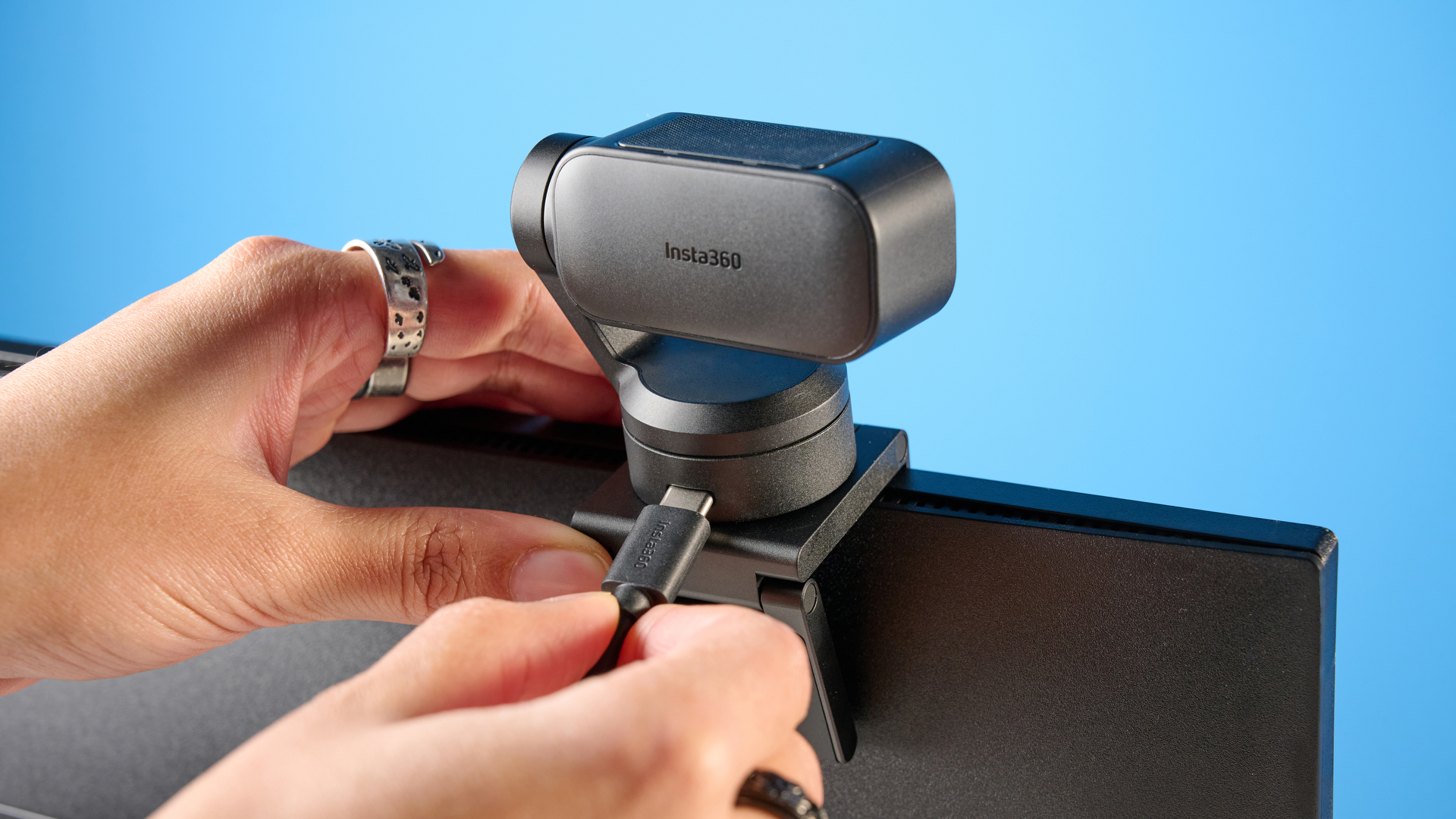

Since the webcam attaches to the mount magnetically, there’s no fussing with threads to get everything attached, as I experienced with the Logitech MX BRIO 705 ($199). It’s just super simple.
Smart control gestures
There’s nothing worse than having to awkwardly change the settings of your camera during a call, and the smart gesture controls of the Insta360 Link 2 Pro eliminate that problem. You’re able to control the camera by making hand gestures, and I found this surprisingly easy.
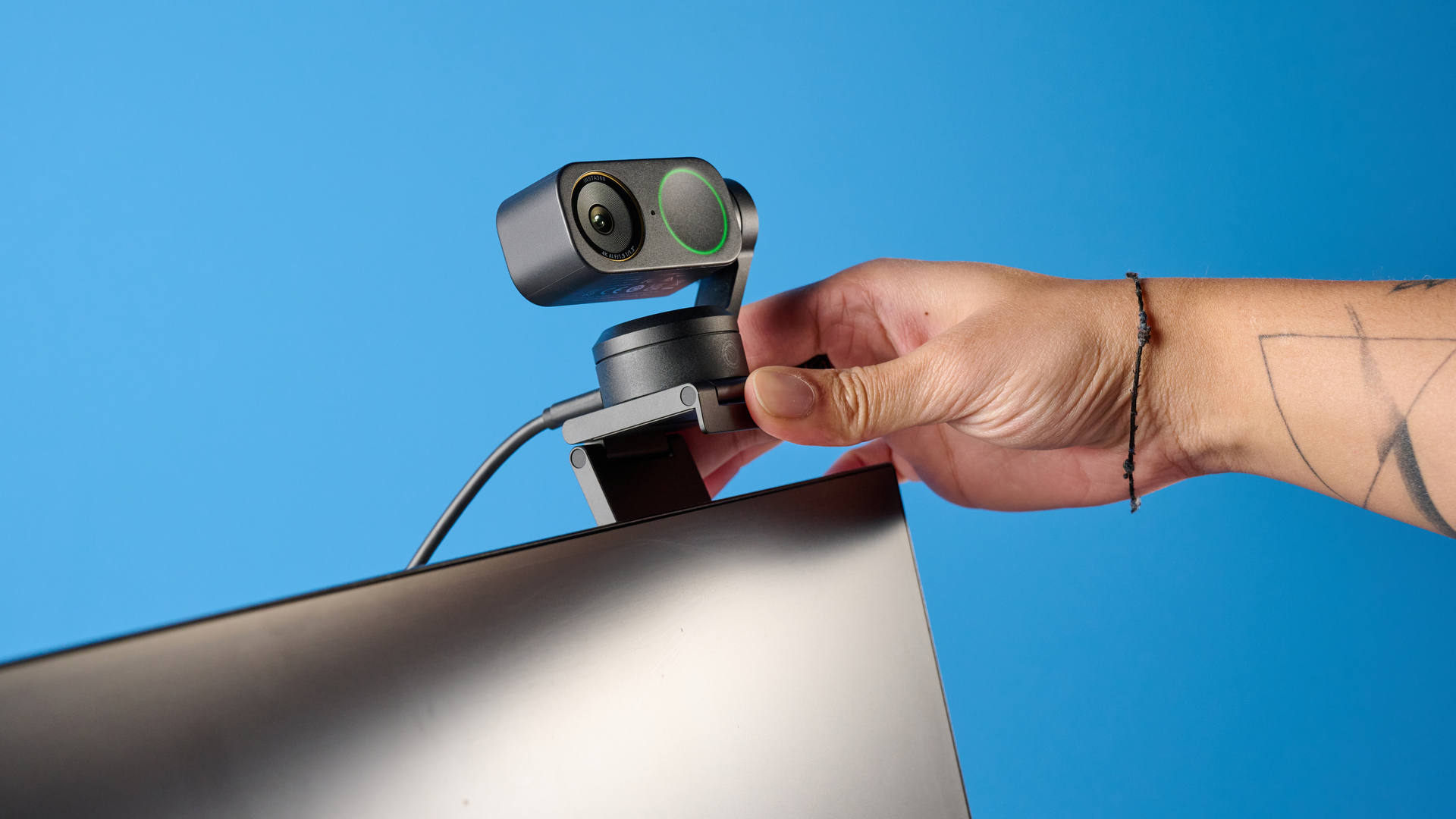
You risk looking like you’re auditioning for a “Star Trek” revamp, but it takes all the fuss out of dealing with common settings. You can use these gestures to control the camera’s zoom, auto-tracking and whiteboard settings.
I found it best to activate the tracking when I wanted to move around. It also meant that when I was turning on the whiteboard mode, I didn’t need to use the Link Connect app.
Insta360 Link 2 Pro review: The downs
I’ll caveat by saying I’m being extremely picky here, because the Insta360 Link 2 Pro does everything I need it to do, and well. But I wish there had been some zoom improvement from the previous model. It’s also a little on the pricey side if you’ll only be using it for conference calls at your desk.
No zoom improvements
There haven’t been any improvements made to the digital zoom of the Insta360 Link 2 Pro over the Link 2. This won’t be an issue for anyone only using the webcam to hold meetings at their desk, but anyone using it for larger-scale presentations may find it annoying. If you’re using the camera to record a lecture, for example, you may want the webcam to be able to zoom in and track you from a distance.
This depends on your needs, and for me personally, 4x digital zoom is more than enough. But the lack of upgrade here from the camera’s predecessor is a bit of a letdown. For something better suited to conference rooms, the Logitech BRIO 4K Ultra HD webcam ($199) offers 5x digital zoom. I would have liked to see this kind of improvement to have some enhancement in presentation features.
On the pricey side
The Insta360 Link 2 Pro is $100 more expensive than its predecessor, the Insta360 Link 2. The Insta360 Link 2 Pro is available for $249 from the Insta360 official store or at Amazon. You could buy the previous iteration of the camera, as although there are tracking improvements with the newer model, the zoom, max resolution and focus system are the same.
Or if you don’t need the added gimbal, you could go for the Insta360 Link 2C Pro for ($199), which was released alongside the Link 2 Pro. Another great option is the Obsbot Meet 4K webcam ($149), which also features the same zoom and resolution specs. It has all of the same features sans gimbal, so it will be great for anyone who only needs to take calls from the comfort of their desk.
Insta360 Link 2 Pro review: Verdict
The Insta360 Link 2 Pro is an impressive webcam upgrade that offers everything you could need from your office presenting companion. The image quality is great, and I appeared clear in the camera at all times, even when auto-tracking was working. It has excellent autofocus, and when combined with the effective auto-tracking for individuals and groups, it helps you stay in frame at all times.
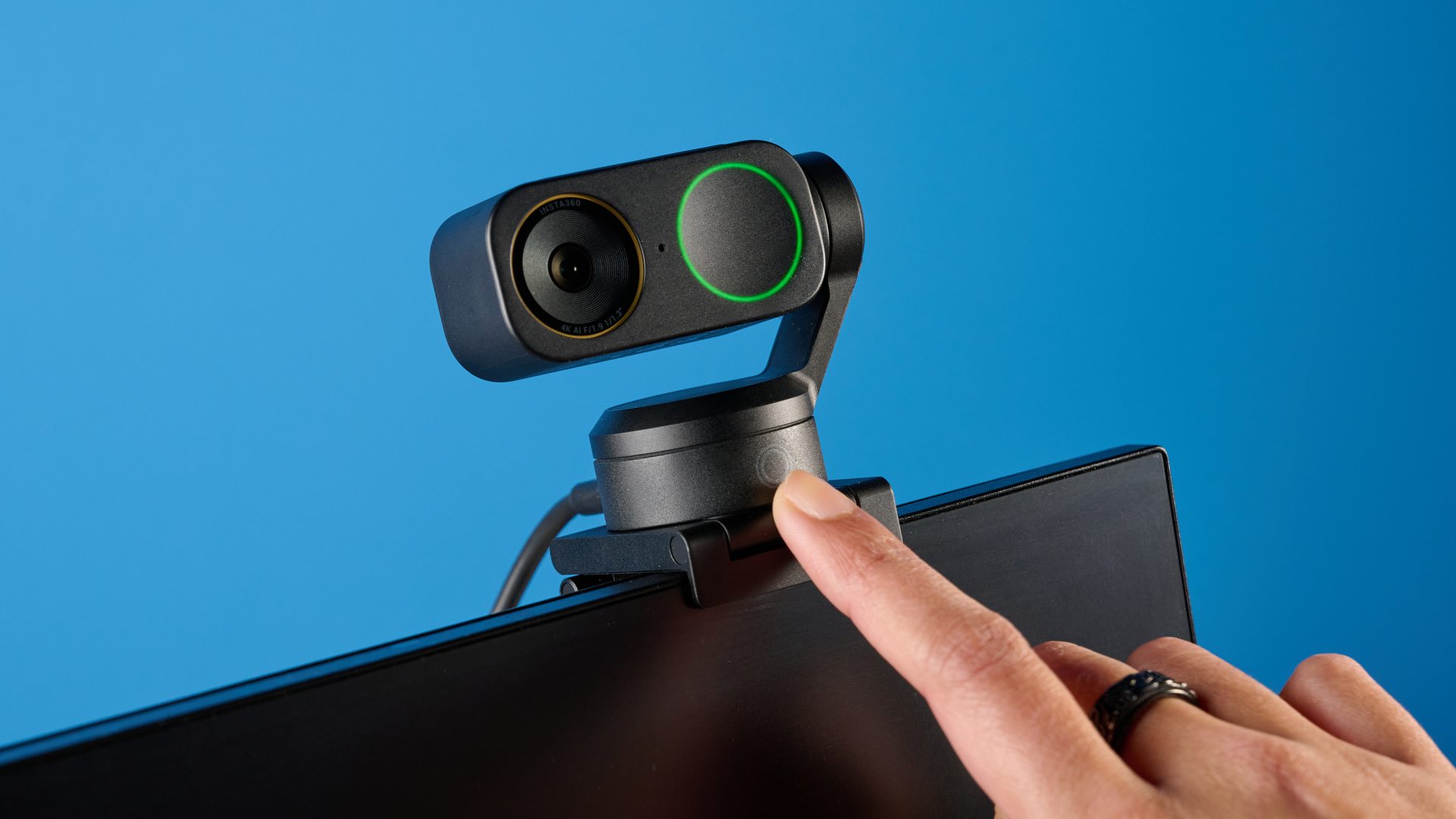
Its gesture controls are also very helpful if you don’t want to change settings on your computer, and using the presenting functions, like desk view and whiteboard, makes sharing work so much easier, and is a great addition for classrooms.
It’s a slightly expensive option if you only use your webcam to take calls from your desk, as you may not get full use from the smart features. But other than that, I can’t complain about this webcam. It does everything I need it to do and more, and makes taking calls so much easier.
Source link
-

-

-
-

-