

Cursor vs. Windsurf vs. Claude Code: Which AI Coding Tool Actually Ships Faster?
I tested Cursor, Windsurf, and Claude Code on real production codebases to see which AI coding assistant actually reduces debugging time, survives large refactors, and ships features faster once the AI hype wears off.
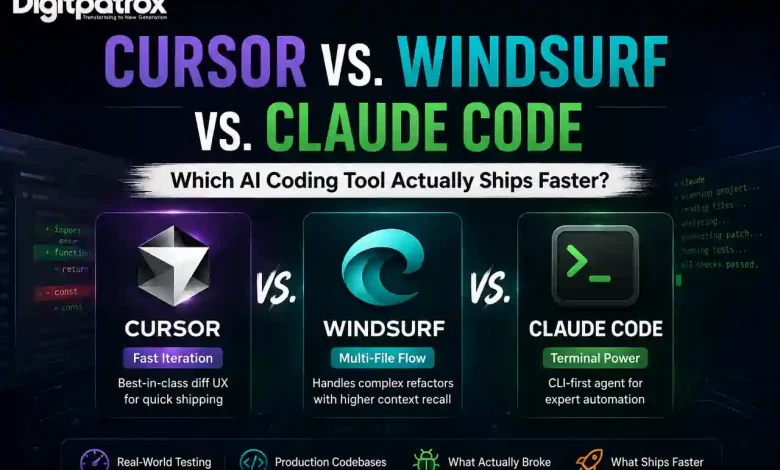
Cursor vs. Windsurf vs. Claude Code: Which AI Coding Tool Actually Ships Faster?
A bad AI coding agent will silently break your imports and leave you in a three-hour debugging loop. Half my time now is spent deciding whether the AI actually understands the codebase or is just confidently guessing.
Coding in 2026 isn’t about typing; it’s about auditing. While the architectural planning still falls on us, the gap between “writing code” and “shipping features” is now defined by how well your AI manages context. To figure out which tool actually reduces debugging time, I spent weeks testing Cursor, Windsurf, and Claude Code on real production codebases.
Here’s what happened when the shiny demos ended and the actual engineering began.
The Executive Reality Check
-
Generate is easy; ship is hard. Velocity is measured by “Time to Merge,” not “Time to Prompt.” If you aren’t reading the diffs, you aren’t shipping; you’re just accumulating debt.
-
Cursor is the reliable incumbent. Its real moat is the UX for accepting or rejecting changes, not necessarily the code generation itself.
-
Windsurf is winning the context war. Its “Flow” feature handles multi-file dependencies with a higher success rate when you’re refactoring legacy mess.
-
Claude Code is for terminal purists. It’s the choice for expert-level automation, but it requires the most developer discipline to keep it from spinning its wheels.
-
Agentic tech debt is real. Once the repo gets messy, these tools start behaving like junior devs who joined last week. You need AI observability to catch the “AI-isms” before they merge.
Table of Contents
-
At a glance: The Comparison
-
Test Environment: How we benchmarked
-
The 2-Week Reality Check: From Magic to Maintenance
-
Cursor: The UX Moat for Rapid Iteration
-
Windsurf: Specializing in Multi-File Flow
-
Claude Code: For the Terminal Purists
-
Where Each Tool Breaks
-
The Verdict: What I Use Daily
Cursor vs. Windsurf vs. Claude Code at a Glance
| Feature | Cursor | Windsurf | Claude Code |
| UX & Diff Handling | ⭐⭐⭐⭐⭐ Best “Accept/Reject” flow | ⭐⭐⭐⭐ Capable but chat-heavy | ⭐⭐⭐ CLI-only; high friction |
| Multi-file Autonomy | ⭐⭐⭐⭐ Strong Composer | ⭐⭐⭐⭐⭐ “Flow” state is elite | ⭐⭐⭐⭐ Great for terminal logic |
| Context Management | ⭐⭐⭐⭐ Indexing is solid | ⭐⭐⭐⭐⭐ Superior multi-file recall | ⭐⭐⭐⭐ Best for MCP tool-use |
| Time to Ship | ⭐⭐⭐⭐⭐ Fastest for daily features | ⭐⭐⭐⭐ Faster for deep refactors | ⭐⭐⭐ Best for infra/scripts |
Test Environment: How we benchmarked
AI coding tools behave differently in a 5,000-line prototype compared to a 100,000-line monorepo. I subjected each to scoped workloads across different repository sizes to see where they hit the “Context Ceiling.”
| Tool | Repo Size Tested | Tech Stack | Tasks Tested |
| Cursor | 120k LOC | Next.js + Supabase | Feature iteration, Auth refactor |
| Windsurf | 90k LOC | Node Monorepo | API migration, type refactoring |
| Claude Code | Infra Repo | Docker + Terraform | CI/CD debugging, CLI scripts |
The 2-Week Reality Check: From Magic to Maintenance
The first three days with these tools feel magical. By week two, you realize the real bottleneck isn’t generation speed-it’s how quickly technical debt compounds when you stop reading diffs carefully.
In the first week, you’re amazed that the AI can build a whole dashboard. By week two, you’re annoyed because you’ve realized that the AI “forgot” the global theme variables you set up on Monday. This is the Context Maintenance Tax. As the repo grows, you spend more time hand-holding the AI than you do writing the actual business logic. If you don’t stay on top of your AI agent architecture, the “magic” quickly turns into a refactoring nightmare.
Cursor: The UX Moat for Rapid Iteration
The tradeoff nobody mentions: Cursor’s primary advantage isn’t better code-it’s that you can reject bad code faster than in any other tool.
In my experience, Cursor’s “Composer” (Cmd+I) is the most intuitive interface for daily feature work. When you prompt it to “add a toggle to the settings page,” the diff view is crystal clear. I’ve found that I can audit and accept 50 lines of code in Cursor in half the time it takes elsewhere.
Where it gets weird:
On larger repositories, Cursor hits a “Context Tunnel Vision.” It heavily overuses patterns from your most recently prompted files, even if they aren’t the best architectural fit. It also suffers from Import Meddling-it frequently rewrites or reorders imports in adjacent files without asking, forcing you to manually undo changes in files you never intended to touch. To survive this, a strictly defined .cursorrules file is mandatory to keep the AI from “hallucinating” its own standards.
Windsurf: Specializing in Multi-File Flow
What surprised me: Windsurf’s “Flow” state tracks cross-file dependencies during a session better than Cursor’s current indexing. It feels more like a senior dev and less like an autocomplete tool.
Windsurf is the first real threat to Cursor. When I tested it on a complex API migration, Windsurf didn’t just write the code; it ran the tests, saw the failures, and went back to fix the types in the related files automatically.
What actually slows you down:
This sounds great until the AI enters a cycle of “Fixing the Fix.” It will generate an error, write a patch, generate a new error from that patch, and continue until it has edited 14 unrelated files to fix a single button color. After about 30 minutes, I realized I was suffering from Chat Fatigue-reading the AI talk about coding more than I was actually coding. I once spent two hours reverting a Windsurf session because it had completely lost the architectural plot while trying to resolve a minor linting issue.
Claude Code: For the Terminal Purists
The tradeoff nobody mentions: Claude Code is a CLI-native agent that made me focus more because it eliminated IDE bloat. But it’s an expert-level tool; use it for backend logic, but keep an IDE open for the rest.
I expected Claude Code to feel limiting because it lives entirely in the terminal. When I used it for infrastructure tasks-like debugging a Terraform state failure-it was faster than either IDE. It doesn’t care about “vibe”; it cares about logs and output. It leverages the Model Context Protocol (MCP) to connect directly to your environment.
Where it gets weird:
I had one session where Claude Code spent five minutes recursively scanning logs while I sat there wondering if it was brilliant or completely stuck. It feels brilliant right up until you need visual feedback. If you’re building a React frontend, using this tool is a nightmare. It also occasionally stalls on long terminal operations and needs a Ctrl+C manual override. It’s better at “fixing” than “creating.”
Where Each Tool Breaks
All three tools get noticeably worse in mixed frontend/backend monorepos. The larger the repo gets, the more these tools reward folder discipline.
| Problem | Cursor | Windsurf | Claude Code |
| The Failure | Loses global architecture context. | “Fixes the fix” in infinite loops. | Slow feedback loop for UI work. |
| The Friction | Rewrites imports unnecessarily. | Edits way too many files (Sprawl). | Terminal latency can be frustrating. |
| The Limit | Over-indexes on recent files. | High “Chat Fatigue” reading agent thoughts. | High onboarding/config friction. |
The Verdict: What I Use Daily
Even after testing all three, I still defaulted back to Cursor for day-to-day work. Why? Because rejecting bad code quickly mattered more than generating brilliant code occasionally.
-
Use Cursor if you are iterating on features, building UIs, and need to stay in a fast loop of “Accept/Reject.”
-
Use Windsurf if you are performing a massive architectural refactor on a codebase you haven’t touched in months.
-
Use Claude Code for infrastructure, CI/CD debugging, and terminal-native automation.
The uncomfortable reality is that none of these tools remove the need for senior engineers. They just move senior engineering work from writing code to auditing machine decisions. If you stop reading the diffs, the AI will eventually own your architecture, and you won’t like the result.
FAQ
Which tool wastes the least time fixing AI mistakes?
Cursor. Its diff-handling UI makes it much easier to spot and revert a hallucination before it hits your Git history.
Which one breaks first on large monorepos?
Cursor tends to hit the “Context Ceiling” faster, but Windsurf tends to “Sprawl” more, editing unrelated files. Claude Code is the most stable on large repos but the slowest to use.
What happens when the AI loses context mid-refactor?
In Windsurf, you usually have to “Reset Flow.” In Cursor, you have to manually point it back to the relevant files. In Claude Code, you usually have to kill the session and start a new one with a more specific prompt.
Do these tools actually reduce debugging time?
Only if you use them to write tests first. If you use them to just “generate code,” they often increase total debugging time by introducing subtle logic errors.
Digitpatrox Editorial
We are a team of technical operators documenting the reality of AI infrastructure and how AI search engines rank sources.