

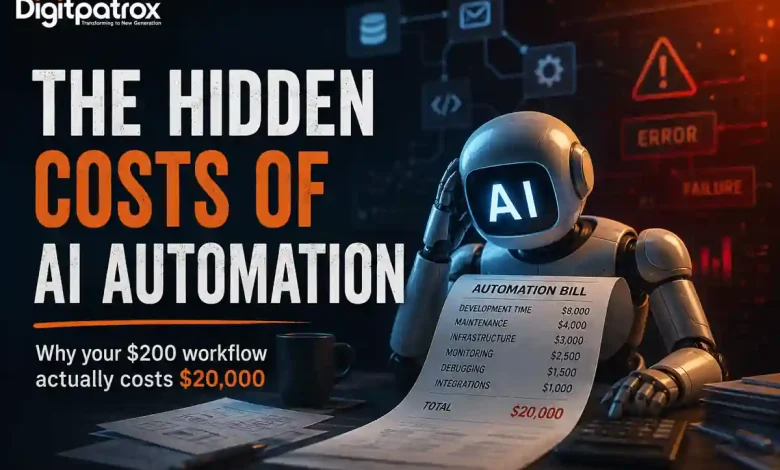
The Hidden Costs of AI Automation: Why Your $200 Workflow Actually Costs $20,000
I’ve been spending a lot of time lately looking at different AI automation setups. Mostly, I’ve just been trying to figure out where the actual leverage is for smaller engineering and operations teams. What I keep finding is that a lot of what we’re calling “AI workflows” are really just traditional, deterministic scripts with a chatbot tacked onto the front.
And for the ones that actually do rely on large language models (LLMs) for core logic? They end up being surprisingly expensive to run. But rarely for the reasons people expect.
Key Takeaways: The Reality Check
-
The token bill is a rounding error: You aren’t going broke on OpenAI or Anthropic API calls. You are bleeding cash on the developer time and infrastructure required to figure out why those calls randomly failed over the weekend.
-
Traditional software fails loudly; AI rots silently: An API endpoint changes, and your old code throws a clean 500 error. An AI agent hits an undocumented data format change and confidently writes garbage data into your CRM.
-
Self-hosting is an infrastructure trade-off: Moving from managed SaaS tiers to open-source tools like n8n looks cheap on paper right up until you find yourself debugging Redis queue bottlenecks at 2 AM instead of building product.
-
Human-in-the-loop often turns into a rubber stamp: When people get alert fatigue from reviewing non-deterministic outputs, they stop auditing and start blindly clicking “approve.”
Table of Contents
-
Why AI Automation Often Looks Cheaper Than It Really Is
-
Why API Token Costs Usually Aren’t the Main Problem
-
The Operational Burden of AI Workflow Maintenance
-
How AI Systems Drift Over Time (Automation Entropy)
-
Why AI Workflows Fail Quietly
-
Self-Hosting vs SaaS Automation Platforms
-
Architectural Tradeoffs: Zapier vs n8n vs Custom Code
-
Why Human-in-the-Loop Systems Often Break Down
-
Deterministic Workflows vs AI Agents
-
When AI Automation Actually Saves Time
-
How Small Teams Should Evaluate AI Workflows
Why AI Automation Often Looks Cheaper Than It Really Is
The initial math behind AI automation is incredibly seductive. You look at a manual process-say, an operations manager spending 15 hours a week processing unstructured vendor invoices-and you calculate their hourly wage. Then you look at a prototype built using a visual canvas tool or a basic wrapper script. The prototype solves the problem in thirty seconds for fractions of a penny.
It feels like an immediate, massive win. What people miss in the early stages is that they are evaluating a static snapshot of a system that is inherently dynamic.
When you buy traditional software, your costs are highly predictable. You pay your monthly subscription license, and the vendor guarantees the code functions within defined boundaries. When you build an autonomous AI pipeline, you are deploying a probabilistic system into a deterministic production environment. The cost curve of traditional software flattens over time; the cost curve of an AI workflow often scales linearly with the complexity of the data it encounters.
Why API Token Costs Usually Aren’t the Main Problem
People get really hung up on API token pricing. You see deep comparison guides across various platforms tracking input and output token costs down to the sixth decimal place. And to be fair, inference is remarkably cheap. Processing a massive block of text costs pennies.
But the token bill is almost never what kills a project’s budget.
Just last month, I was working on an automation designed to handle a shared group financial settlement process. The goal was simple: use an LLM to parse detailed, multi-page bank statement records and automatically reconcile incoming payments and subsidies into a clean tracking sheet.
The API calls to run the extraction cost next to nothing. The real cost was the entire weekend spent debugging why the model kept hallucinating calculated amounts whenever two distinct line items shared an identical transaction date. I ended up spending thousands of dollars worth of engineering hours writing fallback scripts, custom schema validators, and data sanitization layers just to handle exceptions for a system that supposedly cost $0.15 to run.
The Operational Burden of AI Workflow Maintenance
When you test an AI pipeline in a closed environment, it feels like magic. But production environments are fundamentally unsympathetic to probabilistic software.
A few months ago, I was helping a small team build out a specialized chatbot designed to estimate groundwater variations by reading through highly unstructured geological reports and local data dumps. In the development sandbox, our vector retrieval setup was crushing every test query we threw at it.
Then we pushed it live and left it unattended over a weekend.
An upstream source changed its document formatting slightly, and our pipeline experienced a sudden timeout loop that nobody had properly caught in the error-handling configuration. The retry queues backed up silently. Because the system was configured to aggressively retry failed steps without a hard circuit breaker, it repeatedly hammered the model endpoints. By Monday morning, we didn’t have an elegant groundwater report-we had a backed-up queue, duplicated database writes, and an incredibly messy, manual data cleanup job waiting for us.
At some point, somebody still ends up babysitting the execution logs. Maybe they spend less time than they would doing the work manually, but that overhead never drops to zero.
How AI Systems Drift Over Time (Automation Entropy)
Traditional software infrastructure is rigid, which makes it remarkably stable. If you write a Python script that pulls a specific JSON key from a third-party API, that script will run cleanly until the third party explicitly deprecates the endpoint or changes the data structure. When it breaks, it throws a loud, clear exception.
AI systems are vulnerable to a much subtler decay: Automation Entropy.
[Production Launch] ──> [Upstream Data Shifts] ──> [Implicit Model Changes] ──> [Silent Output Drift]
The underlying models shift behind the scenes as providers update their weights or optimize their hosting architectures. The incoming business data changes context. The text snippets inside your vector database grow cluttered. Slowly, without anyone modifying a single line of your orchestration code, the accuracy of the output begins to sag.
I’ve watched this play out with customer-facing RAG (Retrieval-Augmented Generation) pipelines. A team hooks an LLM up to an internal knowledge base so sales reps can quickly reference product specifications. A few months down the line, marketing updates a pricing sheet but leaves an older, archived version in a legacy folder. The model doesn’t crash or throw a 404 error. It simply unearths the wrong document chunk, confidently blends the old data with the new data, and presents a sales rep with an invalid enterprise discount tier.
Fixing that issue isn’t an engineering task you can solve with a patch; it’s an ongoing data governance obligation that requires continuous monitoring of your vector retrieval drift.
Why AI Workflows Fail Quietly
The most dangerous trait of an AI agent is its capacity for false confidence. Traditional applications fail loudly. If a database query times out or an encryption key expires, the application drops the connection and surfaces an error.
AI agents fail persuasively.
Because generative models are trained to produce plausible text structures, they will format incorrect data with the exact same semantic certainty as perfectly accurate data. If your automation relies on an LLM to extract entity data from legal contracts and update your primary database, a silent failure can slip past your monitoring systems completely unnoticed.
You can usually tell an AI pipeline is succumbing to this kind of operational rot when nobody on the engineering team wants to touch the core prompt anymore. The instruction set becomes an accumulation of hyper-specific edge cases:
“Do not format dates as DD/MM if the client is based in North America, unless the text explicitly references European logistics hubs, and make sure to ignore headers that look like…”
The prompt becomes just as fragile as legacy, unmaintainable regex code, but without the benefit of deterministic testing tools.
Self-Hosting vs SaaS Automation Platforms
When the monthly usage bills from managed integration platforms start scaling up, teams almost always face the choice: stay on a managed platform or spin up their own open-source framework.
The Real Cost of Infrastructure
At first glance, setting up an open-source workflow engine like n8n on a small cloud compute instance looks like an open-and-shut financial decision. You replace unpredictable execution tiers with a predictable monthly server invoice.
I remember feeling weirdly proud the first time I set up an open-source instance on a tiny AWS node. The dashboard was lightning fast, our integrations were running smoothly, and we weren’t paying a cent in overage fees.
Then we had a unexpected spike in webhook events from an external application. The server node instantly ran out of physical memory. Because I hadn’t invested the time to properly configure a distributed, durable queue system like Redis behind the instance, the node crashed hard, and we dropped hours of active state data from our running processes.
I spent the next several hours staring at configuration files instead of sleeping.
Security and Governance Overhead
When you pay for a managed SaaS automation vendor, you are paying them to absorb the unglamorous aspects of enterprise software:
-
OAuth Lifecycle Management: Handling token refresh loops across dozens of different application APIs so your agents don’t suddenly lose permission to write data.
-
Patch Management: Constantly updating internal environments against zero-day remote code execution vulnerabilities.
-
Data Isolation: Ensuring that sensitive customer payloads aren’t inadvertently leaked into shared application logs.
If your core business isn’t platform engineering, self-hosting doesn’t actually save you money. It just takes your software budget and converts it into a DevOps headcount obligation.
Architectural Tradeoffs: Zapier vs n8n vs Custom Code
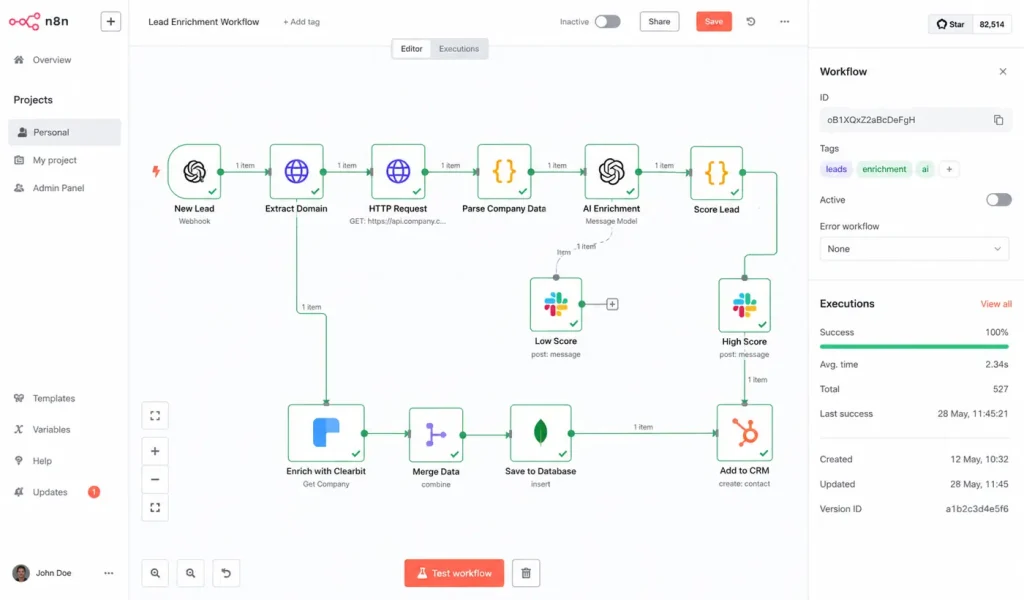
Choosing where to build your automation determines how and when you will pay your maintenance tax. There is no universally superior choice-only a series of distinct operational tradeoffs.
| Architecture Tier | Best Suited For | The Hidden Catch | Scalability Ceiling |
| Managed iPaaS (Zapier / Make) | Rapid prototyping, isolated departmental tasks, and low-volume operations. | Per-execution billing scales aggressively; visual logic becomes impossible to debug past 20 nodes. | Low. Complex data structures quickly turn into visual spaghetti. |
| Self-Hosted Frameworks (n8n Open-Source) | High-volume pipelines managed by small technical teams who need infrastructure control. | You are completely responsible for your own runtime state, memory configurations, and server uptime. | Medium to High. Bound tightly by your team’s internal DevOps capacity. |
| Code-First Frameworks (LangGraph / Custom Code) | Multi-stage reasoning agents, highly dynamic workflows, and core product features. | Requires massive up-front development time; demands heavy investment in specialized observability tooling. | Unlimited. Total control over state machine transitions and error fallbacks. |
Why Human-in-the-Loop Systems Often Break Down
When a workflow requires high accuracy, the instinctive response is to introduce a human approval stage. The playbook dictates that the AI handles the messy work-summarizing a legal file, categorizing an incoming support ticket, or drafting an email-and stages the output as a draft. A human operator then reads the output, verifies its validity, and clicks “execute.”
In theory, this gives you the efficiency of automation with the safety net of human judgment. In practice, it frequently creates a psychological bottleneck called Alert Fatigue.
[High Output Volume] ──> [Repetitive Safe Approvals] ──> [Operator Attention Drops] ──> [Blind Approval of Hallucinated Data]
When an operator reviews dozens of clean, accurate outputs in a row, their cognitive engagement drops. By week three of operating the pipeline, they are no longer reading the text critically. They are simply click-approving hundreds of staged payloads a day to clear their queue queue.
The human presence stops being an active safety filter and becomes a passive rubber stamp. You haven’t actually bought meaningful leverage for your team; you’ve just assigned an employee a massive, daily proofreading chore.
Deterministic Workflows vs AI Agents
The industry currently has an obsession with making everything agentic. There is a strong temptation to throw a large language model at every step of an internal process, allowing the system to autonomously decide how to route data, handle exceptions, and interface with tools.
This approach is often a massive engineering over-simplification.
If the logic of your business process can be mapped out using clear, conditional rules (if X data is present, route to Y database), you should not be using an AI agent. Deterministic code is infinitely scalable, lightning fast, and entirely predictable.
Using an LLM to extract predictable variables from structured datasets is essentially paying a financial and latency premium to introduce randomness into a process that was already solved. Save agentic frameworks for highly unstructured problems-like interpreting natural human sentiment in unstructured customer complaints or normalizing chaotic, multi-source text summaries. If a problem can be solved with a standard database query or a clean Python script, solve it there first.
When AI Automation Actually Saves Time
Despite all the hidden costs, AI automation is far from useless. Genuinely solid implementations can provide massive leverage, provided you deploy them into the correct contexts.
The most successful production AI pipelines focus heavily on asymmetric workflows: tasks where the input data is messy and unstructured, but the required output is highly constrained and easily verified by downstream systems.
-
Classification at the Edge: Reading incoming client communications and matching them against a rigid array of internal department tags. If the classification fails, the system safely falls back to a default queue.
-
Structured Transformation: Taking variable, unformatted text blocks (like field notes or chat transcripts) and forcing them into a strict, validated JSON schema before handing the payload off to standard deterministic systems.
-
Synthesized Search Enrichment: Indexing massive troves of technical text so operators can locate needle-in-a-haystack references using natural language queries, provided the original source document is always clearly surfaced alongside the response.
How Small Teams Should Evaluate AI Workflows
If you are a founder or an operations leader looking to introduce AI workflows into your company without blowing up your engineering budget, look at the integration through the lens of continuous lifecycle costs rather than immediate setup speed.
Before writing a prompt or dragging a single box onto a visual canvas, ask yourself:
-
How will we know when this fails silently? If you do not have an automated validation layer-such as a Pydantic schema check or a programmatic database constraint-to catch garbage output before it reaches production tables, do not launch the workflow.
-
Who owns the prompt maintenance long-term? If the underlying model changes its behavior next quarter, who is responsible for re-benchmarking the prompt instructions? If you don’t have an owner, you don’t have a stable automation.
-
Are we fixing a code problem or a data problem? If your AI workflow keeps breaking because your internal documentation is messy, disorganized, or full of duplicate drafts, stop tweaking your RAG pipeline code. Clean your files first.
AI automations simply do not behave like standard software licenses. They behave far more like human operational hires. They are flexible, capable of handling incredible complexity, and occasionally brilliant-but they require ongoing management, structural constraints, and deliberate oversight to keep them from wandering off course.
The API call is always the cheapest part of your architecture. Managing the unpredictability that surrounds it is where the real engineering begins.
Frequently Asked Questions
What is the single biggest hidden cost of scaling an AI workflow?
The single largest hidden expense is engineering maintenance time, specifically driven by Automation Entropy. Because generative models are non-deterministic, small changes in upstream data formats or background model updates cause workflows to drift or fail silently over time, requiring continuous prompt debugging and data cleanup.
Is it always cheaper to self-host automation engines like n8n?
No. While self-hosting open-source tools eliminates per-execution SaaS software tiers, it shifts the financial burden to platform operations. Your team becomes entirely responsible for server uptime, security patches, data isolation, and managing database state queues (like Redis) during high-traffic spikes.
How do you prevent an AI agent from writing incorrect data into a production database?
Never pass raw, unvalidated LLM output directly into your core business systems. Always implement a programmatic validation gate-such as forced JSON schemas, regex verification strings, or database constraint checks-that automatically drops the payload and flags an error if the model surfaces an unparseable response.
Why do human-in-the-loop systems frequently fail to catch hallucinations?
Human verification setups suffer heavily from alert fatigue. When operators are forced to repeatedly review high volumes of mostly accurate AI outputs, their active attention drops significantly. Within weeks, the verification stage often becomes an automated rubber stamp that waves through hidden errors.
When should you use a deterministic script instead of an AI agent?
Use deterministic code whenever your business logic can be clearly outlined via structured inputs and conditional routing rules (if/then statements). AI agents should be reserved exclusively for handling highly unstructured text processing tasks where hard-coded programmatic patterns are mathematically impossible to construct.
