

The 15 Best AI Productivity Tools in 2026: The Brutal, Operator-Led Reality
We spent six months stress-testing the most hyped AI tools in real production workflows. Here’s what actually improved velocity, what broke under pressure, and which platforms are worth paying for in 2026.
The 15 Best AI Productivity Tools in 2026: The Brutal, Operator-Led Reality
By Digitpatrox Editorial
Last Updated: May 13, 2026
Look, we’re all tired.
It’s 2026, and we were promised the total automation of our menial labor. Instead, we got 400 new Chrome extensions a week, all claiming they will “revolutionize” how we answer emails. The noise is deafening. The hype cycle has completely detached from operational reality.
If you are a founder, a senior engineer, or an ops leader, you don’t have time to play with toys. You need systems that actually talk to each other, understand your proprietary context, and execute tasks without needing a human to babysit them every three seconds. We have officially moved past the “chatbox” era. If your strategy still relies heavily on prompt engineering, you are bleeding money. (We wrote more about this in our breakdown of why prompt engineering is dying).
I’ve spent the last six months systematically breaking the most hyped AI tools for business. My team and I ripped out our existing setup, migrated our data, and forced ourselves to rely on these platforms for actual production workloads. Some of them are genuinely life-changing. Some of them are just marketing garbage.
This guide is for technical operators and founders trying to separate the actual moats from the noise.
Who This Guide Is For (And Who It Isn’t)
This isn’t for a college student trying to generate a C-minus essay. This guide is for:
-
Technical Operators: People who know the difference between an API call and a webhook.
-
Engineering Leads: Managers trying to figure out why their team’s velocity is dropping despite paying for five different “AI copilots.”
-
Founders: Leaders trying to separate the actual operational moats from the SaaS marketing trash.
How We Tested These Tools
We didn’t just “sign up for a free trial.” We deployed these tools in a live, 40-person remote operating environment. We measured the actual delta in our sprint velocity and operational overhead.
The Real-World Baseline
| Tool | Core Use Case | Primary Outcome | The Biggest Real-World Issue |
| Cursor | AI-Assisted Coding | Major boost in feature velocity | Occasional bad architectural drift in monorepos. |
| n8n | AI Workflow Automation | Significant hours saved for ops | State-management failures in complex multi-step loops. |
| Glean | Enterprise Knowledge | Massive reduction in Slack “search” questions | Indexes outdated wikis, requiring massive initial cleanup. |
| Otter.ai | Meeting Intelligence | Removed most manual note-taking | Subtle transcription errors on highly technical engineering jargon. |
| Motion | Time Orchestration | Measurable decrease in missed deadlines | Over-aggressive rescheduling causes calendar anxiety. |
AI Productivity Tools Comparison: Evaluation Matrix
Before you hand over your corporate card, here is the brutal reality of what these tools actually require to deploy.
| Tool | Best For | Technical Level | Risk Level | ROI Speed |
| Cursor | Shipping production code | High | Medium (Architectural spaghetti) | Instant |
| n8n | Stateful backend automation | High | High (Silent payload failures) | Weeks |
| Glean | Enterprise knowledge retrieval | Low (User) / High (Admin) | Low | Months (Requires clean data) |
| Perplexity | Zero-click competitor research | Low | Low (Occasional bad citations) | Instant |
| Claude | Massive document synthesis | Low | Low (Overly strict safety filters) | Instant |
| Otter.ai | Remote syncs & action items | Low | Medium (Corporate privacy/NDAs) | Days |
| Ollama | Local, secure data sanitization | Medium (Command Line) | Zero (Data never leaves) | Instant |
| Gamma | Quick internal slide decks | Low | Low (Cheesy visual aesthetics) | Instant |
| Readwise Reader | Taming the information firehose | Low | Low (Just another inbox to check) | Days |
| HeyGen | Localized video outreach | Low | High (Uncanny valley brand risk) | Days |
| Motion | Calendar orchestration | Medium | Medium (Induces schedule anxiety) | Weeks |
| Mem.ai | Frictionless note-taking | Low | Medium (Turns into a junk drawer) | Weeks |
| ElevenLabs | High-fidelity voice cloning | Low | Medium (Ethical misuse) | Instant |
| Midjourney v7 | Professional marketing assets | Medium (Syntax heavy) | Low | Instant |
| LangGraph | Custom agent architecture | Very High | High (Infinite loop token burns) | Months |
1. Cursor: The IDE That Forces You to Rethink Engineering
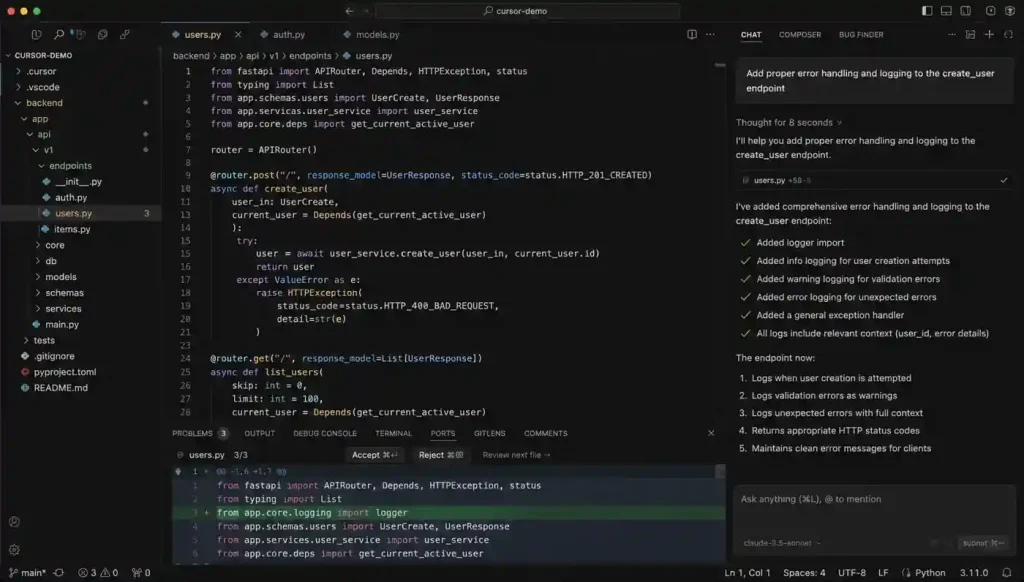
If your engineering team is still using vanilla VS Code with a few disconnected extensions, you are paying your developers to dig a ditch with a spoon.
Cursor fundamentally changes how you interact with a codebase. It isn’t an autocomplete tool. It is an AI-first editor that indexes your local environment to provide deep, multi-file context. When comparing Cursor vs Windsurf vs Claude Code, Cursor currently holds the crown for raw shipping velocity.
The Operational Story:
Last month, we needed to migrate a 14,000-line authentication service from a legacy REST middleware approach to a token-based edge validation system. Doing this manually is an exercise in misery. You have to trace dependencies across dozens of files and pray you don’t break the staging environment.
We handed the plan to Cursor. It handled about 60% of the repetitive rewrite work across 22 different files in minutes. It understood the relationship between the front-end components and the updated backend schema.
The Catch:
It wasn’t flawless. It introduced two very subtle async state bugs that we only caught in staging because a senior engineer recognized a hallucinated pattern. (If you want to understand why it did this, read about AI hallucinations explained).
Verdict: Absolute necessity for senior devs. Dangerous for juniors who don’t know how to audit the output.
2. n8n: The Reality of Stateful Automation
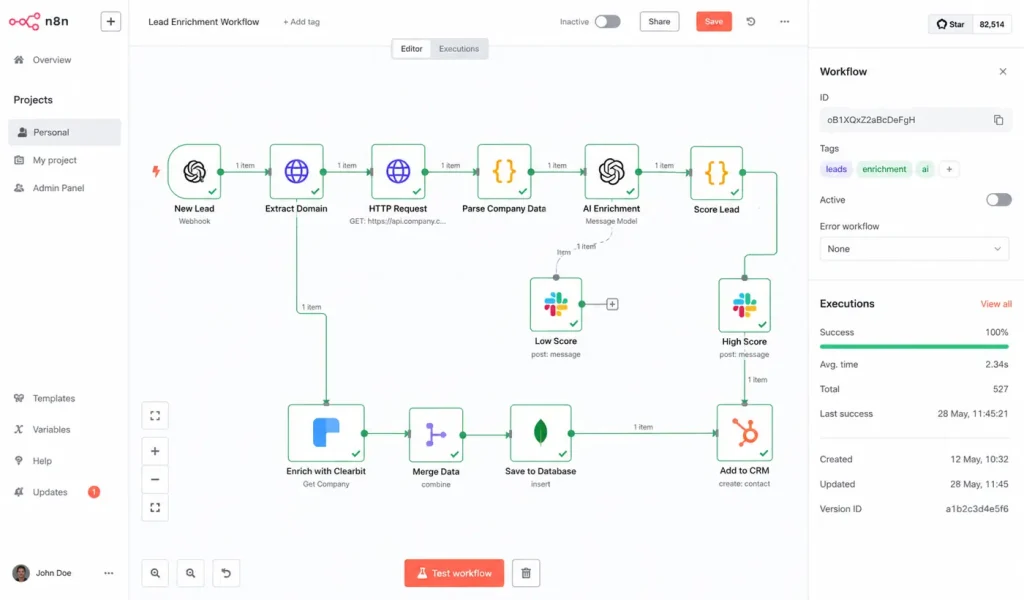
Most companies think they are doing “automation” because they use Zapier to send a Slack ping when a Stripe payment clears. That is linear automation. It is the past.
For the last six months, we have been running our backend orchestration through n8n. It allows you to build complex, looping, stateful AI workflows.
We used it to build a lead-enrichment pipeline that actually works. When a lead comes in, n8n doesn’t just pass the email to our CRM. It triggers a node that scrapes their company website, passes that text to a local LLM to summarize their likely tech stack, queries our best vector databases for RAG, and finds our most relevant case study.
If the LLM’s confidence score on the tech stack is low, n8n routes the draft to a human Slack channel for review instead of sending it. This is what actual AI workflow automation looks like.
Is it easy?
No. Zapier is built for marketing managers; n8n is built for engineers. Debugging a 40-node workflow where an API payload fails silently is a headache. But when comparing Zapier vs Make vs n8n, n8n’s ability to handle the how to build an AI agent with n8n and MCP protocol makes it the only choice for building actual agents. (You can see how complex this gets in the official n8n documentation).
3. Glean: Curing Enterprise Amnesia
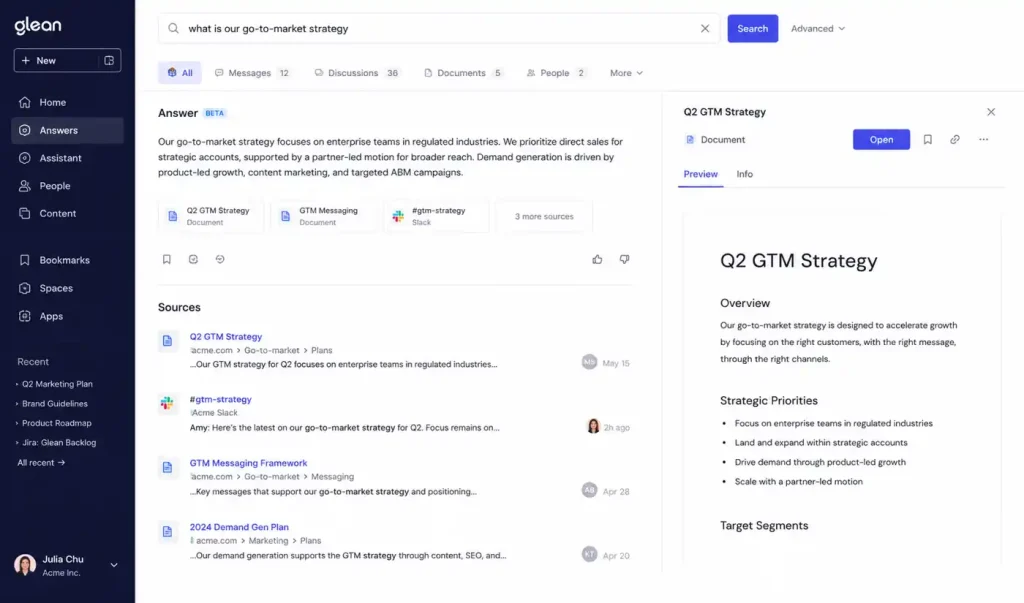
Internal search is usually a joke. You search for “Q3 Roadmap” in Drive and find a spreadsheet from 2021.
Glean is a search engine that actually understands semantic search. It connects to every app your company uses and builds a unified index. It is essentially the future of enterprise search with AI deployed today.
By integrating Glean, the constant Slack questions about where to find API keys or server provisioning docs dropped significantly. A new hire types the question into Glean, and the system synthesizes an answer by reading a Jira ticket from two years ago and a Slack thread from last week.
The Hidden Cost:
Garbage in, garbage out. We had to spend three weeks archiving deprecated wikis before the AI could be trusted. If your documentation is a disaster, your AI will be too.
4. Perplexity: The End of Ten Blue Links
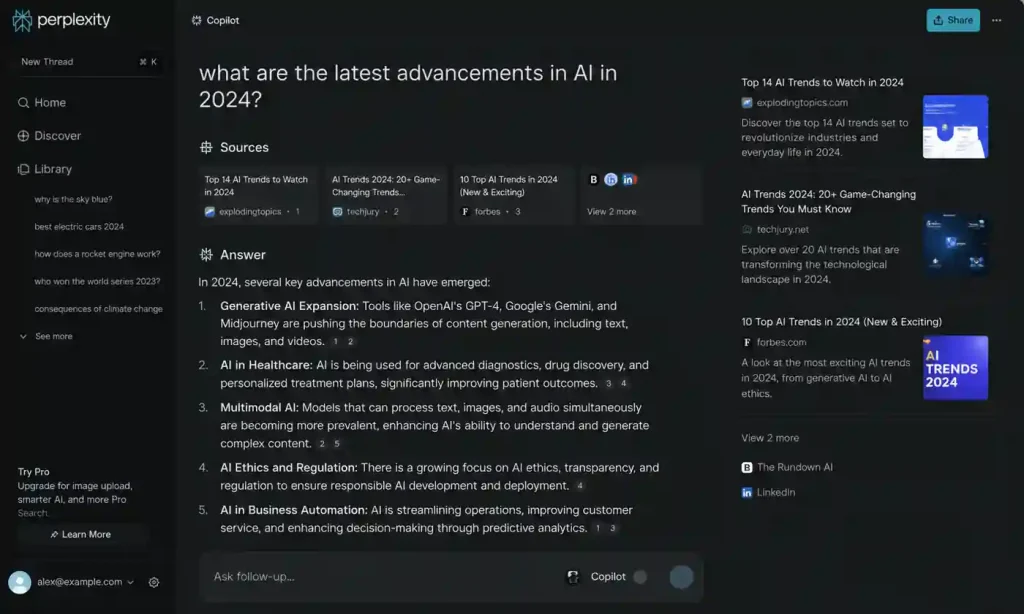
Google Search has become functionally useless for B2B research. It is a minefield of SEO spam and affiliate links. Perplexity bypasses the noise by acting as an answer engine.
I use it daily for competitive analysis. If I need to understand the pricing model of a new competitor, I ask Perplexity: “Build a comparison table of Competitor A vs Competitor B, focusing specifically on their enterprise SSO pricing, citing official documentation from 2026.”
It gives me the table with inline citations. If I don’t trust a number, I click the footnote. In the landscape of best AI search engines 2026, its ability to synthesize real-time web data is unmatched.
5. Claude (Anthropic): The Nuance King
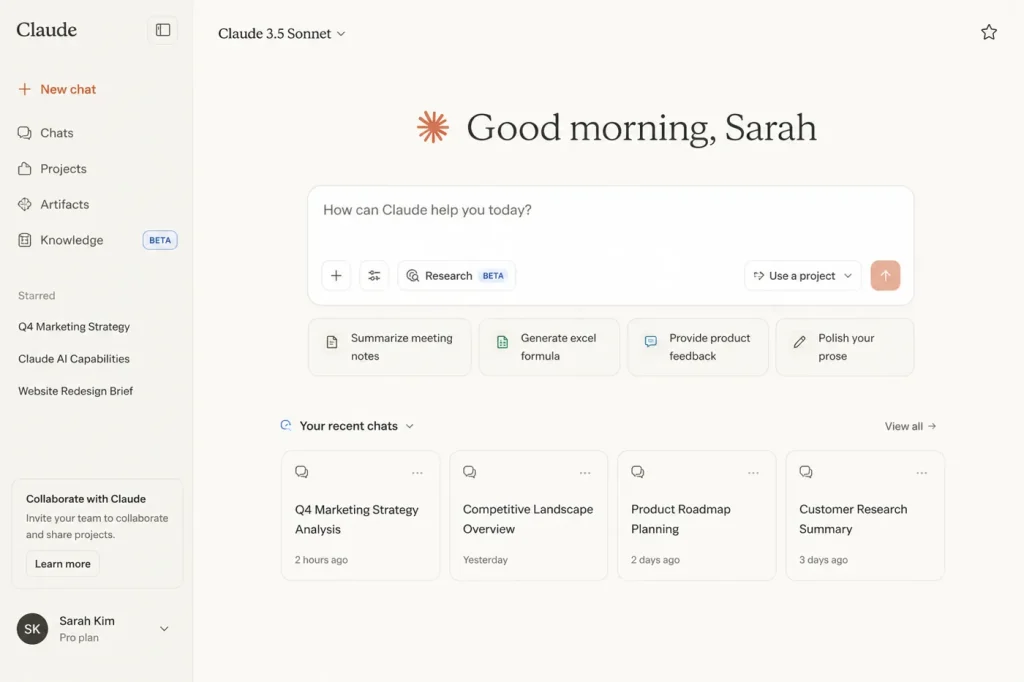
We have largely deprecated OpenAI’s GPT-4 for deep analytical work. While ChatGPT is fine for quick logic tasks, Claude feels… human. When you look at OpenAI vs Anthropic for enterprise AI, Anthropic’s focus on the AI context window makes it the clear winner for document parsing.
Last quarter, we had a massive compliance audit. We had over 300 pages of disorganized vendor contracts and SOC2 reports. We uploaded the entire batch into Claude and asked it to identify any contract that didn’t mandate a 24-hour breach notification. It processed the batch in under a minute and correctly flagged three legacy contracts. Trying to do that in other models resulted in the system timing out or hallucinating clauses.
6. Otter.ai: The Remote Team Sync Engine
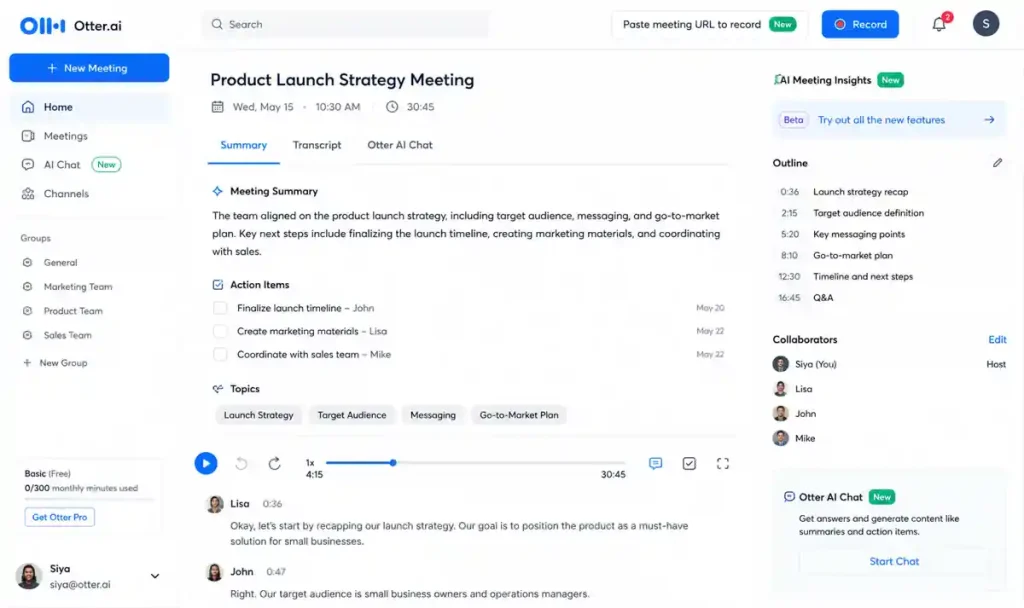
Meetings are the death of productivity, but in a fully remote team, they are a necessary evil. Otter.ai makes them slightly less painful by acting as an automated scribe.
This isn’t just about transcription. Otter maps action items. When we hold our weekly engineering sync, I don’t take notes. Otter listens, identifies when a decision is made, and creates a bulleted list.
We integrated Otter with our AI agent memory systems. Now, our internal bots can query past meetings. You can ask our Slack bot, “Why did we decide to drop support for Node 18?” and it will pull the exact transcript snippet from an architecture meeting three months ago. It’s the best of the best AI meeting assistants in 2026.
7. Ollama: Paranoia as a Service
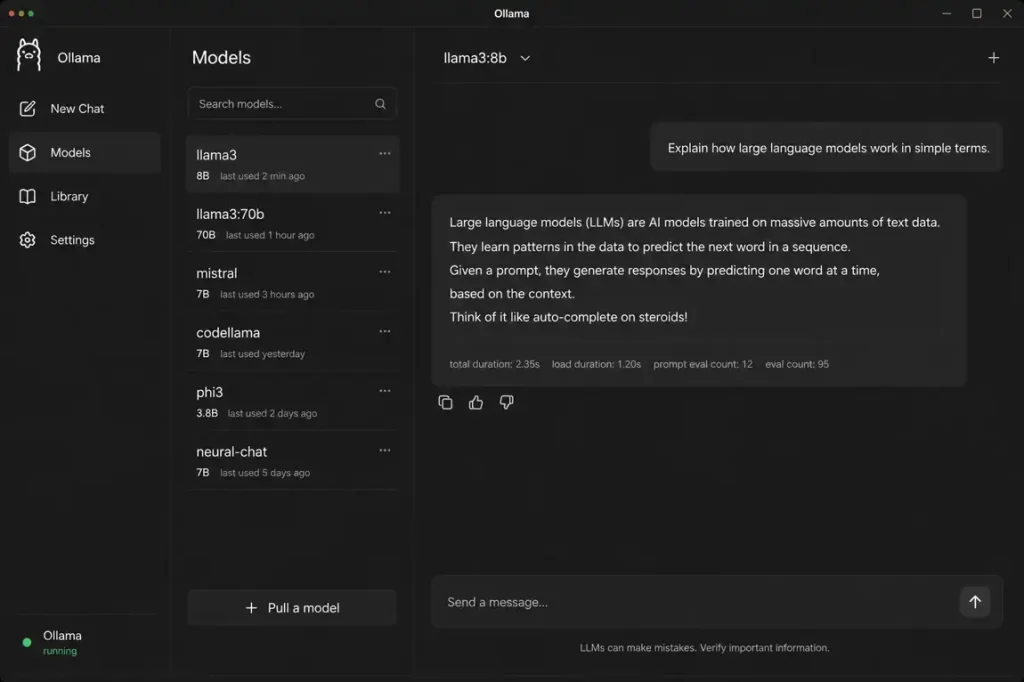
Security is the elephant in the room. If you are uploading unredacted financial data or proprietary code into a public AI tool, your compliance team is going to lose their minds. The enterprise RAG security risks are massive.
Ollama allows you to run large language models (like Meta’s Llama 3) entirely locally on your own hardware. We use it for data sanitization. When we need to analyze a massive database dump containing PII, we don’t send it to the cloud. We spin up a local instance, process the data, and output the results. Zero data leaves the machine.
If you want to know how to build a local RAG system, Ollama is the foundational layer. It keeps the lawyers happy. (Check out the Ollama GitHub repository to see how lightweight it actually is.)
8. Gamma: Presentations That Don’t Suck
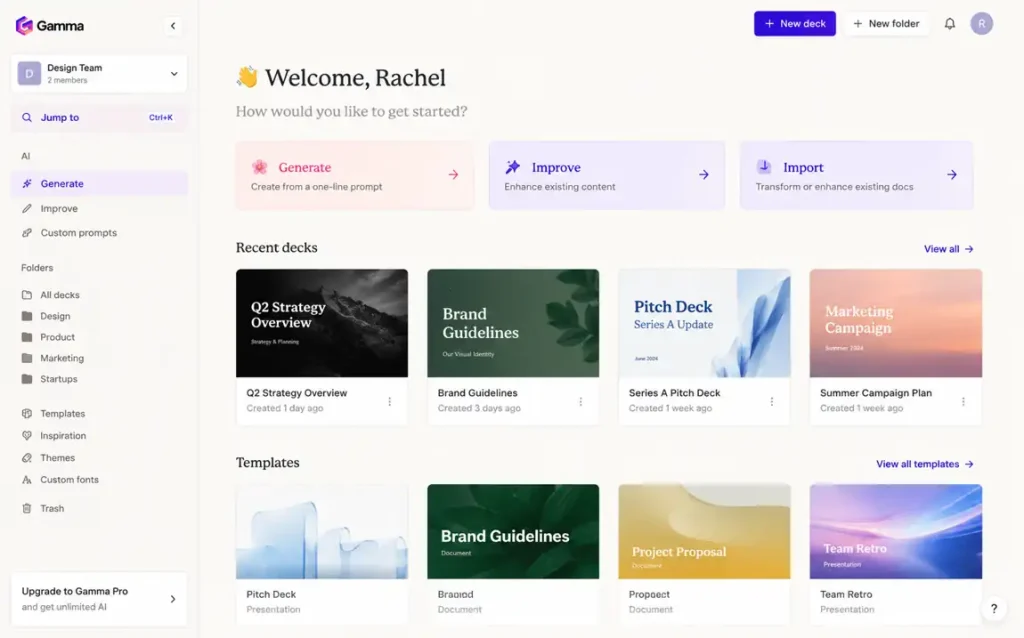
I haven’t opened Microsoft PowerPoint in almost a year. Gamma is a web-native presentation builder that uses AI to handle the layout and visual hierarchy of your decks.
We use it exclusively for internal reporting. You can dump a raw text outline of your strategy into Gamma, and it will generate a 10-slide deck in about 30 seconds. It eliminates the hours spent dragging text boxes around. However, the AI-generated images it uses are often cheesy-I usually end up replacing them with our own assets or Midjourney renders.
9. Readwise Reader: Taming the Firehose
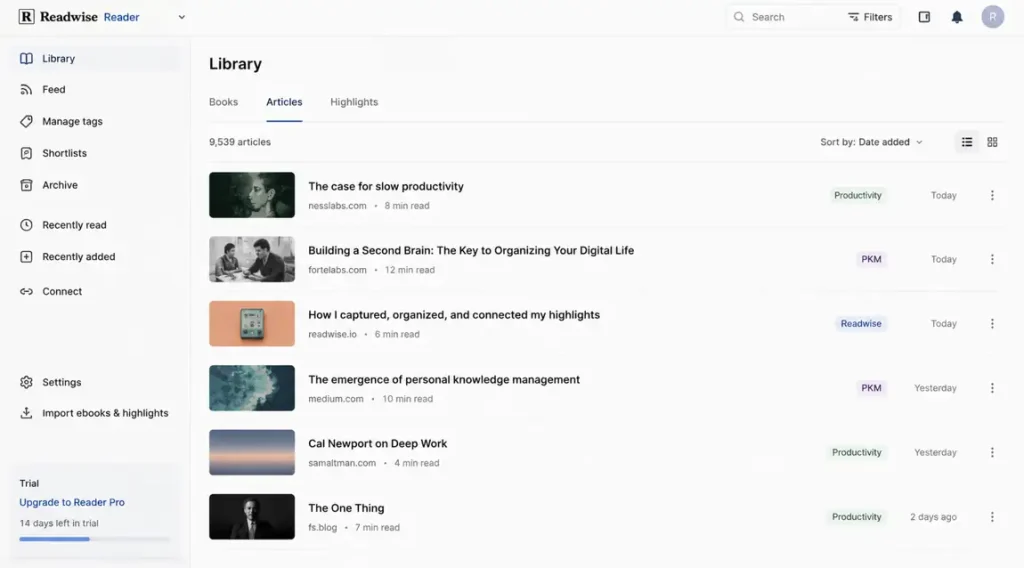
Keeping up with the AI infrastructure stack 2026 is a full-time job. There are too many whitepapers and newsletters.
Readwise Reader is an aggregator with an embedded “Ghostreader” AI. When I save a dense 40-page PDF on context window vs RAG, I don’t read the whole thing immediately. I ask Ghostreader to summarize the methodology and extract the final benchmarks. It allows me to consume the signal while ignoring the noise.
10. HeyGen: The Uncanny Valley of Growth
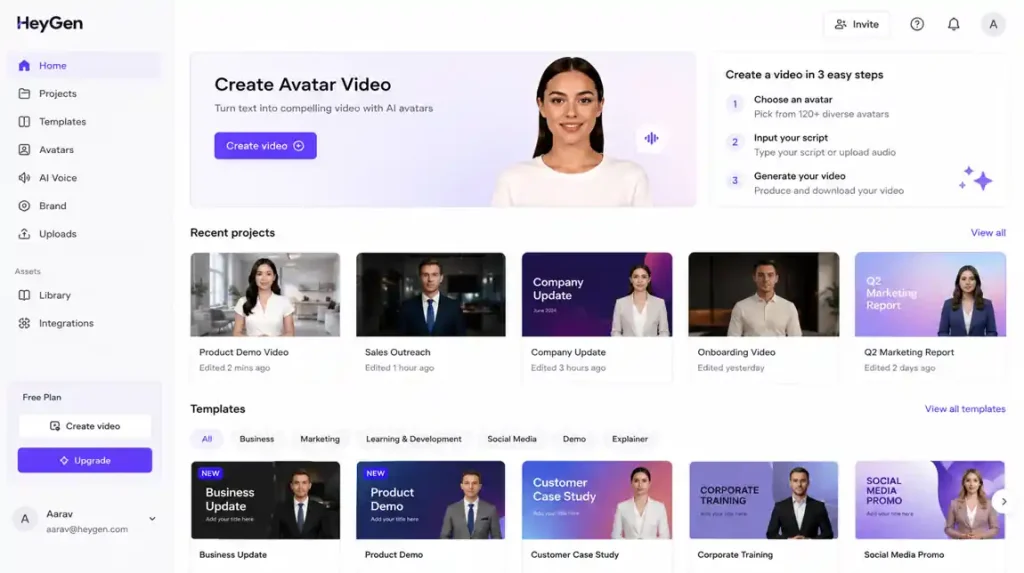
Video content doesn’t scale-until now. HeyGen allows you to create a photorealistic AI avatar of yourself.
We tested this for a localized onboarding campaign. We recorded one master video in English, and HeyGen translated the script, synthesized my voice, and altered my lip movements for German, Japanese, and Spanish. The conversion metrics on localized videos are absurd, but it sits right on the edge of the uncanny valley. You have to be careful about the ethical implications, but it is an undeniably effective part of an AI productivity stack.
11. Motion: The Calendar That Fights Back
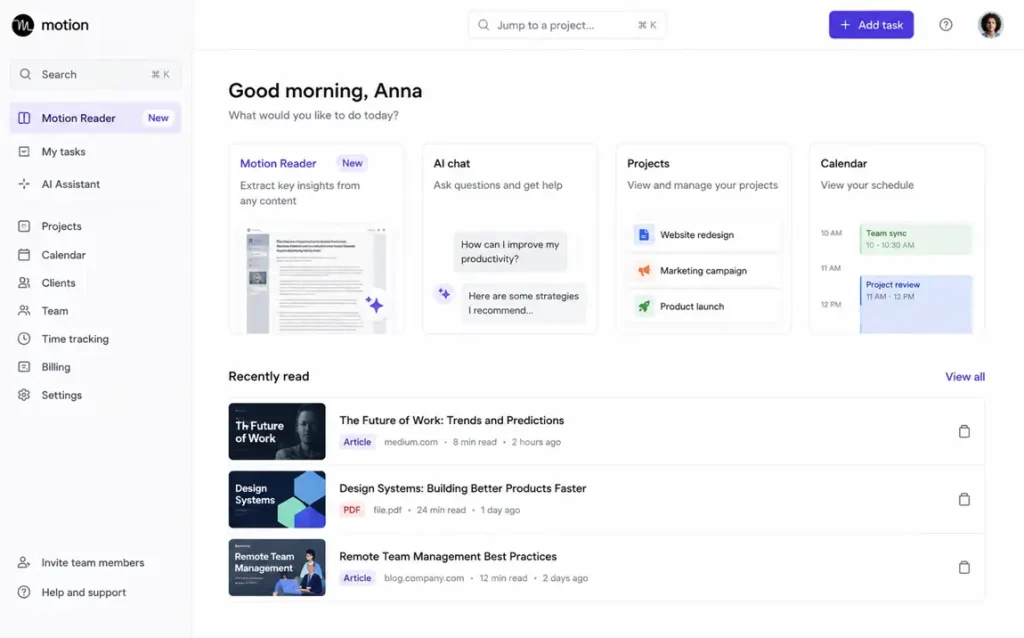
Motion is an AI that manages your time. You don’t put tasks on your calendar; you put them into Motion, and it builds your schedule for you, slotting work between your meetings.
We saw a measurable decrease in missed deadlines among our product managers after adopting it. If a PM gets pulled into an emergency call, Motion sees they missed their scheduled work block and automatically reshuffles their entire week. The downside? Giving up control to an algorithm feels unnatural for the first few weeks.
12. Mem.ai: The End of Folders
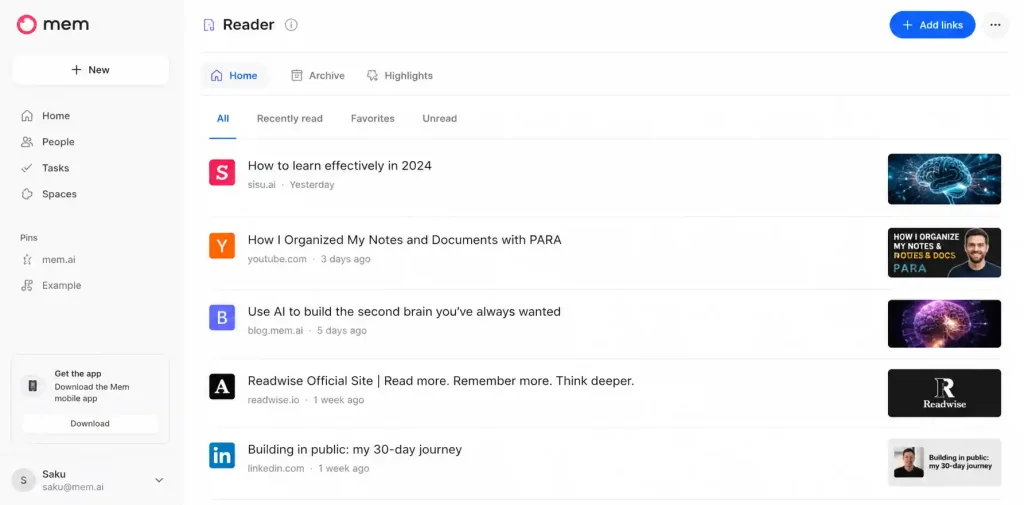
Organizing notes into folders is a fundamentally flawed concept. It forces you to categorize an idea before you know what it’s worth. Mem uses semantic search to act as a self-organizing workspace.
When I’m drafting an article on how AI memory actually works, I just type in Mem. The AI sidebar automatically surfaces notes I took months ago or Slack messages I forwarded that are conceptually related. It’s the best “Second Brain” tool because it doesn’t require manual management.
13. ElevenLabs: High-Fidelity Audio
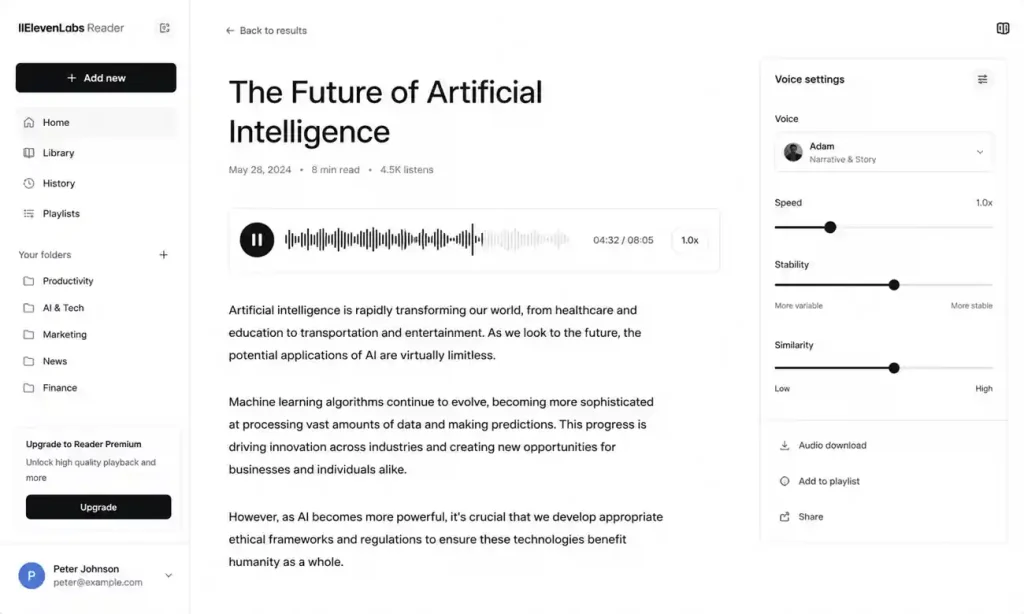
Text-to-speech used to sound like a 1980s answering machine. ElevenLabs changed that. We use it to turn our dense internal training documentation into listenable internal podcasts. The voice cloning is terrifyingly accurate, and the emotional range makes it superior to the robotic screen readers of the past.
14. Midjourney v7: Unmatched Visual Assets
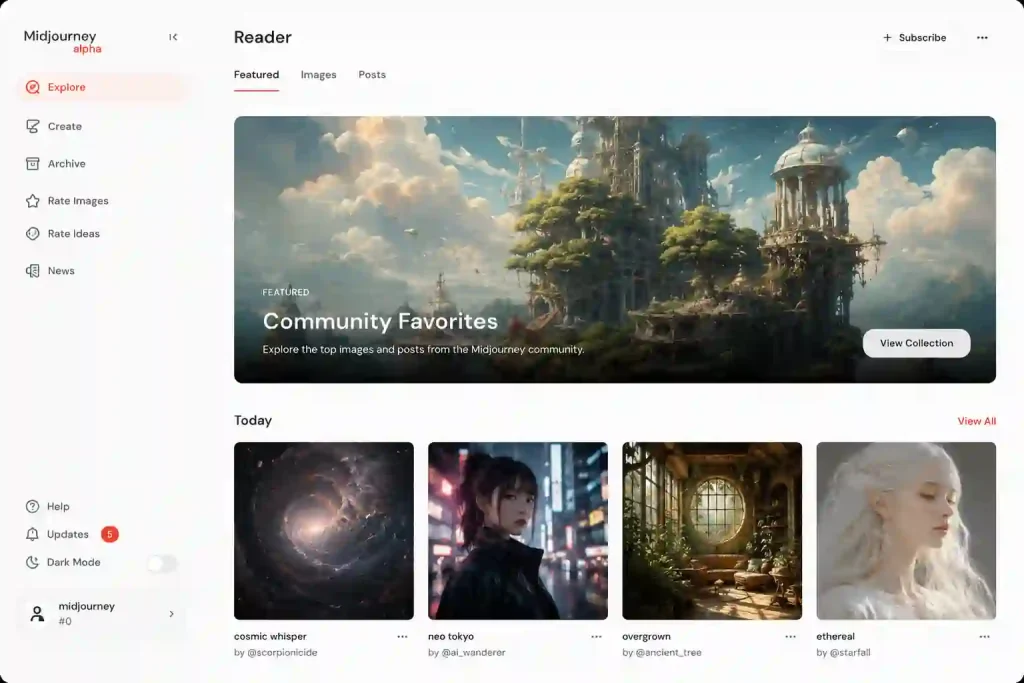
If you need images for marketing or blog headers, ignore DALL-E. Midjourney v7 is the only tool that produces professional-grade, aesthetically consistent assets. We have entirely eliminated our budget for generic stock photography. The learning curve is steep, but the output quality is still unmatched.
15. LangGraph: The Moat Builder
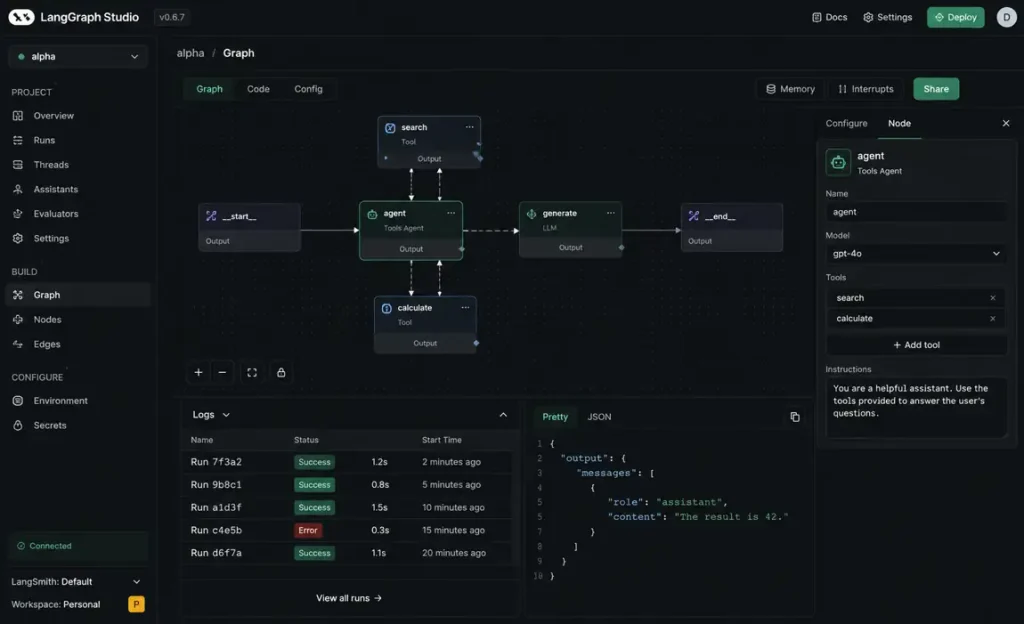
I’m including this last because it isn’t an app you just open. It is the infrastructure you use to build your own agents.
LangGraph allows engineers to build highly complex, cyclic AI agents. Unlike standard LangChain which is mostly linear, LangGraph lets you build loops. (The LangGraph documentation is a must-read before starting).
For example, we built an internal code-review agent that evaluates a pull request, suggests fixes, and re-evaluates the fix. Building this requires understanding AI agent architecture, but it is how you create actual scale. If you are debating LangChain vs LangGraph, LangGraph is the choice for anyone building production-grade logic.
Tools We Dropped Completely
In the spirit of being brutally honest, here are the categories of tools we stopped paying for this year:
-
Generic AI Email Assistants: Most of these just add filler to your emails. If you use AI to expand a three-word thought into five paragraphs, and the recipient uses AI to summarize it back into three words, we are just wasting electricity.
-
Simple “Chat with PDF” Wrappers: These are now native features in Claude and ChatGPT. There is no reason to pay a separate $20/month subscription for this.
-
AI Social Media “Auto-Posters”: These almost always result in a synthetic, “AI-sounding” tone that kills engagement. Authenticity still wins on social.
A Contrarian Opinion on the “AI Stack”
Most companies adopting AI today are massively overcomplicating their setups. You do not need a swarm of autonomous agents to handle your customer support if you haven’t even cleaned up your knowledge base yet.
The biggest bottleneck isn’t the model’s intelligence; it’s your data’s accessibility. Most startups do not need autonomous agents yet. They need better semantic search and deterministic workflows.
Mistakes People Make with AI in 2026
1. Ignoring the “Integration Debt”
Buying 12 different tools that don’t share a backend is corporate suicide. You end up with siloed data and massive overhead. Focus on AI workflows vs AI agents and ensure your tools connect to your primary data sources.
2. Treating LLMs like Databases
LLMs are reasoning engines, not fact repositories. If you ask an LLM a factual question about your business without connecting it to a vector database like Pinecone, Weaviate, or PGVector, you are begging for a hallucination.
3. The Hidden Cost of Vigilance
The true cost of AI isn’t the API fees. It is the hidden cost of AI agents: the time spent monitoring them for silent failures. When an AI fails, it does the wrong thing perfectly. You must learn how to monitor AI agents in production.
Final Verdict: Marry the Workflow, Not the Software
Most of the software on this list will be merged or obsolete by 2028. Do not get attached to a specific tool. Get attached to the workflow.
If you want to survive the next shift, focus on your data layer. Clean your docs, centralize your databases, and start building simple agentic RAG pipelines. The companies that win won’t be the ones with the most AI subscriptions; they will be the ones with the cleanest data for the AI to read.
FAQ: The Operator’s Truth
Is Prompt Engineering still a relevant skill?
No. Modern models are smart enough to understand intent. The high-value skill is now “Context Engineering”-structuring your data so the AI can find it.
Should I buy ChatGPT Plus or Claude Pro?
If you want the best integration and custom GPTs, get OpenAI. If you want the smartest reasoning and the ability to process massive AI context windows, get Claude. (You can explore their context handling in the Anthropic API Documentation).
What is the fastest way to reduce AI hallucinations?
Implementation of RAG (Retrieval-Augmented Generation). Don’t let the model guess; give it the source text. Read our guide on how to reduce AI hallucinations.
Disclaimer: Some workflows described in this article were tested in controlled internal environments and may vary depending on team size, infrastructure maturity, and data quality.
