

The Best AI Agent Builder Software in 2026
Why observability, state management, and predictable workflows matter more than autonomous hype.
The Best AI Agent Builder Software in 2026: A Production-First Reality Check
Honestly, most teams shouldn’t be building autonomous agents yet.
If you’ve spent any time on-call for a production system, you know the dream of “self-healing agents” is mostly a nightmare. The bottleneck isn’t the LLM’s IQ anymore; it’s the plumbing. After a while, you realize prompting is the easy part-the rest is just managing state, tool reliability, and the inevitable context decay.
They aren’t just chatbots. When they fail, debugging them feels closer to distributed systems work than prompt engineering. We lost most of a weekend at my last shop just trying to figure out why an agent was stuck in a loop. It turns out, they fail in ways that are hard to track and expensive to fix. Most of the work ends up being state management, not prompting.
2026 Agent Builder Comparison: What’s Actually Shipping
| Tool / Framework | Use Case | The Practical Mess | Scale Potential |
| n8n | Technical Ops / HITL | Visual “spaghetti” is real, but at least you can see the trace. | High (Self-hosted) |
| LangGraph | Hardcore Engineering | You’re building a state machine, not a chatbot. It’s a grind. | Unlimited |
| Gumloop | Scrapers / Data Ops | Fast, but you’ll be fixing broken extraction nodes every Tuesday. | High |
| Zapier Central | SMB / SaaS Glue | Safe and boring. Won’t handle complex loops. | Medium |
| Relay.app | Small Teams | Great “stop and ask a human” features. | Small-Mid |
| ChatGPT Workspace | Ecosystem Locked | Total black box. If it fails, you’ve got no levers to pull. | Limited |
| Lindy | Personal Assistant | Keep it away from your production database. | Individual |
1. n8n and the transparency problem
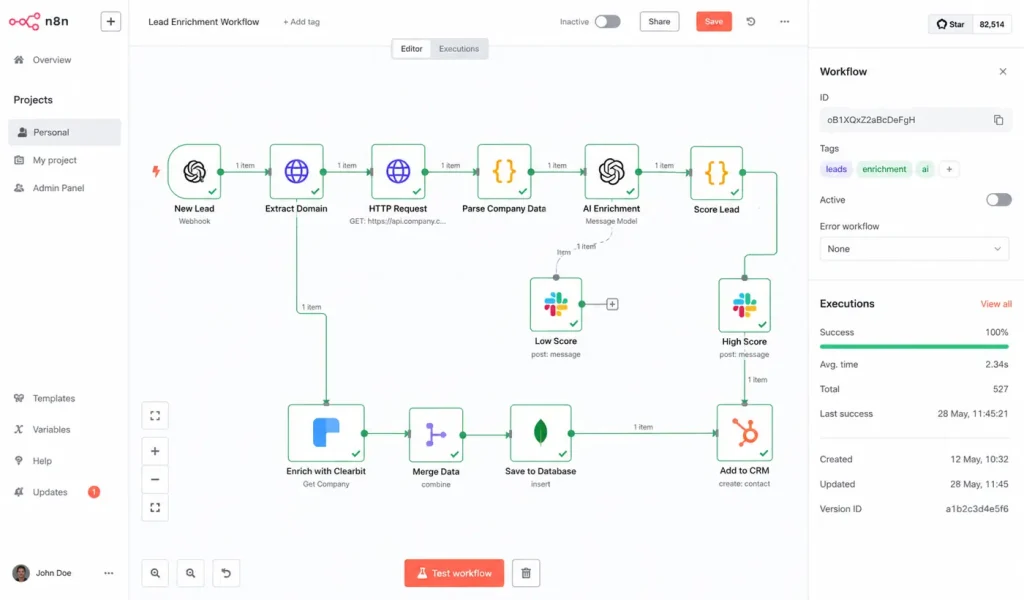
Among engineering teams actually shipping, n8n has become the default. This isn’t because it’s “low-code”-it’s because the observability is built-in.
In 2026, the biggest risk is the “Black Box.” If an agent fails, I need to know if it was a prompt issue, a retrieval poisoning attempt, or just a 503 from a legacy API.
We once had an agent repeatedly query a deleted Confluence page because the vector index was updating slower than the cache invalidation job. It took us two days to realize the hallucination was technically “correct” according to the stale embeddings. In n8n, we could actually see the raw JSON and realize the source ID didn’t exist anymore. We lost most of a weekend figuring that one out, but at least we had the logs to find it.
-
Best for: Teams worried about enterprise RAG security risks who need a human-in-the-loop.
-
The Reality: Once you hit 100+ nodes, the UI starts to lag. You’ll end up splitting things into sub-workflows just to keep your sanity.
2. The LangGraph state management grind
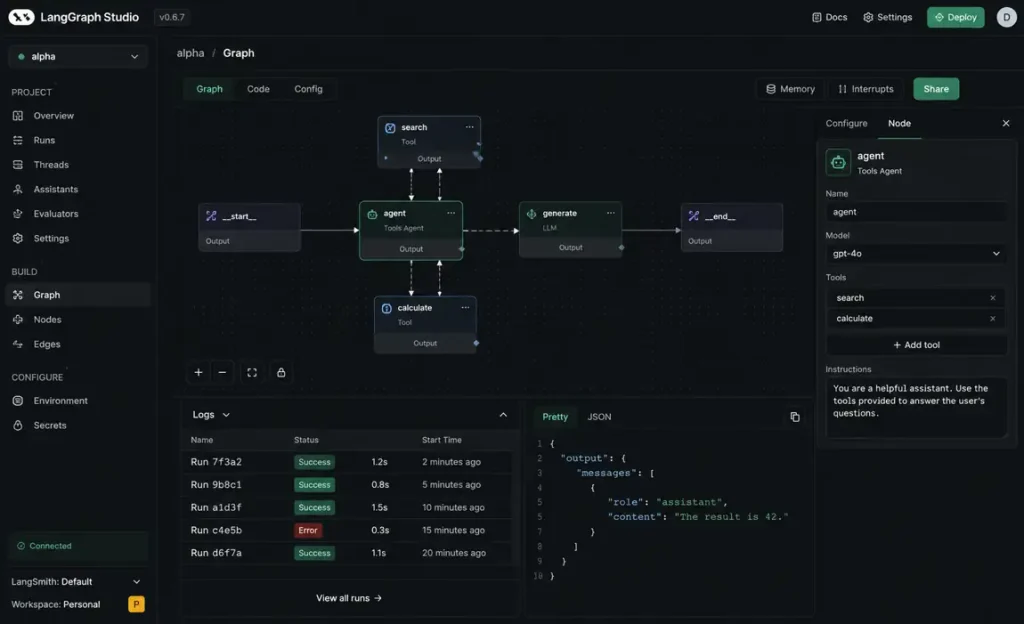
Early agent frameworks had this nasty habit where retries would quietly spiral until someone noticed the API bill looked wrong. LangGraph handles this by forcing you to treat agents as state machines.
The learning curve is brutal. Most teams underestimate how much time disappears into state definitions. You aren’t just writing a prompt; you’re architecting a loop. At one point, we had an agent retry itself 118 times because an upstream API returned HTML instead of JSON during a Cloudflare incident. The agent kept trying to “parse” the 502 error page as a tool response. It was a mess.
It’s the right choice for agentic RAG, but only if you have the engineering hours to babysit the state.
3. Gumloop and scraping headaches
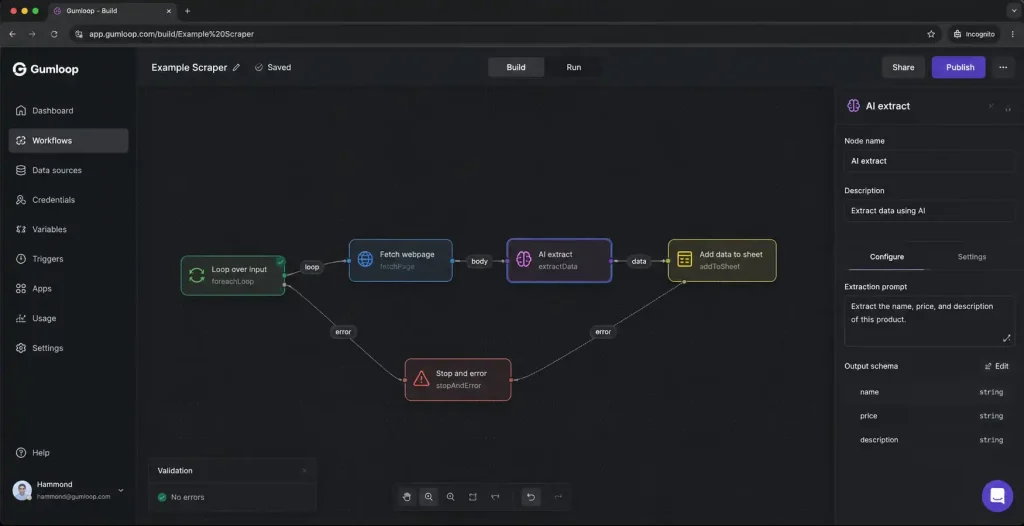
Gumloop is where the “agent-first” teams are landing. It handles complex multi-step scraping better than almost anyone. But keeping the scraper alive is a weekly battle.
We had one scraper workflow silently fail for hours because a target site changed a nested div structure and the extraction node still returned “valid” empty payloads. The agent just kept moving, assuming everything was fine, while our database filled up with null values. It’s fast, but you’re basically signing up for a weekly maintenance task as target sites change.
Pro-tip: One workflow broke recently just because somebody renamed a Notion column from Customer ID to CustomerID during a Friday cleanup. The agent couldn’t find the key and just… stopped.
4. Zapier Central & Relay.app: Moving safely
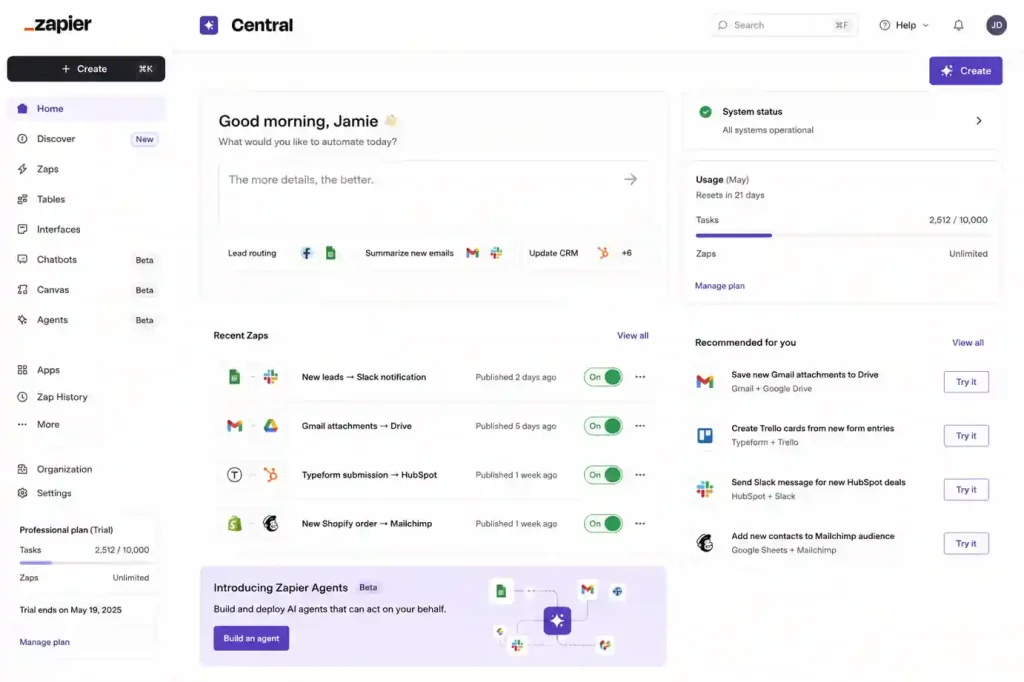
Zapier is safe connectivity. It’s for when you need to move fast across 6,000+ apps without the agent hallucinating a new API endpoint. But it hits a wall the second you need an agent to make a high-stakes decision.
Relay.app is interesting for small teams because it treats human intervention as a feature. If the agent isn’t 99% sure about a mapping, it stops and pings you. It’s less “AI magic” and more “automated assistance.” We had a flow in a similar tool fail because a vendor changed an enum capitalization from ACTIVE to active. The agent saw the empty response and almost triggered a “Goodbye” email sequence to 5,000 active users. The manual check saved us from a PR disaster.
5. ChatGPT Workspace & Lindy
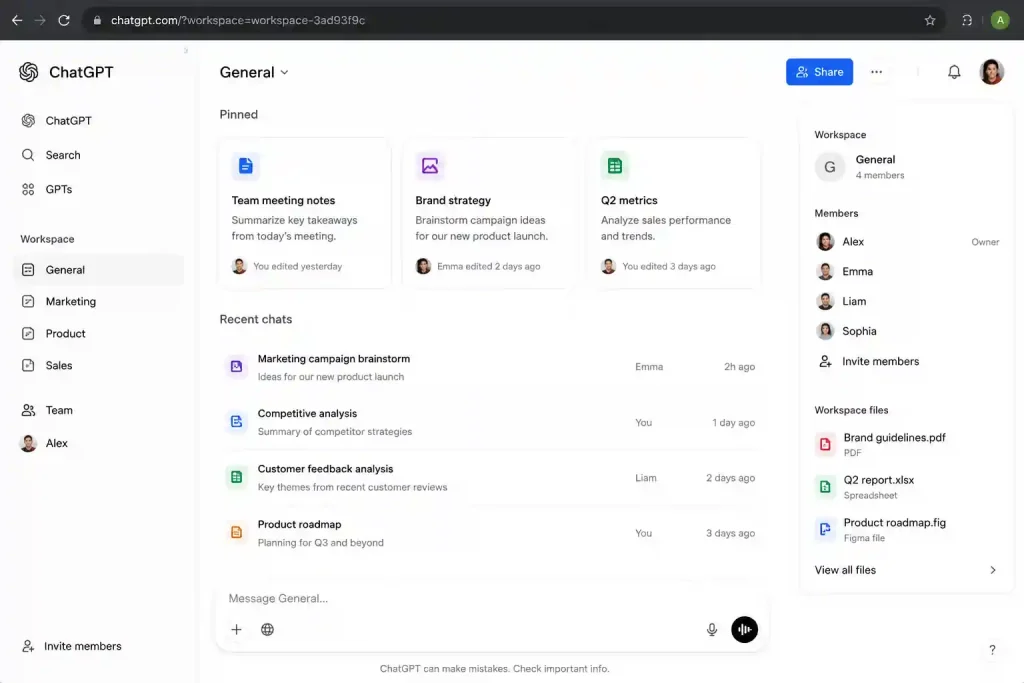
If your team lives in ChatGPT, the workspace agents are the path of least resistance. The problem is they are a complete black box. You feed it files, it gives answers. If it’s wrong, your only lever is “write a better prompt.”
One workflow we tried accidentally generated 14,000 empty embeddings because a parser stripped all markdown headings during ingestion. We didn’t even know it happened until a week later.
Lindy is a personal assistant. It’s great for scheduling, but I wouldn’t let it touch a production database. It’s built for personal agency, not for deterministic reliability. At one point, a junior dev accidentally connected staging Slack credentials to production notifications and the agent spent six hours apologizing to real customers for “test server maintenance.”
The 6-Month Reality Check
Six months after you deploy, you won’t be talking about “revolutionary” AI. You’ll be talking about:
-
Logic Drift: This is common with coding tools like Windsurf and Cursor. They fix a bug in a controller but silently break a dependency in a service file. Never let them auto-commit.
-
Automation Entropy: Every time a model is updated, your logic shifts by 2%. Eventually, the memory just becomes noise.
-
The Memory Problem: I’m still not sure anyone has actually figured out agent memory systems properly yet. Most are just increasingly sophisticated context compression that eventually loses the thread.
The debugging question matters more than almost everything else. Most platforms look incredible during a demo. Then production happens and suddenly nobody can explain why the agent picked Tool B instead of Tool A. If your trace visibility is bad, the rest honestly doesn’t matter.
We spent years trying to make agents more autonomous. Most teams now care more about making them predictable. Predictable systems are boring. But boring systems are the ones that survive production.
